
[HCI-VN] Failed to add aggregate interface to hosts in batches
Problem Description
Failed to Add Multiple Aggregate Interfaces
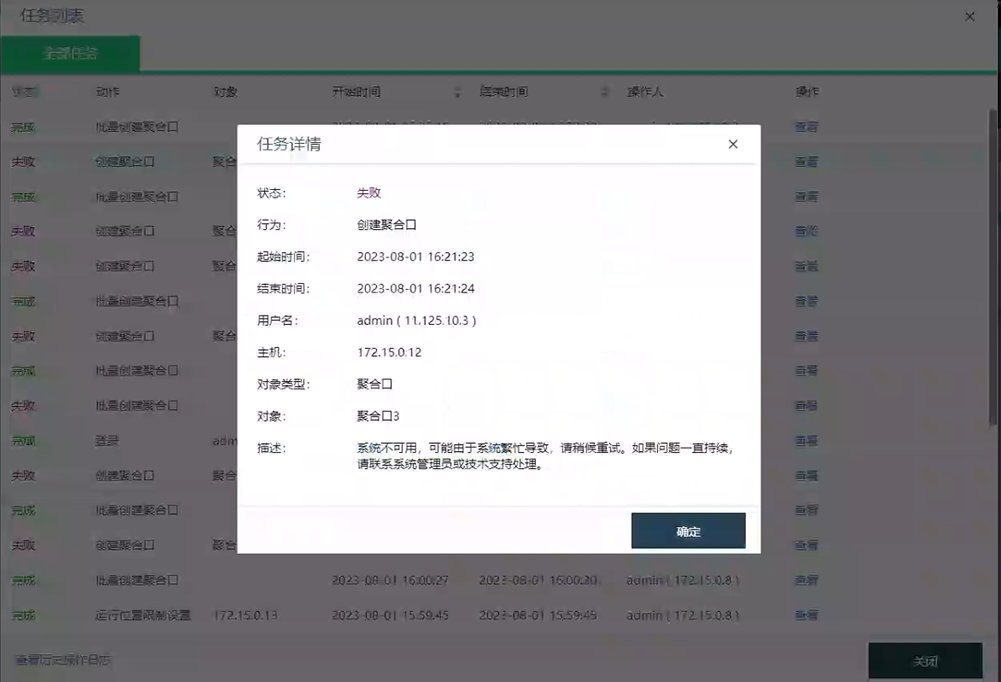
Effective Troubleshooting Steps
1. Check vn-node-agent-rpc.log for an error log, the error message is that the eth6 network port does not exist
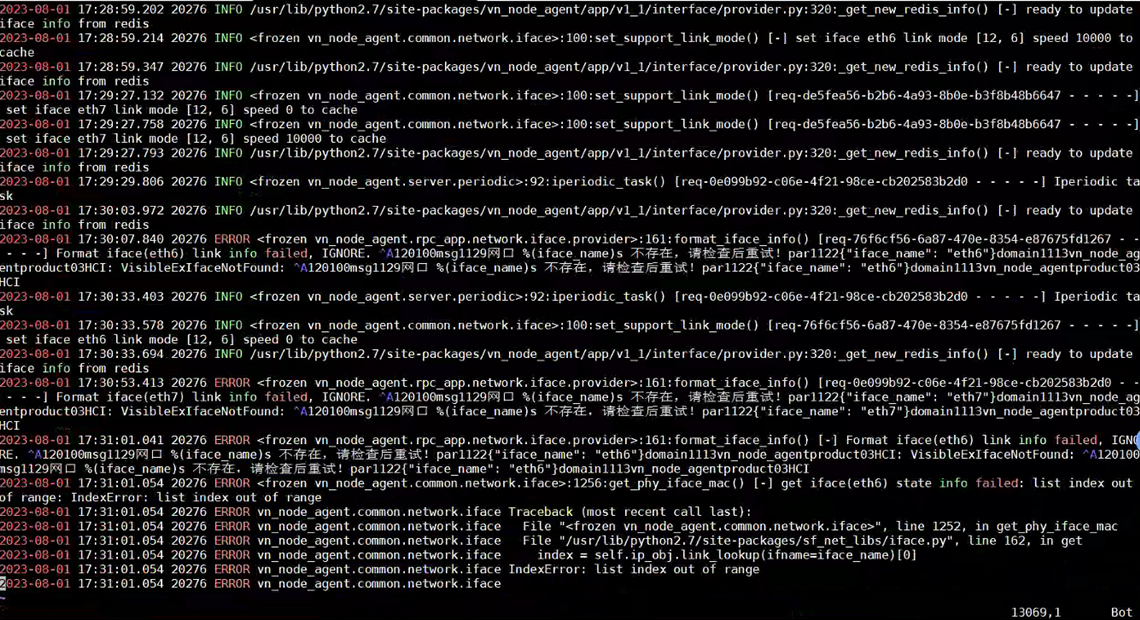
Check vn-node-agent-api.log for similar errors

2. Check ifconfig, /sf/cfg/if.d, /sys/class/net network port information are all normal
3. Execute the command /sbin/ethtool eth7. It is possible that the content cannot be obtained, or it takes a long time to load (eth6 and eth7 are aggregate interface. Both eth6 and eth7 have the same problem in the error log)
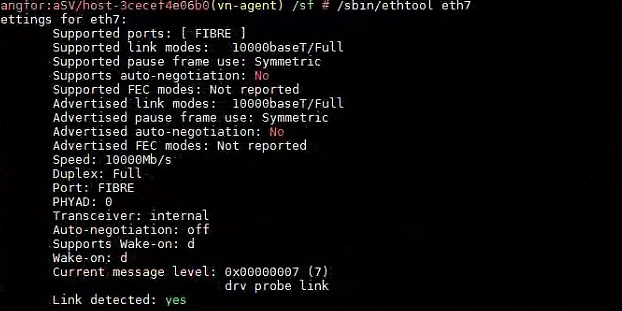

4. Check the dp log, the eth7 network port keeps reporting errors and takeover failures

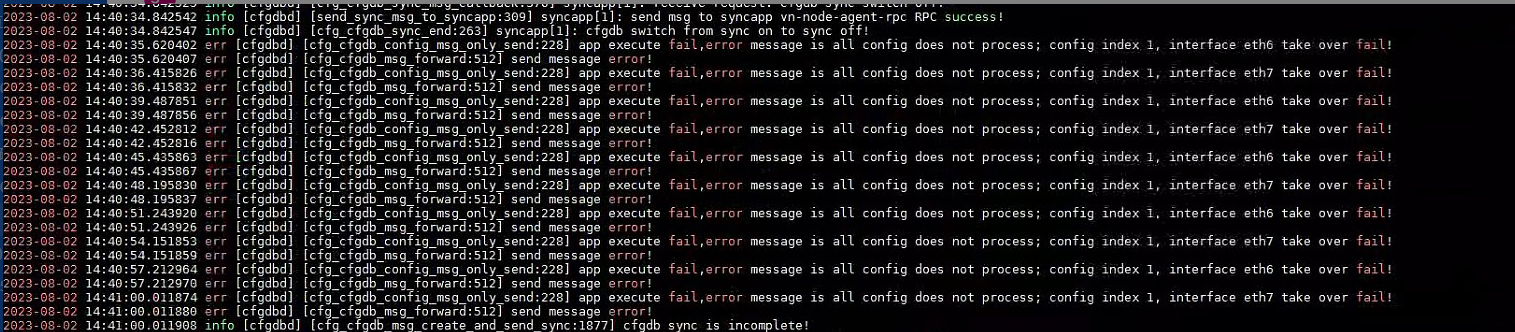
5. Consult data plane (DP) to check the reason for the takeover failure and check the dpp log, cat /sf/log/sdn/dpp.log
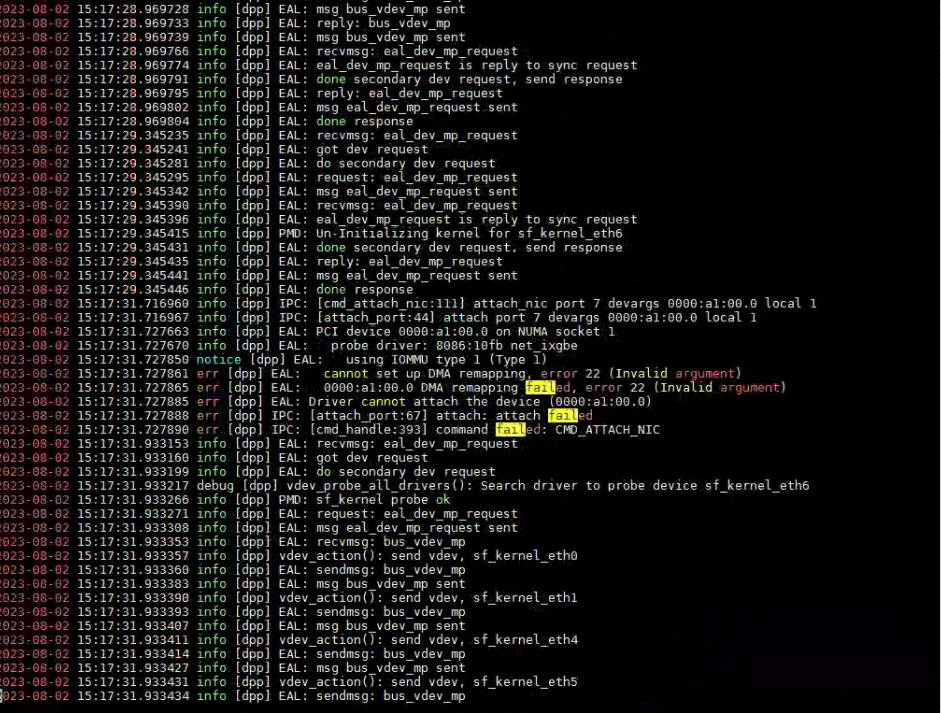
cat /proc/cmdline

Root Cause
The iommu startup parameter is turned on. Normally, dp will not enter dma remapping. After it is turned on, if some NIC do not support the features or other reasons, the NIC takeover will fail.
Solution
Modify the startup parameter iommu=off
Manual recovery environment (ixgbe NIC):
- echo "net_ixgbe" >> /sf/sdn/conf/sup_dpdk_unregister.ini
- Restart sdn: /sf/etc/init.d/sdn.sh restart [Please confirm with the expert R&D before executing this command]
Scope of Operation Impact
Restarting sdn will cause network disconnection for 10~30s
Is this a temporary solution?
Disabled
Troubleshooting Content
1. Check vn-node-agent error
2. Check whether Node network port is loaded correctly (ifconfig, /sys/class/net, /sf/cfg/if.d)
3. Check the dataplane takeover information
4. Locate the cause of takeover failure
Original Link
https://support.sangfor.com.cn/cases/list?product_id=33&type=1&category_id=23341&isOpen=true