
[HCI-VN] Failed to re-set the Cluster IP, and data plane (DP) repeatedly reported that the network port had been taken over
Problem Description
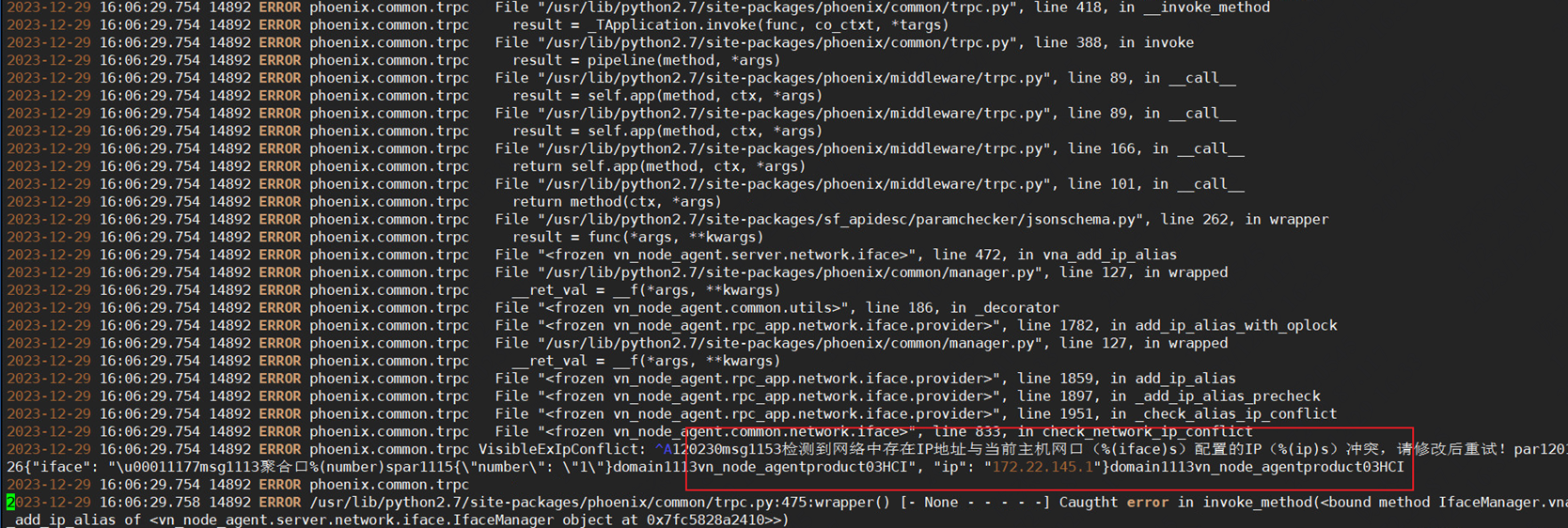
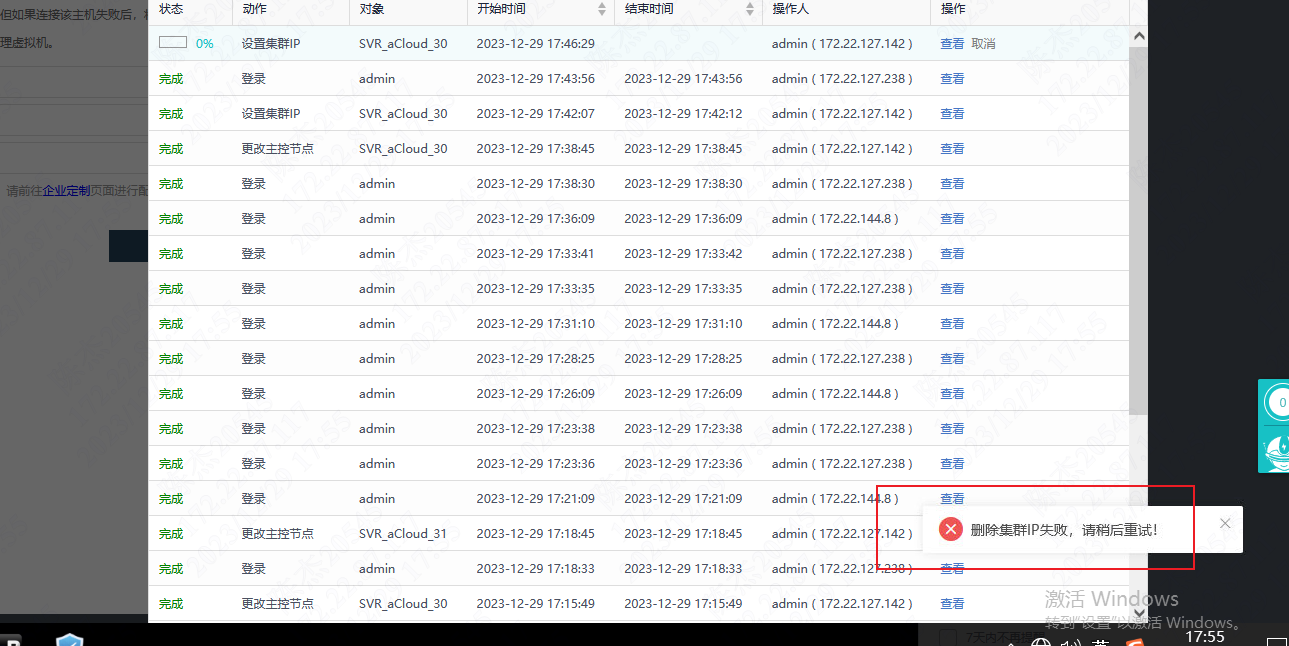
The original problem is that when switching Cluster Controller, the page switches successfully, but the background Cluster VIP background cannot switch normally, and the vn-node-agent-rpc log reports an error network address conflict
An attempt to modify the Cluster IP failed, and the message "Delete Cluster IP failed" was displayed. Please try again later.
Effective Troubleshooting Steps
1. Check vn-node-agent-rpc.log in the background, and it shows an error in calling the DP interface
2. Check the dp log and it keeps reporting that the network port has been taken over
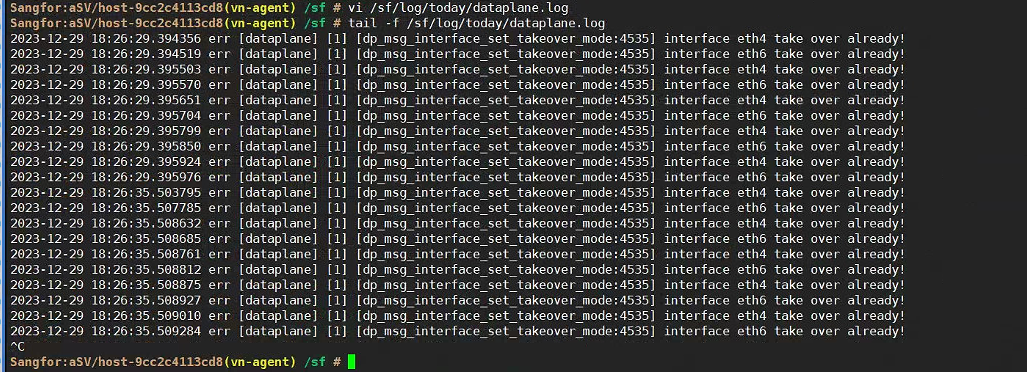
Check that the network port takeover status is normal and use dpdk to take over
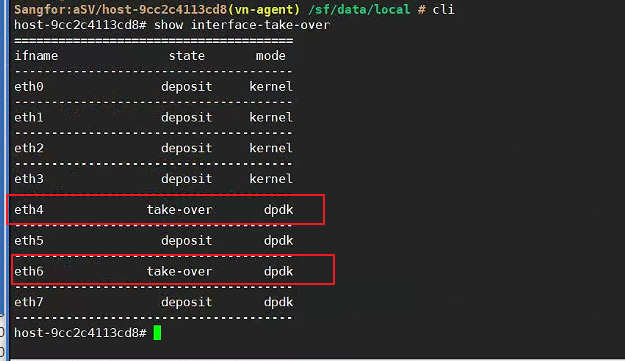
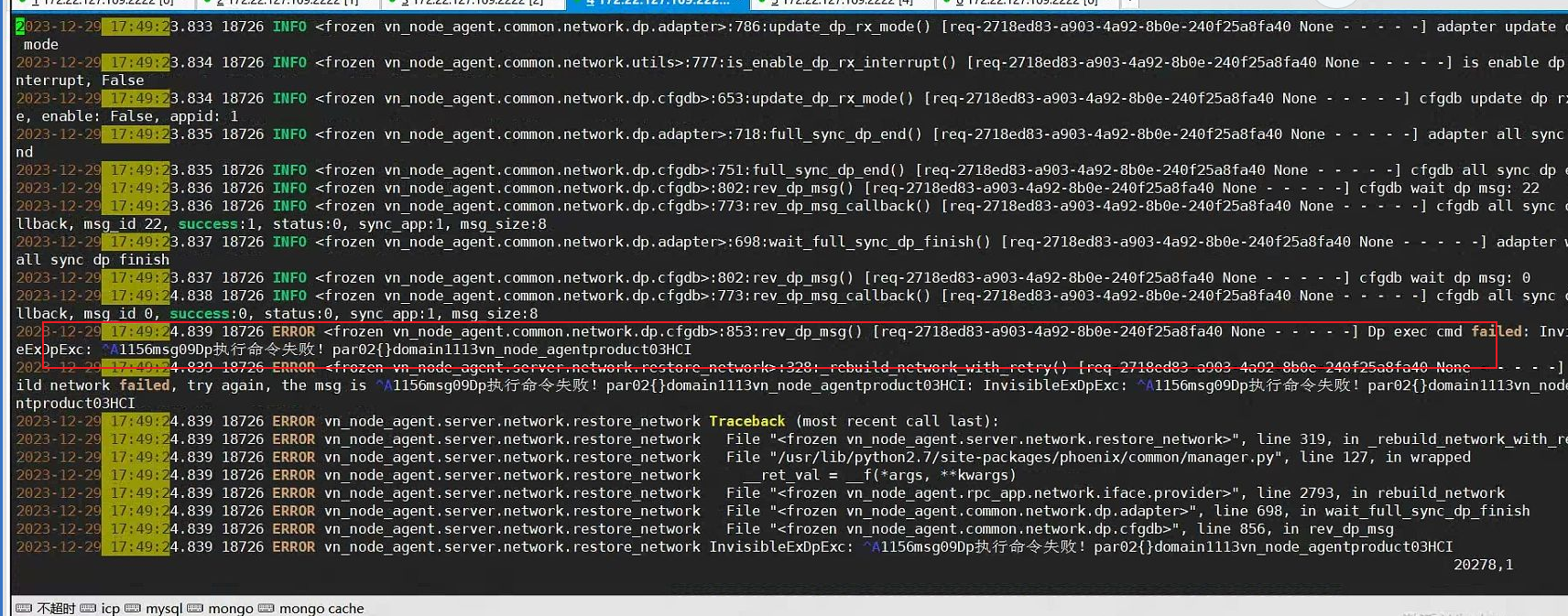
3. Check the cfgdb log, it is prompted that the network port uses kernel mode takeover. Since the network port configuration is dpdk mode, kernel mode takeover cannot be used, so an error is reported


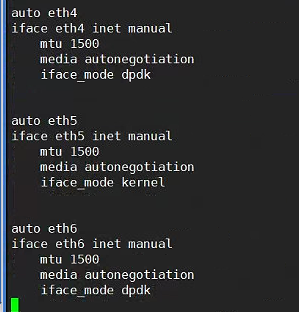
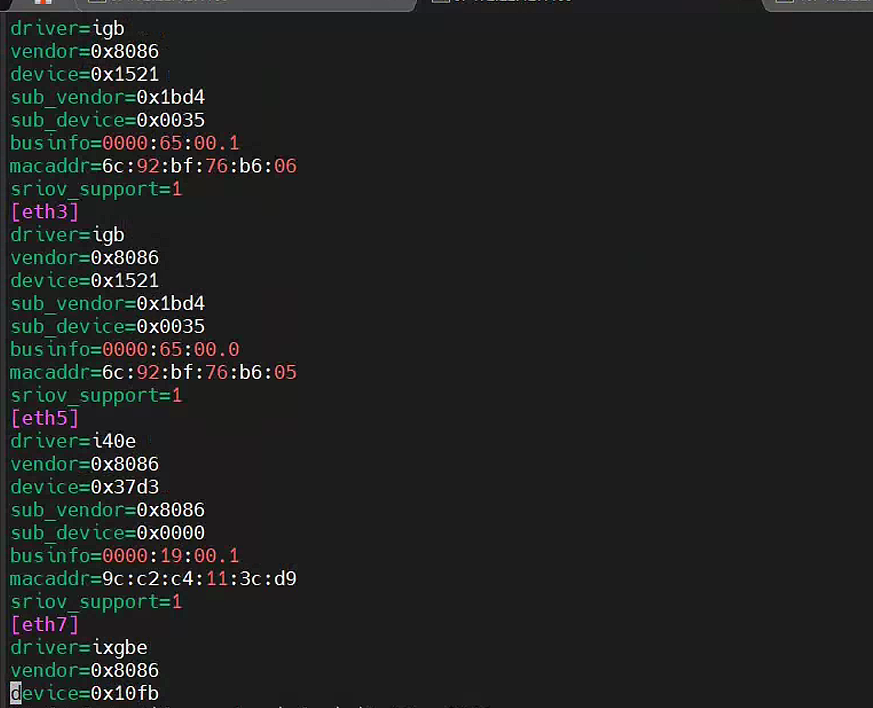
4. Check the Node network takeover process. During the rebuild, read the /sf/cfg/vn/ifaces_dev_info.ini configuration to determine the network port mode for takeover. On the abnormal host, the configuration file is missing the eth4 and eth6 ports.
Root Cause
The /sf/cfg/vn/ifaces_dev_info.ini configuration file lacks network port information. When Node network sends the network port takeover, the network port mode is selected as kernel, which makes it impossible to be taken over again.
It is suspected that the network port is abnormal during the upgrade, resulting in incorrect configuration generation
Solution
Recovery steps:
1. Migrate the virtual Node on the abnormal host and stop the SDN service
/sf/vn/etc/init/sdn.sh stop
2. Execute the script /sf/bin/ifaces_dev_info.sh. After the execution is completed, make sure that the network port configuration in the /sf/cfg/vn/ifaces_dev_info.ini file is normal.
3. Restart the sdn service
/sf/vn/etc/init/sdn.sh start
Scope of Operation Impact
Stopping the sdn service will temporarily affect the network, so migrate the business before the operation
Is this a temporary solution?
Enabled
Troubleshooting Content
If the host network is abnormal, first check the abnormal error information in vn-node-agent-rpc.log
Original Link
https://support.sangfor.com.cn/cases/list?product_id=33&type=1&category_id=26587&isOpen=true