
[HCI-VN] How aDesk communication interface IP when VXLAN and terminal communication ports are multiplexed
Problem Description
When switching aDesk communication interface to the vxlan port, an error message appears: The selected network port has no IP address or aDesk communication interface must be configured with an IP!
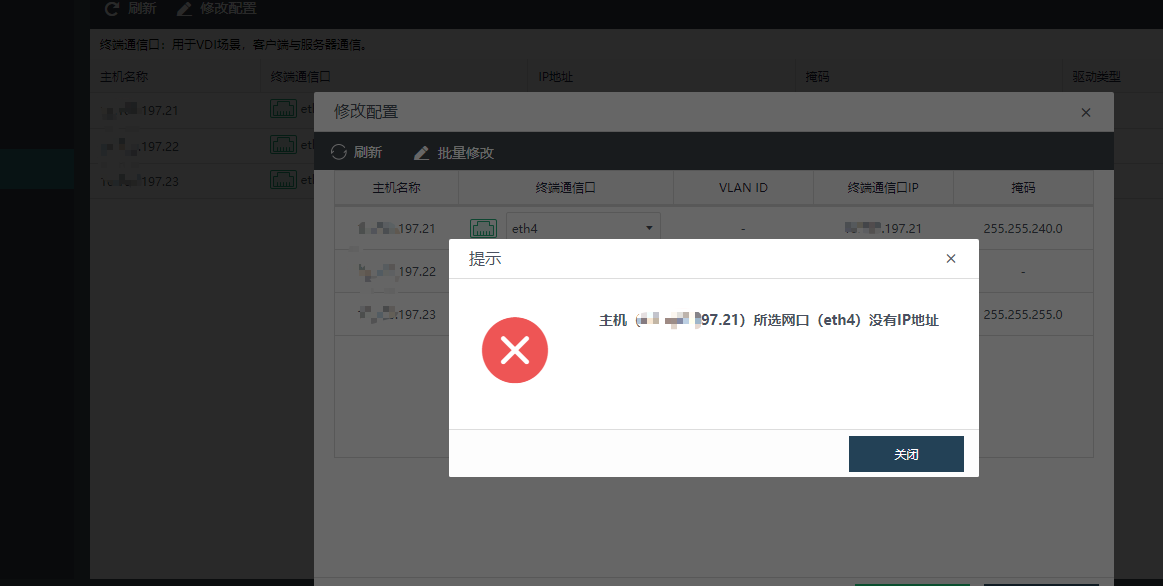
Effective Troubleshooting Steps
- The IP of the Overlay Network Interface is not the real IP assigned to the network port, so eth1 actually has no IP
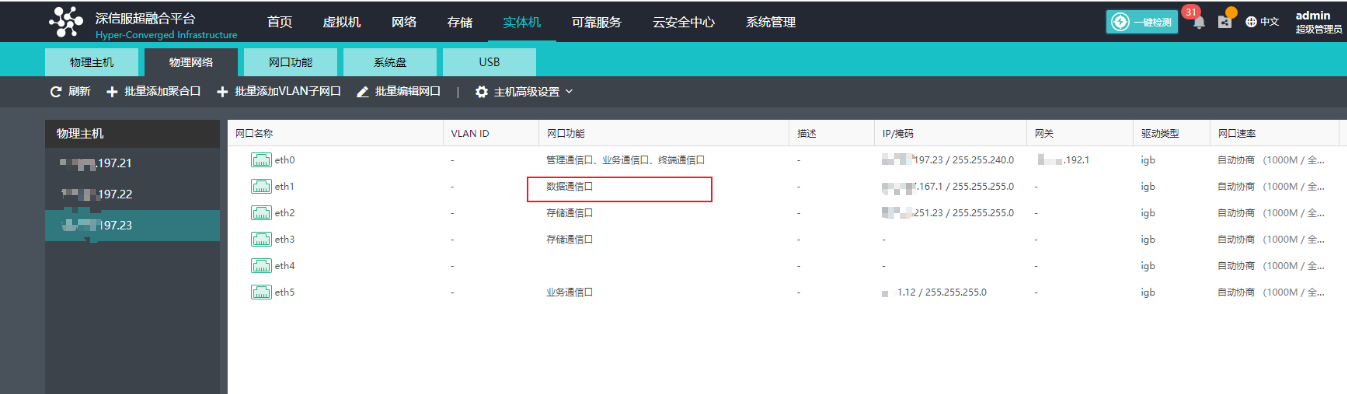
- If you want to switch the aDesk communication interface to eth1 and reuse it with vxlan, you need to assign an IP address to eth1 before you can switch.
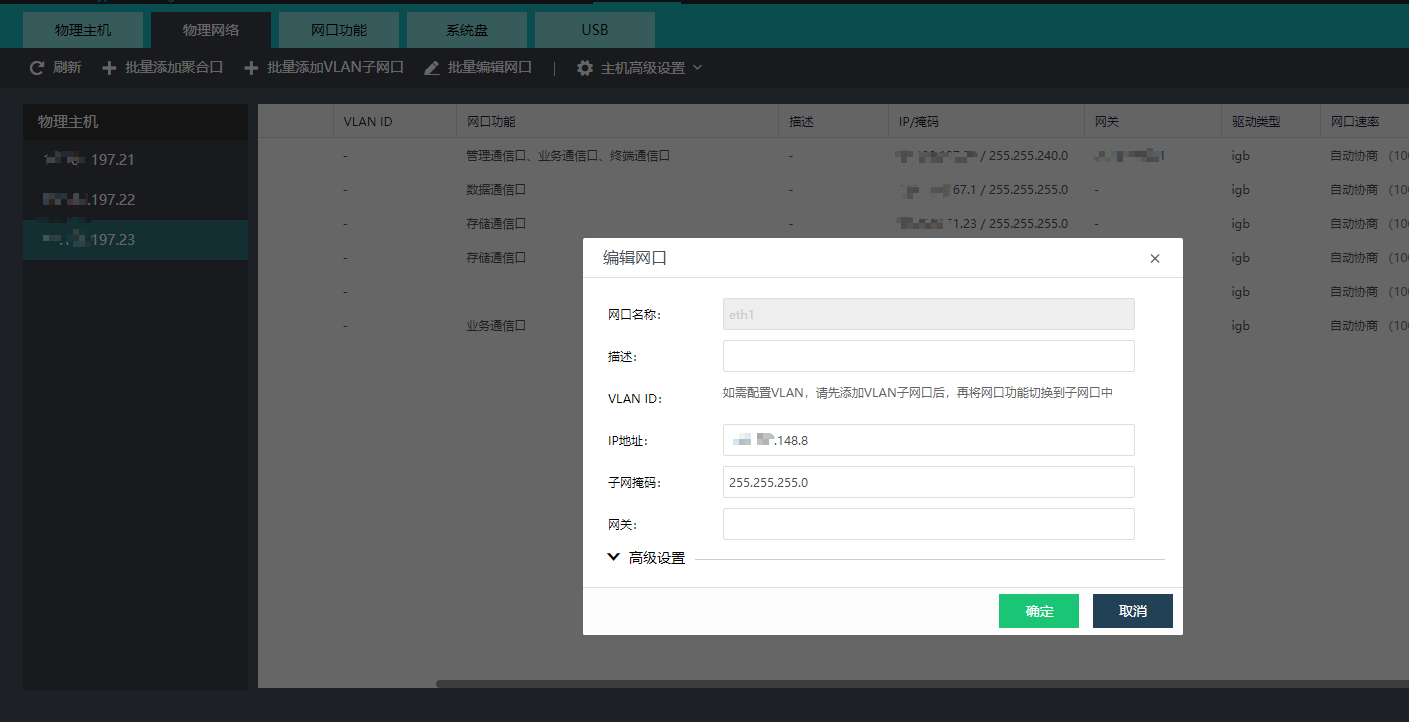
Then you can cut it
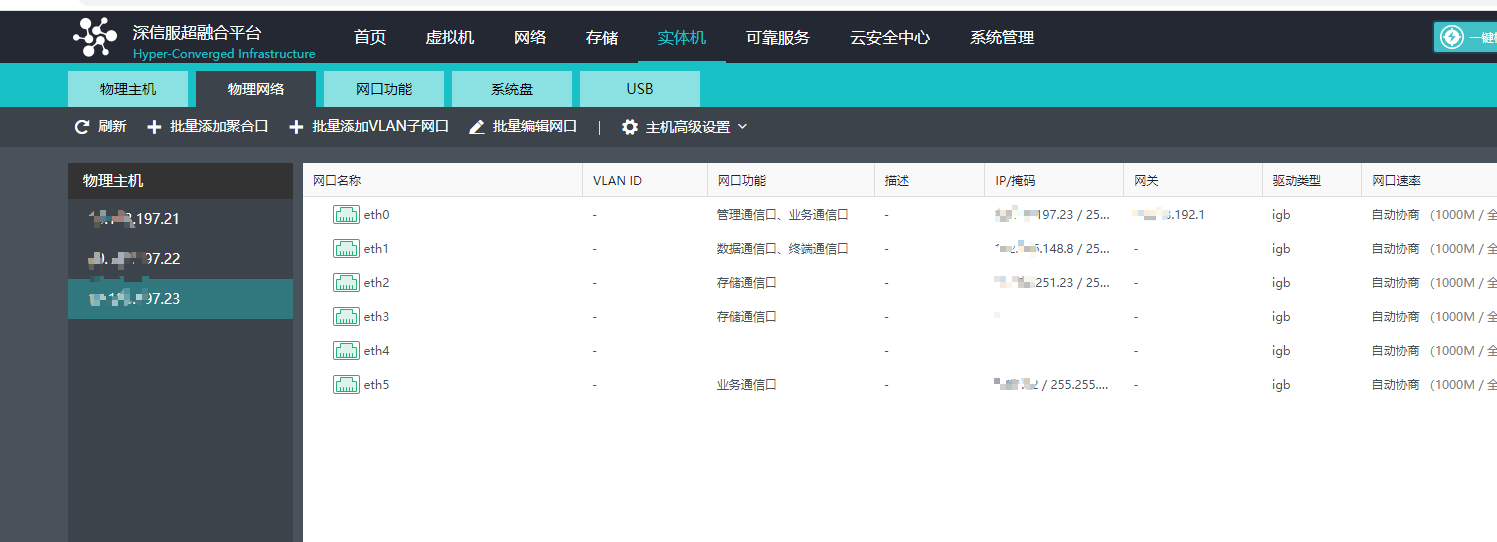
Solution
Manually configure an IP for the network port where vxlan is located
Original Link
https://support.sangfor.com.cn/cases/list?product_id=33&type=1&category_id=27132&isOpen=true