
[HCI-VN] In a four-network integration environment, an alarm indicates that the LACP aggregation member port peer is not configured with LACP aggregation mode
Problem Description
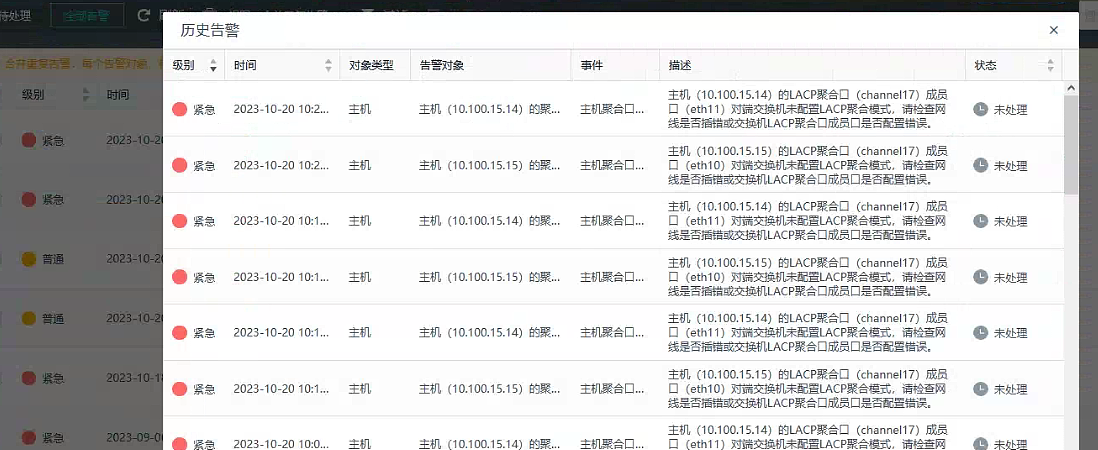
Interface Multiplexing environment always prompts that the aggregate interface the LACP aggregation port channel17 member port is not configured with LACP aggregation mode. Please check the switch configuration.
Alarm Information
Effective Troubleshooting Steps
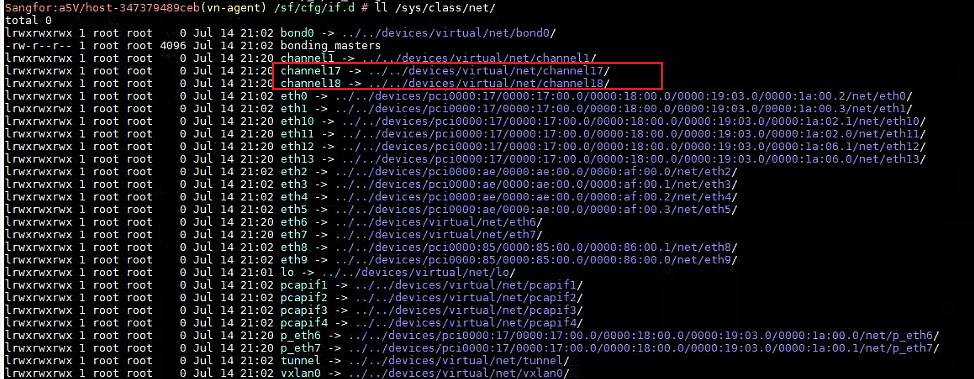
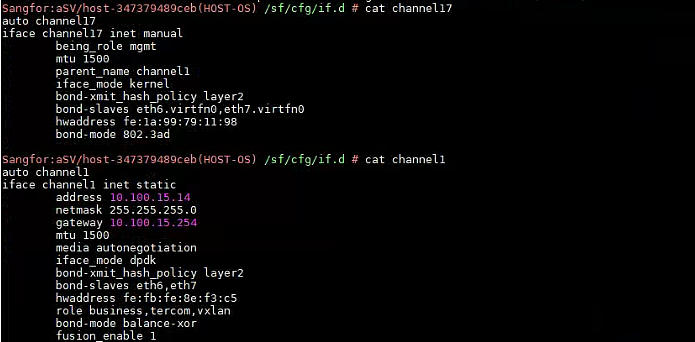
1. In a four-network-in-one environment, the aggregate interface of channel17 and channel18 are virtual kernel ports. Channel17 is assigned as the Management Interface, channel18 is the storage port, and the aggregation mode is LACP
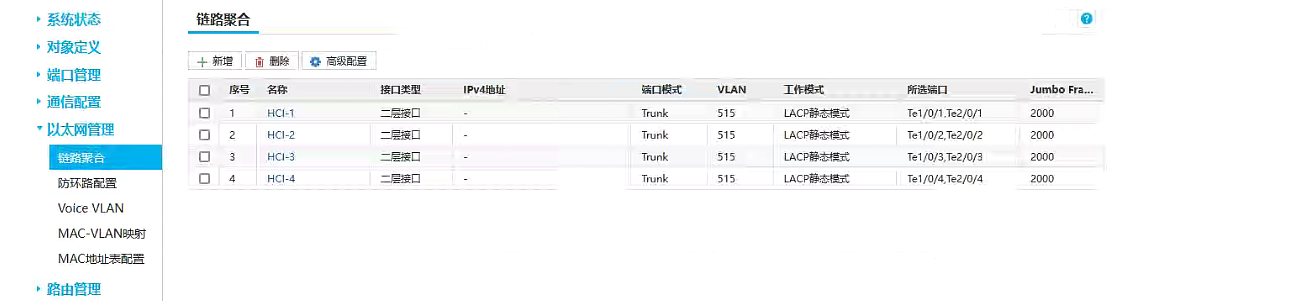
2. Check the aggregation mode configuration of the peer switch network port. All are LACP static aggregation, and the configuration is correct.
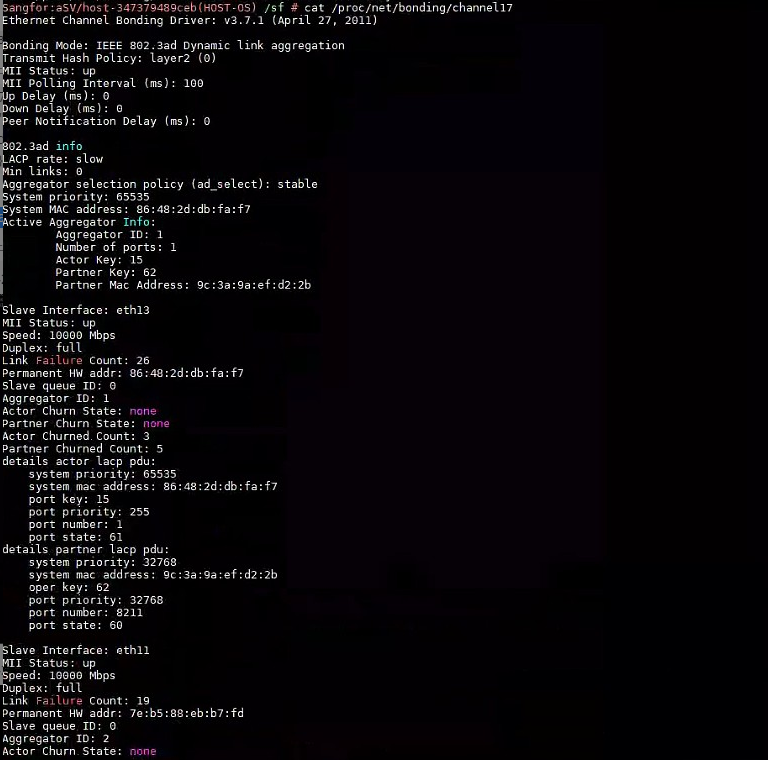
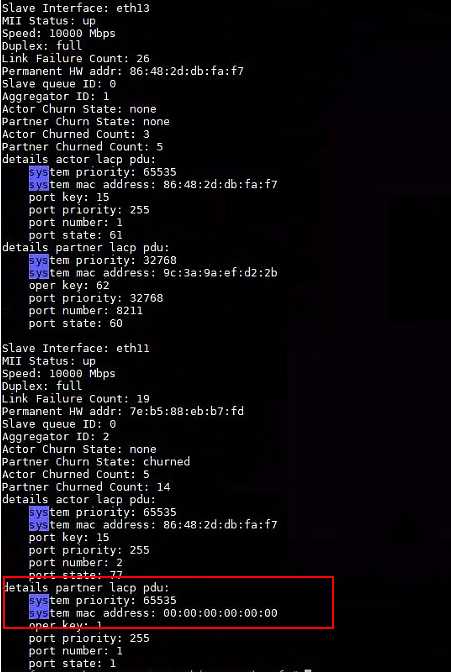
3. Check the details of the Aggregate Interface of channel17 and find that the MAC address of the member port is 0
cat /proc/net/bonding/channel17
Root Cause
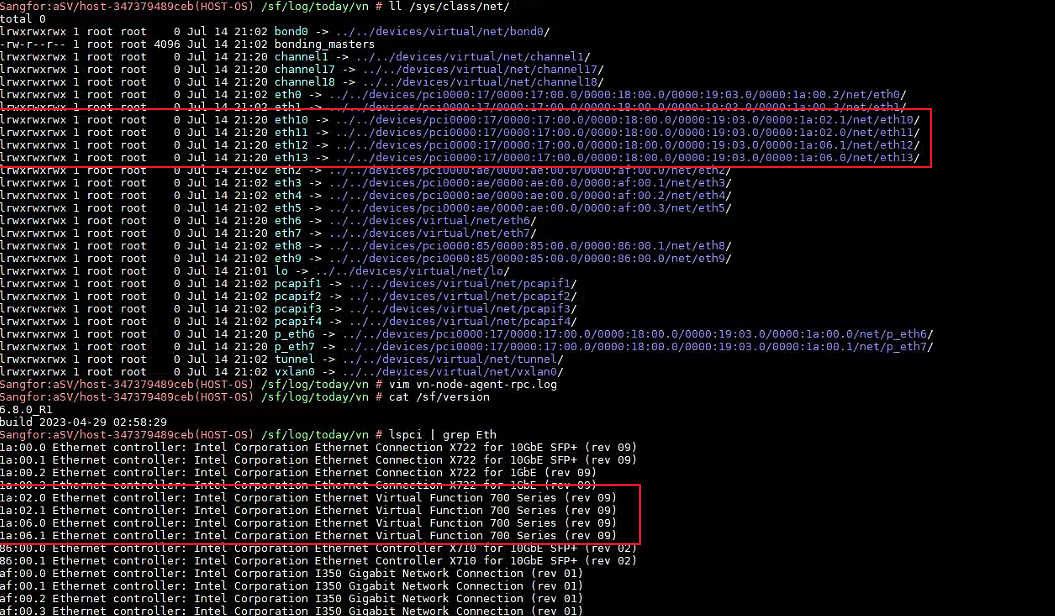
The i40e NIC lacks the trust parameter for configuring the network port in a quad-network environment
Solution
Set the trust attribute of the aggregate interface physical network port to on, '/sys/class/net/%s/device/sriov/%d/trust' (only for i40e NIC)
For example, in the current environment, eth11 and eth12 are member ports of the aggregate interface.
vim /sys/class/net/eth11/device/sriov/0/trust
trust=on
If it is a taken over network port, you need to operate the p port
vim /sys/class/net/p_eth0/device/sriov/0/trust
Restart the Node network service (version 680 and later need to enter the vn-a container)
/sf/vn/etc/init/vn-node-agent-rpc restart;/sf/vn/etc/init/vn-node-agent-api restart
Is this a temporary solution?
Enabled
The issue has been resolved in versions 681 and later. Temporary measures will be used to restore the issue before version 680.
Troubleshooting Content
1. Switch connection network port aggregation mode
2. Node aggregate interface configuration details
3. Node member port configuration
Original Link
https://support.sangfor.com.cn/cases/list?product_id=33&type=1&category_id=24738&isOpen=true