
[HCI-VN] Invalid mask causes alarm network configuration to fail to be delivered, and the control plane service status is abnormal
Problem Description
The router network port configuration has an invalid mask, which causes the front-end to continuously warn: Network configuration synchronization failed, and Virtual Network control plane service status is abnormal
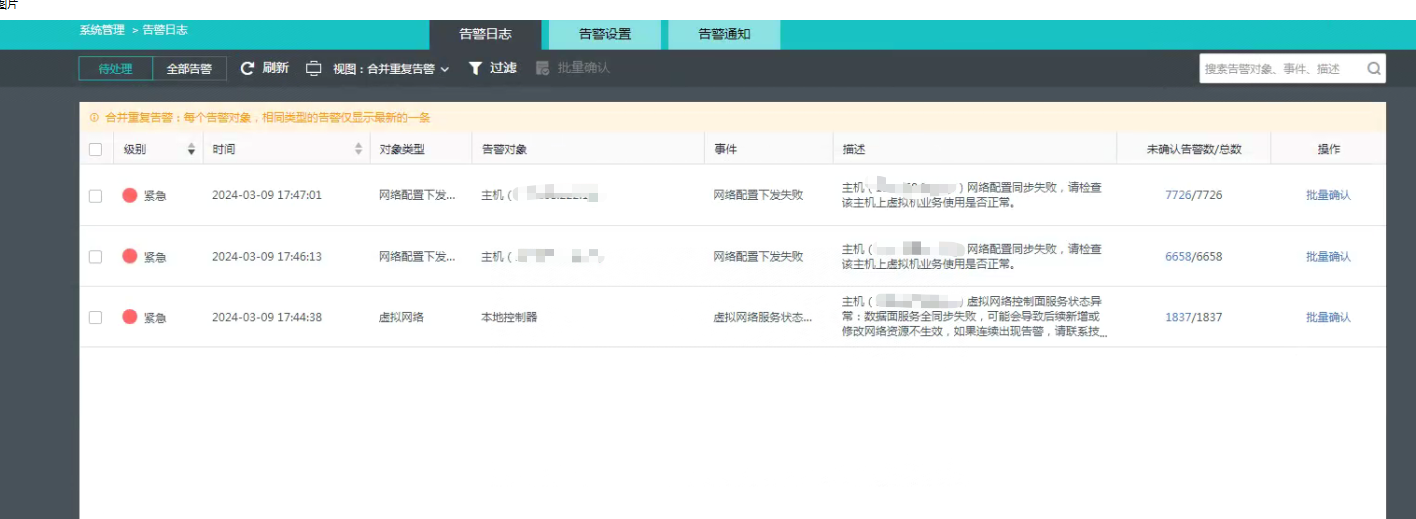
Effective Troubleshooting Steps
- View the log /sf/log/today/vn/lcp/sdn-lcp.log
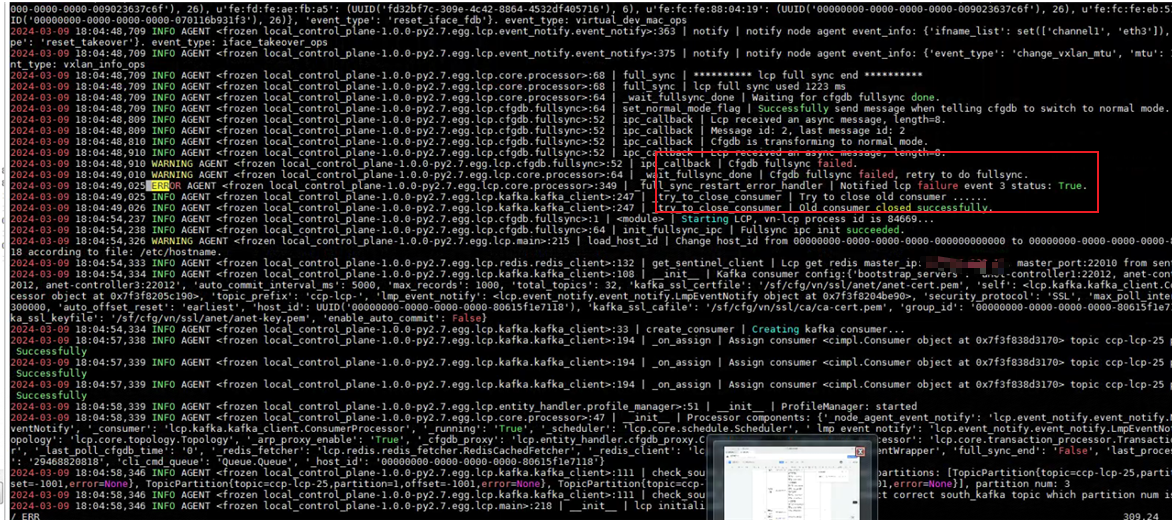
Error:
Cfgdb fullsync failed
Notified lcp failure event 3 status: True. - View the cfgdbd log /sf/log/today/cfgdbd.log
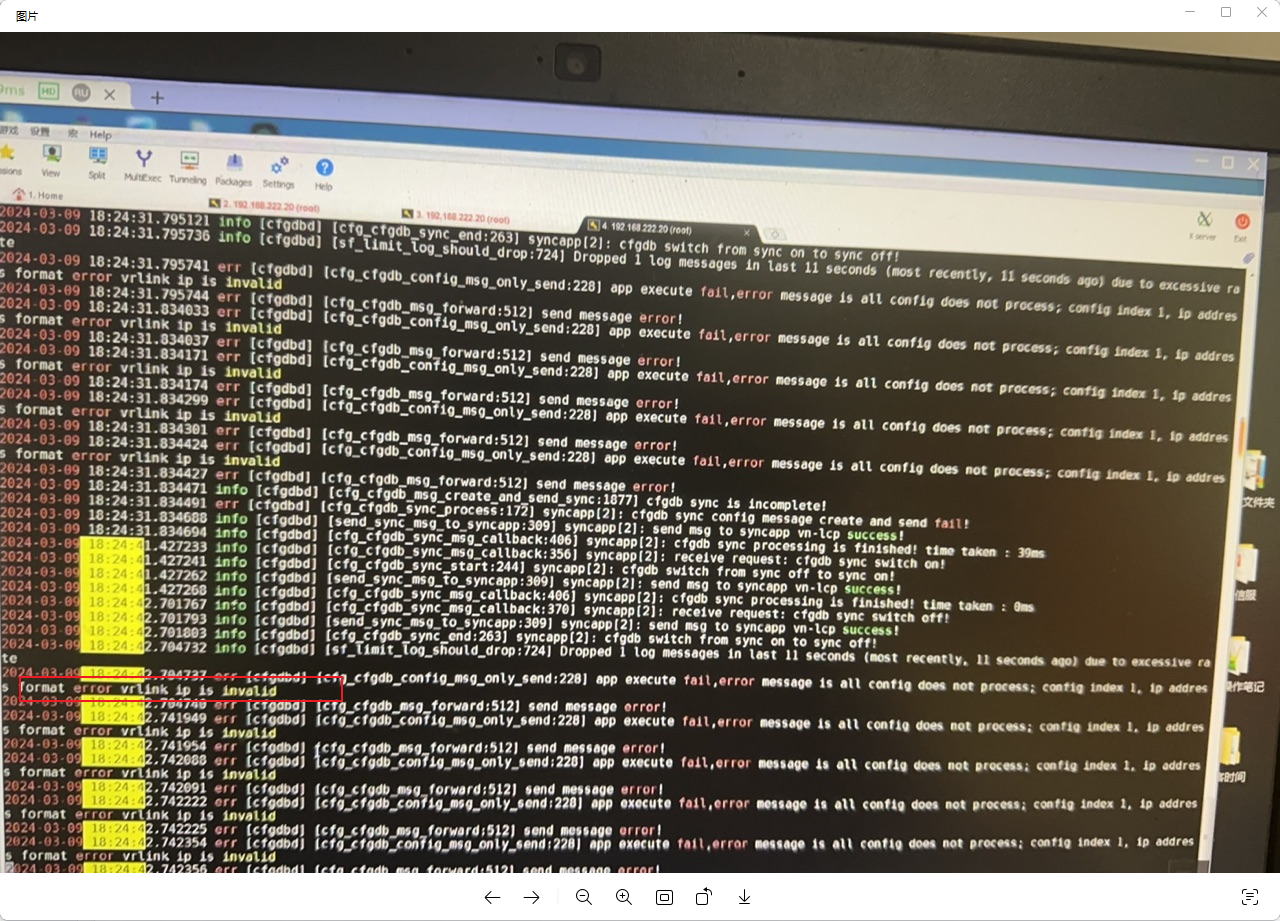
Found an exception: ip address format error vrlink ip is invalid
The IP address format is wrong, the router IP is invalid - Further debug cfgdbd (operate with caution and confirm with R&D) to check the specific error and exception log, and find out which invalid IP address it is:
gdb -p `pidof cfgdbd` -ex 'set cfg_log_control = 1' –batch #Cfgdbd process debug is turned on. It needs to be closed immediately after collecting abnormal logs. It is not recommended to open it for too long
gdb -p `pidof cfgdbd` -ex 'set cfg_log_control = 0' –batch #Cfgdbd process turns off debugging
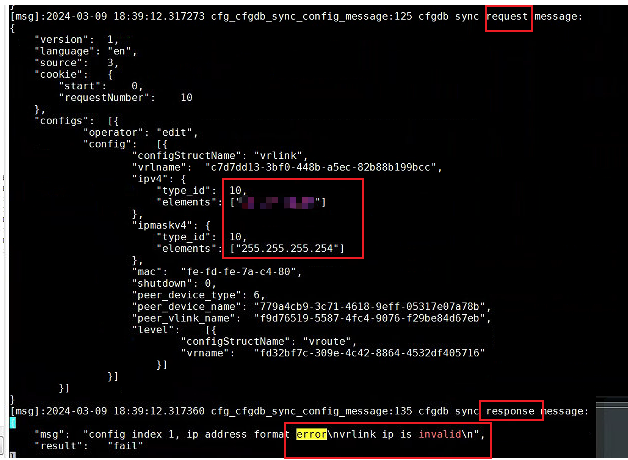
Found that this ip/mask is invalid: x.x.x.x/255.255.255.254
Root Cause
x.x.x.x/255.255.255.254 is an illegal IP address. In an IPv4 address, the Netmask must be a valid 32-bit address, and 255.255.255.254 is not a valid Netmask. A valid Netmask is usually in the form of 255.255.255.0, indicating the separation of the network part and Node part.
Solution
Front-end topology-the router finds the network port configured with this ip: x.x.x.x/255.255.255.254 and reconfigures the effective mask
Scope of Operation Impact
None
Is this a temporary solution?
Disabled
Original Link
https://support.sangfor.com.cn/cases/list?product_id=33&type=1&category_id=27016&isOpen=true