
[HCI-VN] NIC incompatibility causes business network interruption
Problem Description
VM cannot go through the gateway
Effective Troubleshooting Steps
- The customer reported that the virtual machine on a Node was not connected to the gateway, and the Gateway was still not connected after changing the network port of the peer switch.
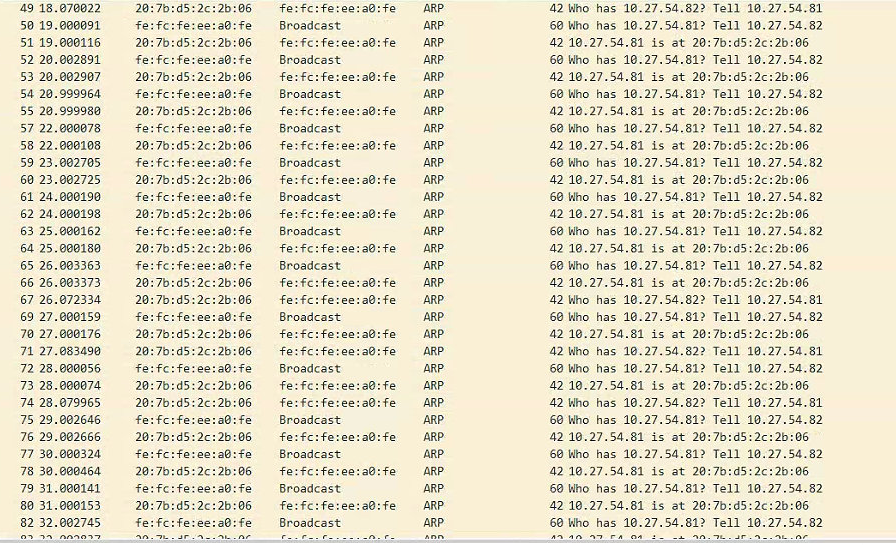
- Use a PC to connect directly to the service port, configure the same network segment IP ping test, and capture packets at the service port to find that the virtual machine sent an ARP request packet but no reply packet

- Capture packets on the directly connected PC and find that the PC received the request packet and replied to the message, but the server NIC did not receive it.
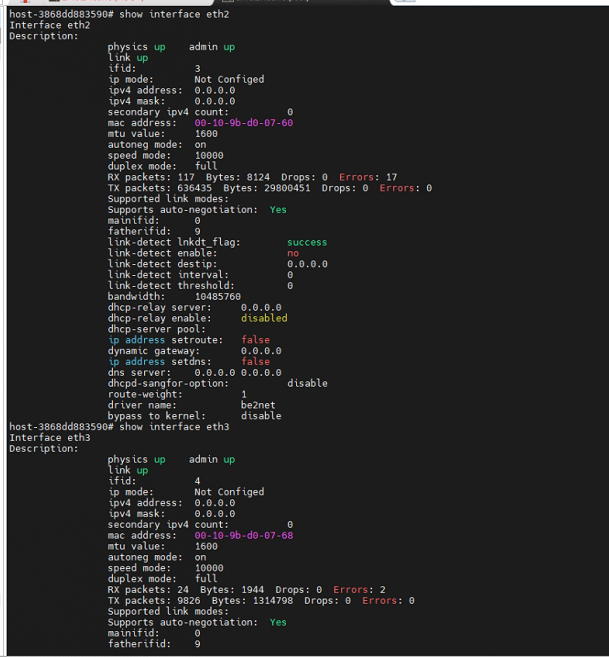
- Check the network port data and find no packet loss
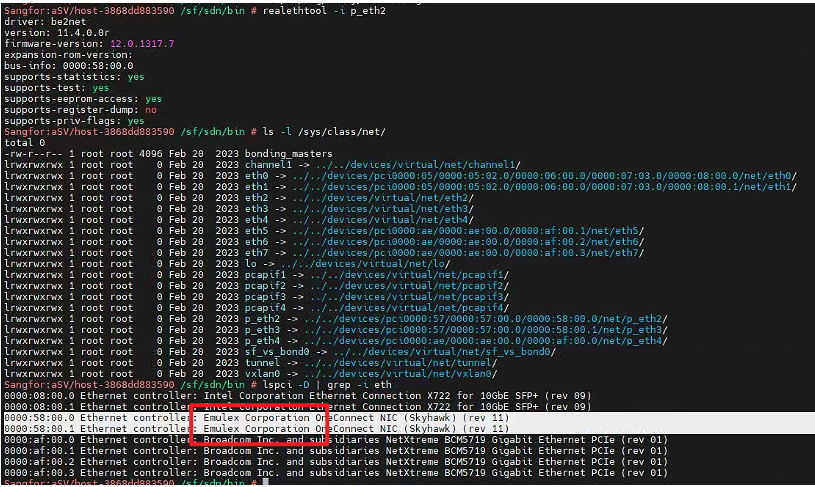
- Check the NIC model and driver firmware version and find that the NIC is an incompatible NIC card that has caused problems with other customers before.
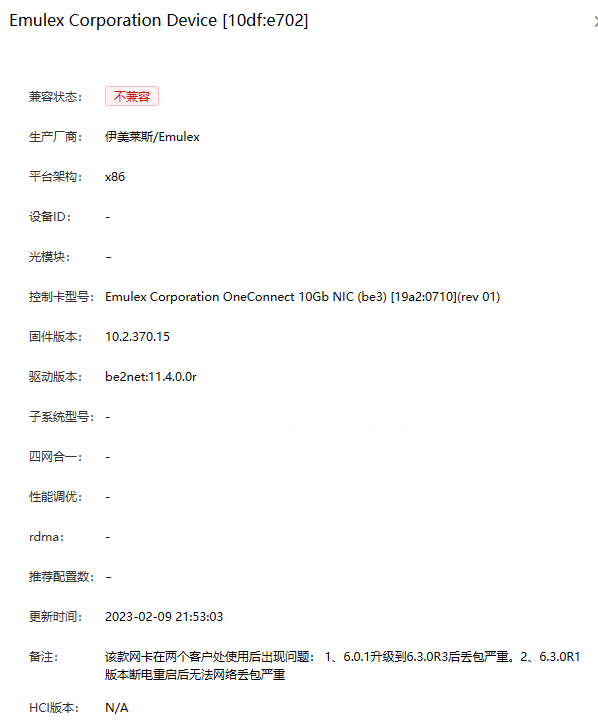
NIC has not been adapted and is incompatible
Solution
Replace the NIC with a compatible one
Original Link
https://support.sangfor.com.cn/cases/list?product_id=33&type=1&category_id=25519&isOpen=true