
【aCloud】Test connectivity failure to online SP server with third party proxy
Problem Description
Test connectivity failure to online SP server with third party proxy
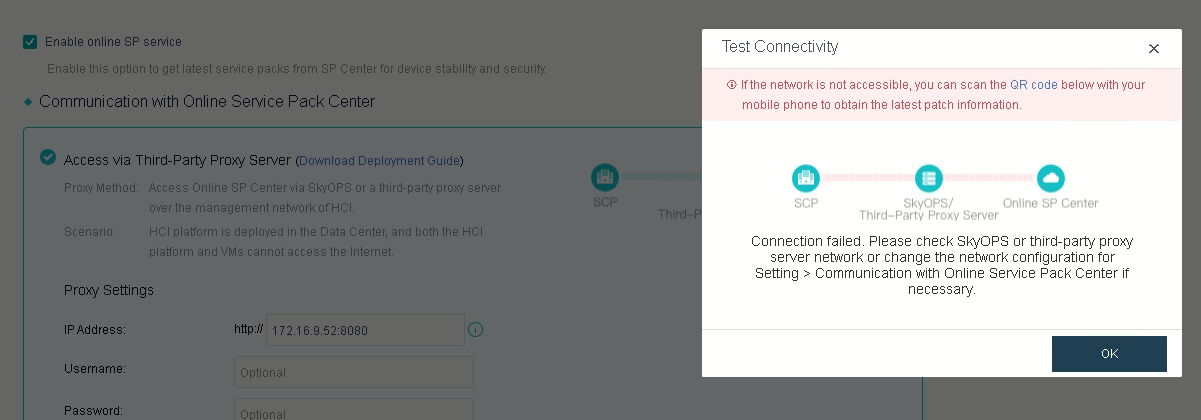
Troubleshooting
1. Check the spbetter logs under /sf/log/today/sp-better-plugin.log and found that the HCI is bypassing the proxy.

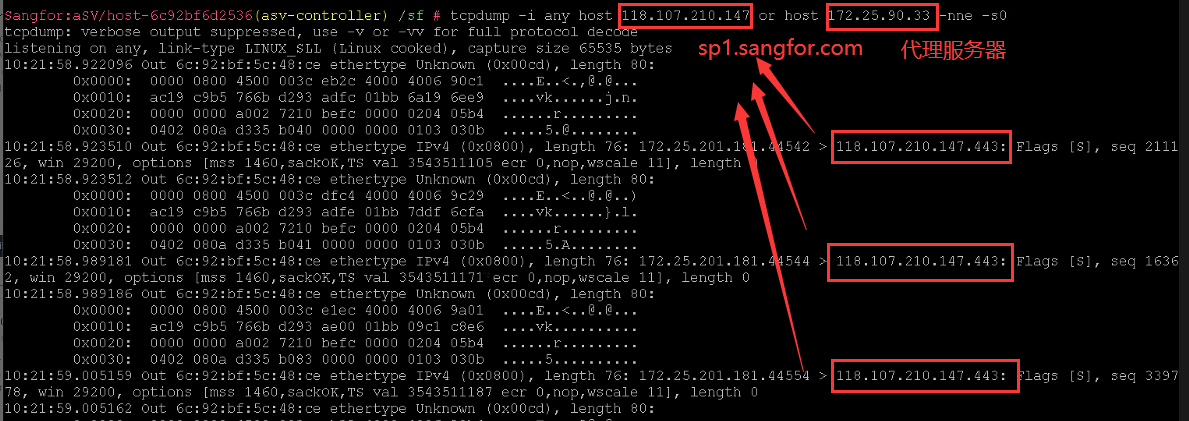
2. As per verification with R&D, the current spbetter does not compatible with slash(\) characters in the username.
3. After changed the username without slash(\), the current error changed to certificate verification failure.

4. R&D provided solution to bypass the certificate verification as listed below.
a.Enter aSV container(For version 6.8.0 and above)
Command: ssh -p 22346 localhst OR container_exec -n asv-c
b.Backup the config file.
Command: cp /sf/etc/rcargs.d/sfpkgrest /sf/data/local/sfpkgrest
c.Edit the config file. Find RCARGS and add -insecure behind.
Command: vi /sf/etc/rcargs.d/sfpkgrest
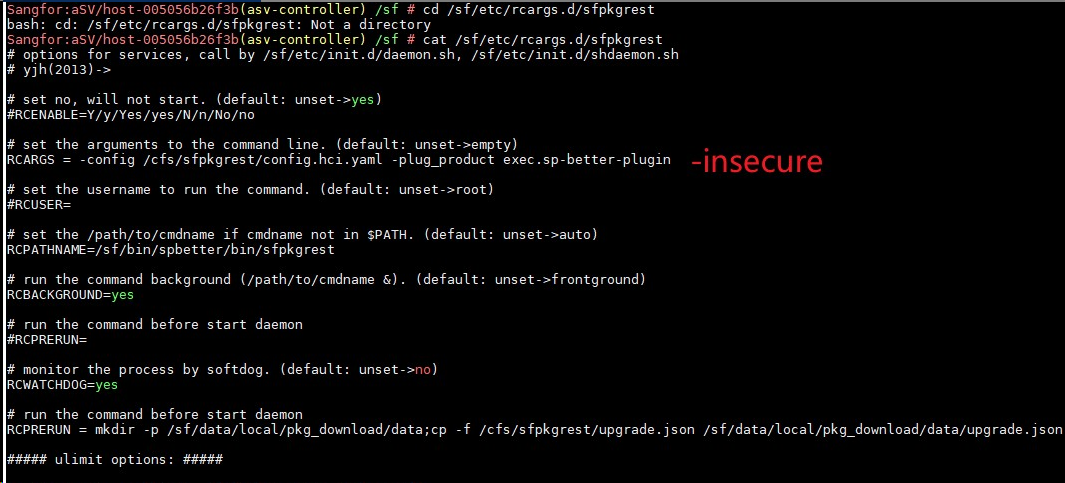
d.Touch the flag file under /cfs/.
Command: touch /cfs/sfpkgrest/skip_verify_flag
e.Restart the sfpkgrest service.
Command: /sf/etc/init.d/sfpkgrest restart

Root Cause
1.If the proxy server will request to SP server with their own certificate will failed due to the SP server do not actually contain any certificate.
2.Currently, spbetter does not compatible with slash(\) characters in the username.
Solution
1. Backend bypass certification check.
2. Change another username without slash(\).