
【HCI-VN】Windows virtual machine network performance issues
Problem Description
The iperf3 stream cannot be accessed in Windows virtual machine.
Warning Information
none
Effective troubleshooting steps
1. The first thing to know is that Windows has worse performance than Linux due to the architecture of the operating system.
2. You can perform some tuning by following the steps below:
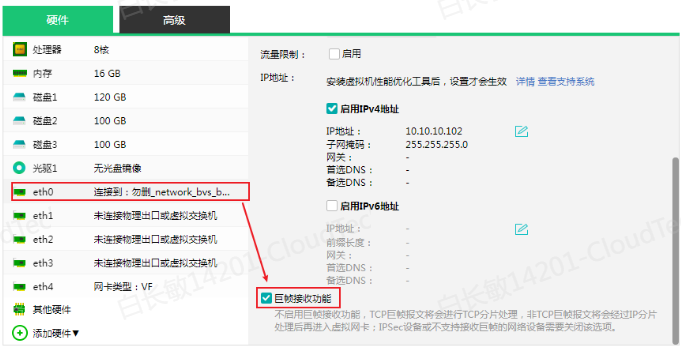
(1) The virtual machine NIC uses the virtio NIC and the "jumbo frame reception feature" is enabled
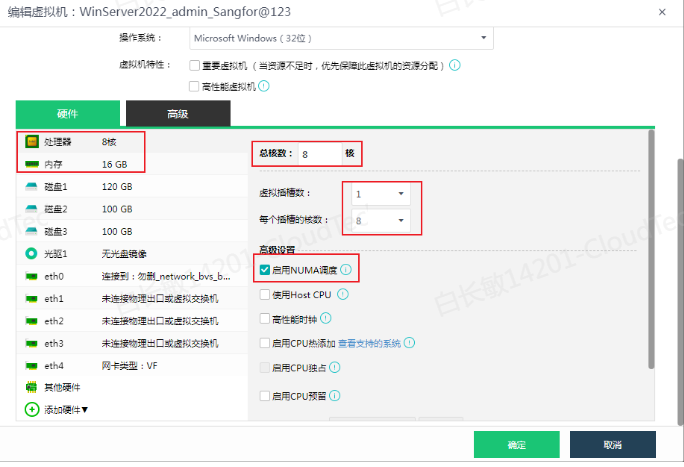
(2) Virtual machine CPU/memory Typical 8 cores/16G (optional), single Slot scheduling enabled (the number of virtual machine CPUs should not be too large)
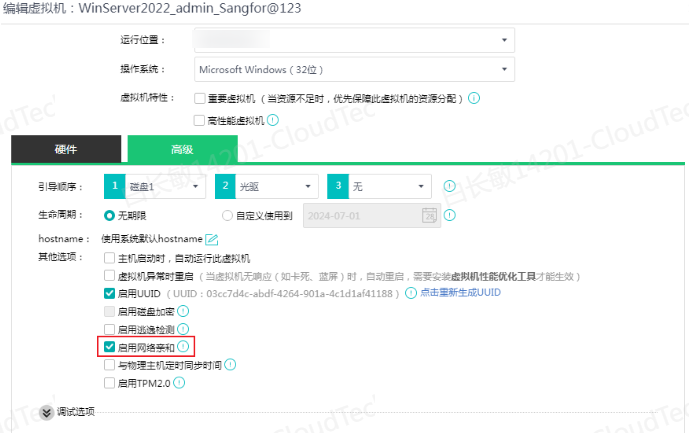
(3) "Enable network affinity" in the virtual machine CPU advanced configuration
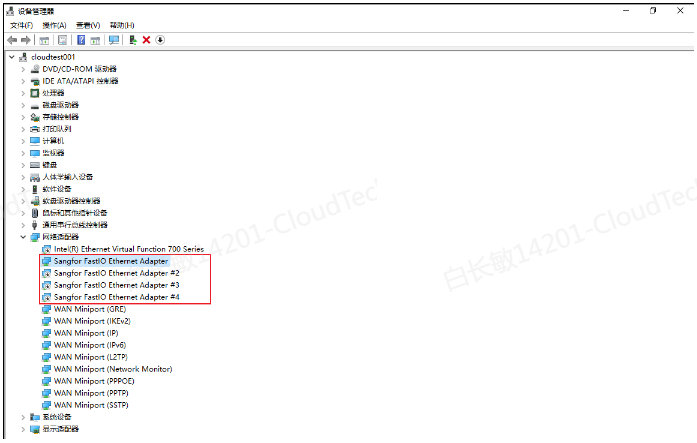
(4) Confirm that vmtools is installed on the virtual machine
(5) Modify the NIC parameters
- Init.MaxRxBuffers: 1024
– Offload.Tx.LSO: Maximal (IPv4 and IPv6)
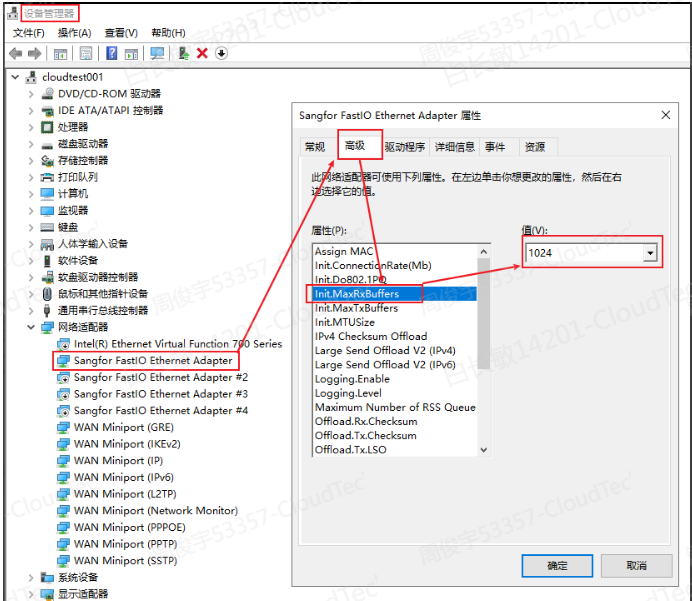
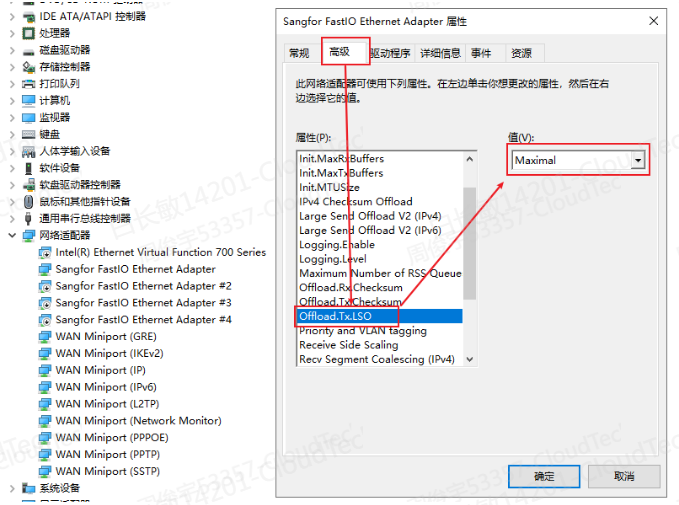
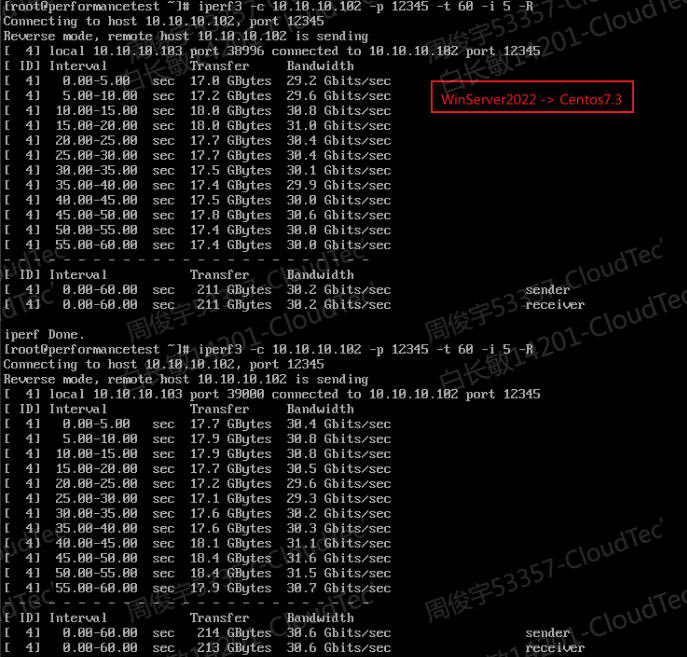
3. After the above adjustments, the traffic from Windows to Linux on the same Node can reach 30Gbps (not necessarily so much, it depends on the environment)
Root Cause
Windows Network Architecture Decisions
Solution
Follow the troubleshooting steps to perform optimization
Is this a temporary solution?
no
Suggestions and Conclusion
It is recommended that you do not modify the tuning items of the NIC machine first to see whether the requirements are met. If not, you can perform tuning.