
[HCI] Cluster is lost after a physical machine in the cluster is restarted
Problem Description
6.9.1, new environment, after Node Cluster is powered off and restarted, the interface network port is no longer displayed and NIC configuration is lost
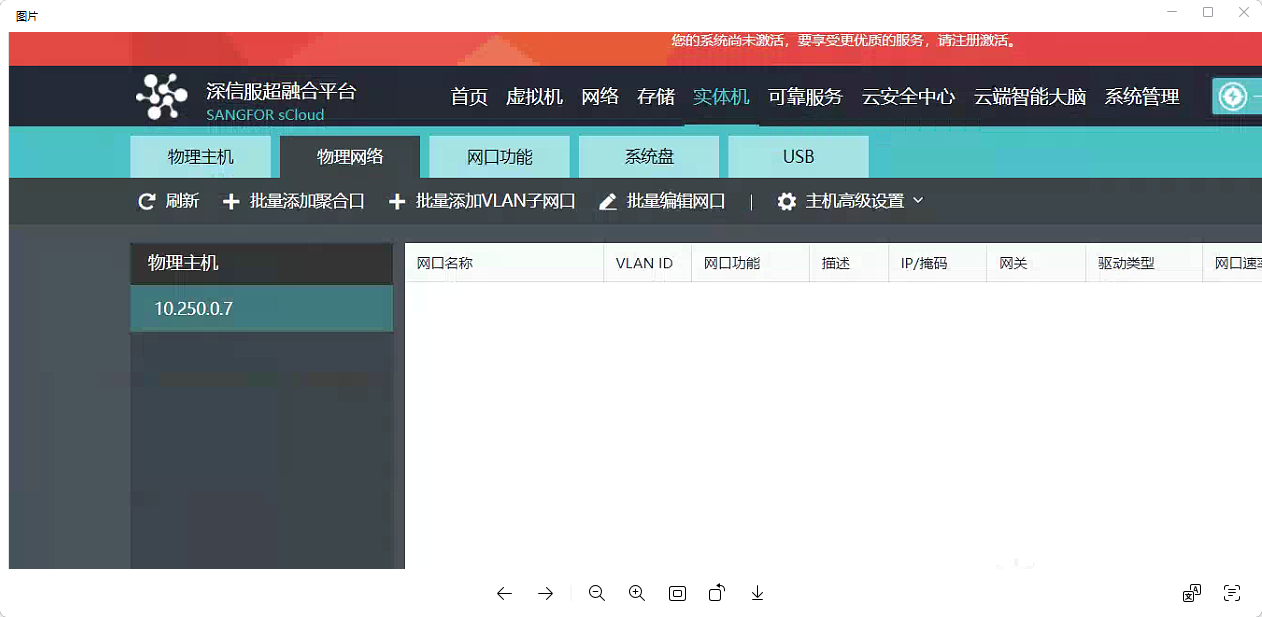
Effective troubleshooting steps
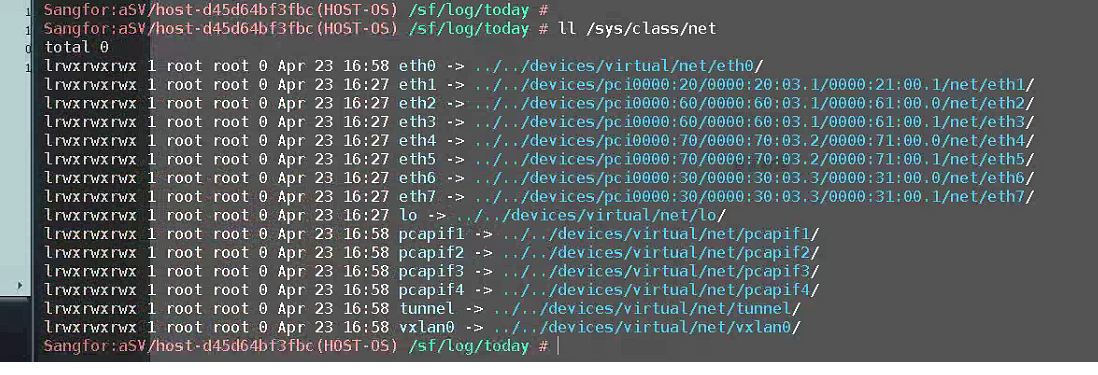
- Run the background command ll /sys/class/net to see if NIC is loaded normally
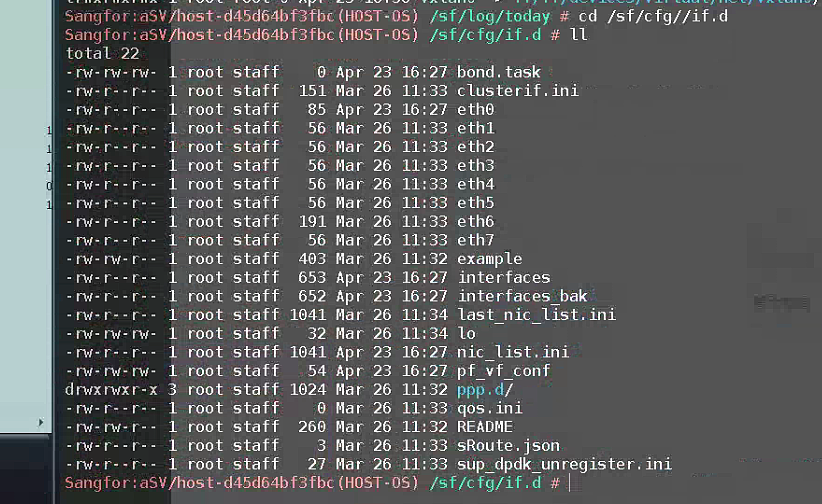
- Check all network port configurations in /sf/cfg/if.d/. Only eth6 has the default management network configuration. Other channelX network ports are gone.
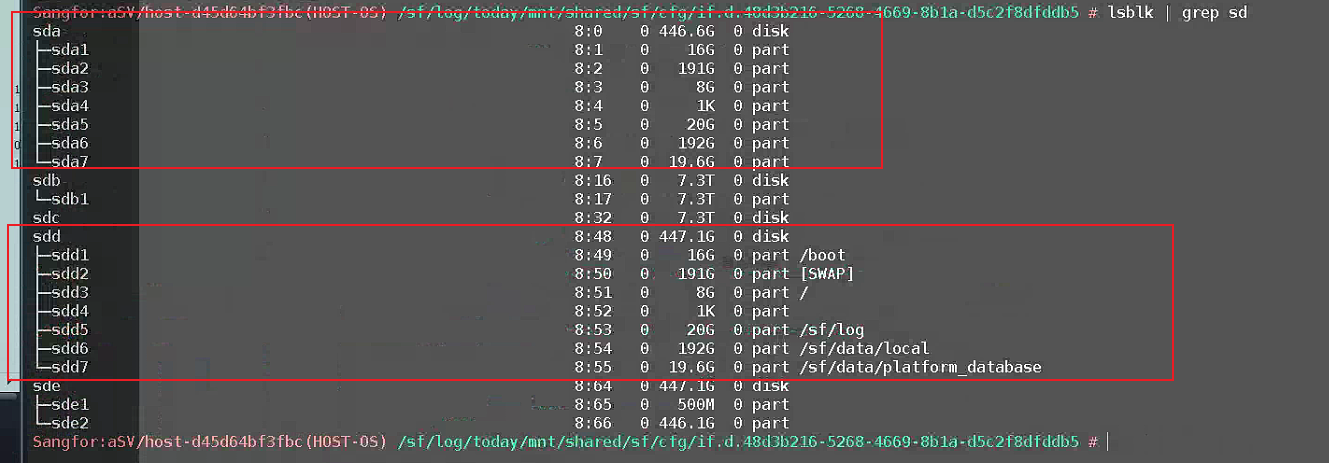
- lsblk |grep sd found that there were two disks with the drive letter partition of System Disk System Disk was installed on both hard disks in this environment. Node was restarted, it was booted from another System Disk, which caused the interface to appear that the configuration information was lost. In fact, it was because the booted System Disk changed.
- Restart Node, format the useless System Disk array (high-risk operation, third-party servers allow manufacturers to operate by themselves), and then boot with the correct Power On
Root Cause
There are two System Disk in the environment. After completing the configuration on System Disk 1, restart and boot from System Disk 2.
Solution
Format the useless System Disk 2 and restart with System Disk 1 to solve the problem
Operation Impact Scope
Node
Is this a temporary solution?
no