
[HCI-LMT] 630R2 Offline Upgrade 6.10.0 failed, and the upgrade package file detection failed.
Problem Description
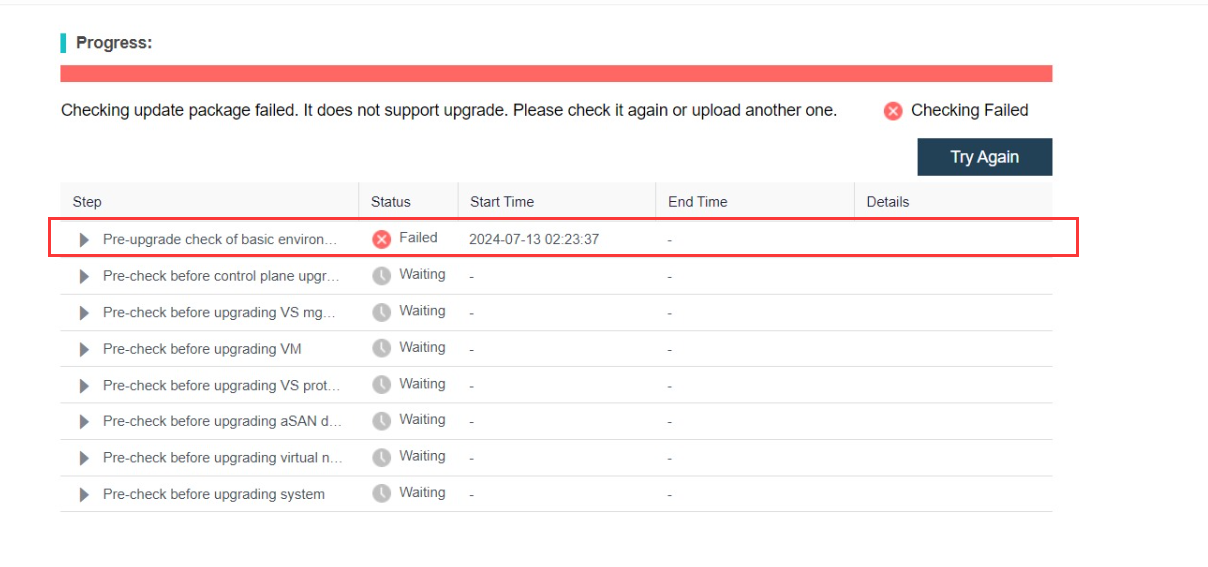
Warning Information
none
Effective troubleshooting steps
If there is a problem with the upgrade, the first log to check is the update.log log, path: /sf/log/today/update.log.
After checking the log, it was found that the execution of script 22.check_instant_vm.up failed. Further viewing of the log content output by this script is shown in the figure below. A virtual machine with fast recovery was found.
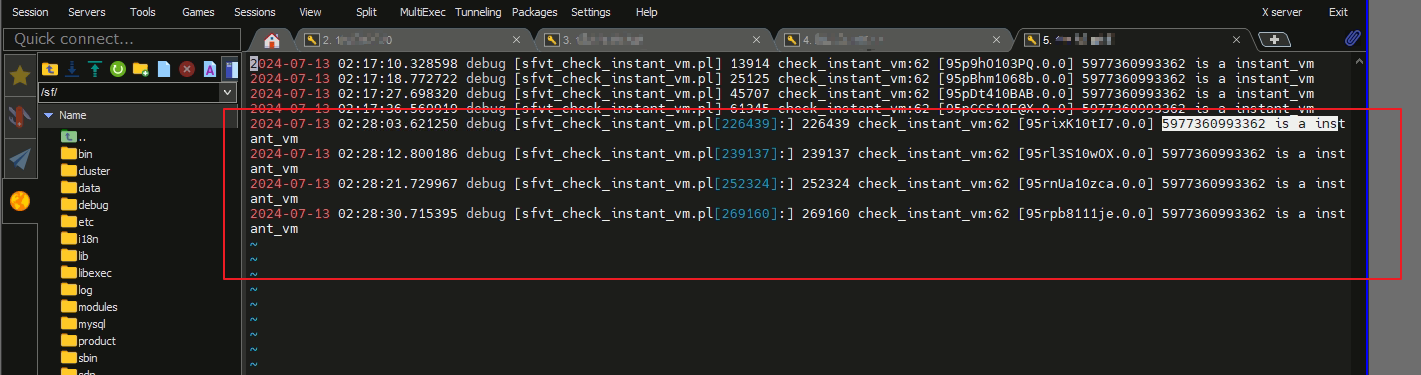
This quick recovery virtual machine Entity Type is newly added in version 6.10.0. The pre-check fails when there is a quick recovery VM in the environment.
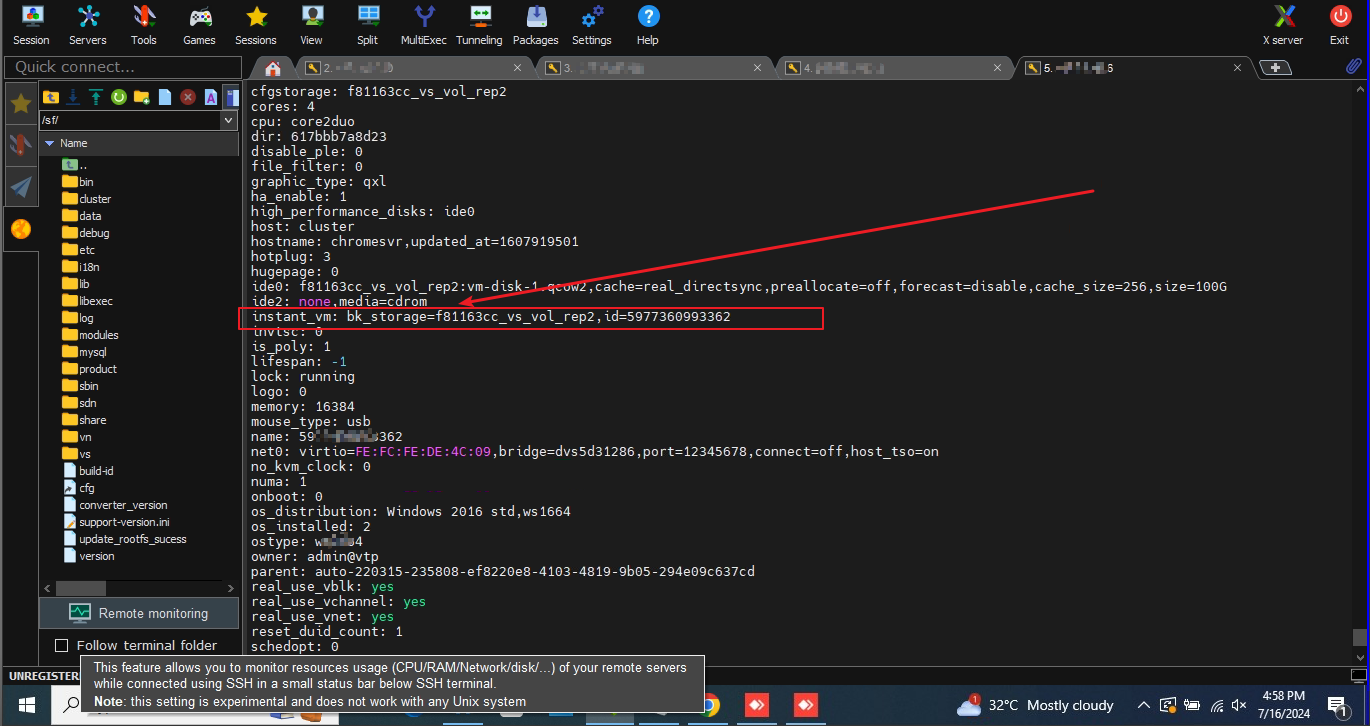
This content detection mainly checks whether the virtual machine configuration file contains the : instant_vm field content. If it exists, the virtual machine is quickly restored, as shown in the following figure:
Root Cause
Offline Upgrade Entity Type. This causes the pre-detection to fail when there are quick recovery VMs in the environment.
Solution
- Continue to upgrade version 6.10.0 Turn on the quick recovery virtual machine. After the virtual machine is turned on, data will be automatically Data Fetching. Data Fetching, it will become a normal virtual machine and the pre-Entity Type will pass.
- Solve this problem by upgrading other intermediate versions (Not recommended)
Shut Down Node. The following figure shows the operation after upgrading from version 6.3.0R2 to version 6.9.1.
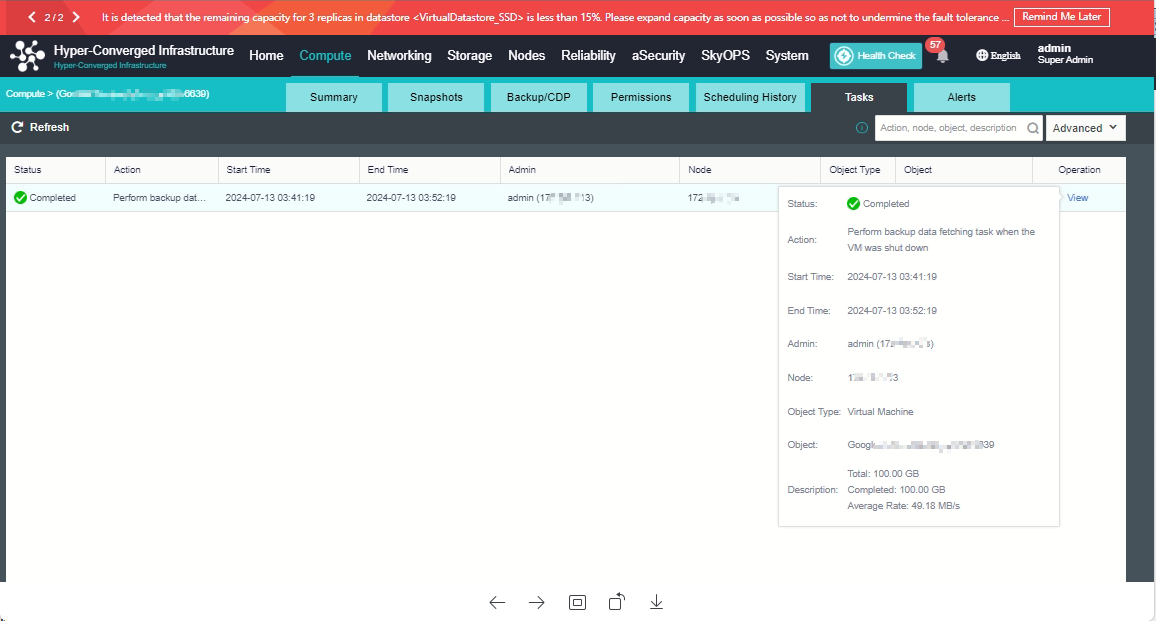
Shut Down perform Data Fetching down, the data will be automatically defragmented.
At this point you can continue to upgrade to version 6.10.0.
Operation Impact Scope
Offline Upgrade 6.10.0
Is this a temporary solution?
no
Suggestions and Conclusion
Offline Upgrade version 6.10.0, ensure that there is no quick recovery VM in the environment. If there is, you need to power on the VM and perform automatic cleanup, and then continue the upgrade after converting it into a normal VM.
Troubleshooting content
See troubleshooting steps