
[HCI] NVIDIA authorization server configuration IP address prompts “Error: unknown connection ”. “
Problem Description
NVIDIA authorization server configuration IP address prompts "Error: unknown connection ''. "

Effective troubleshooting steps
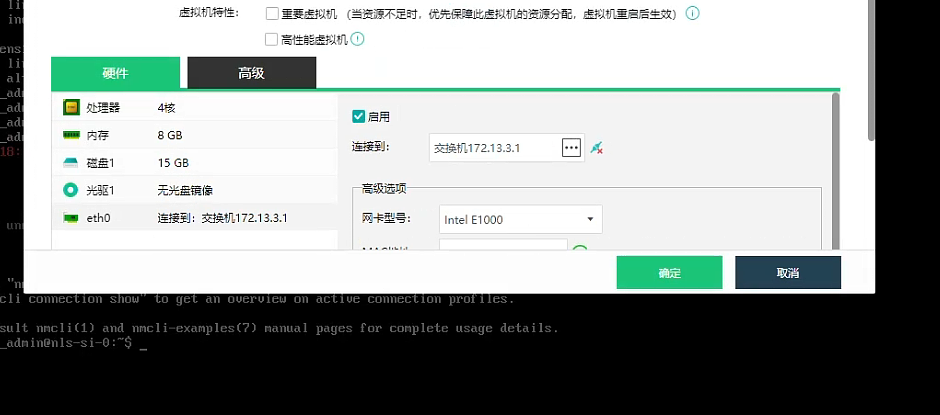
- Check the network port status in Virtual Machine-Edit-Network Port to see if it is enabled.
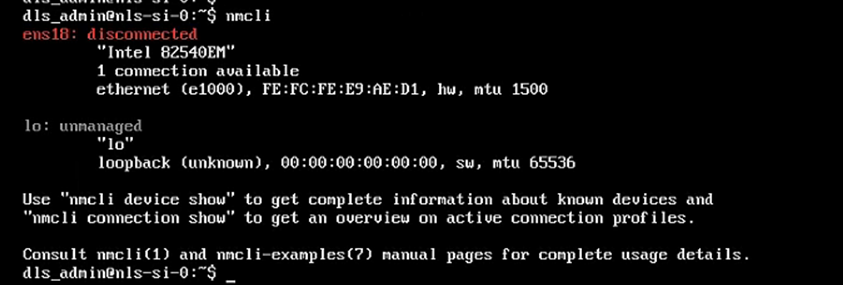
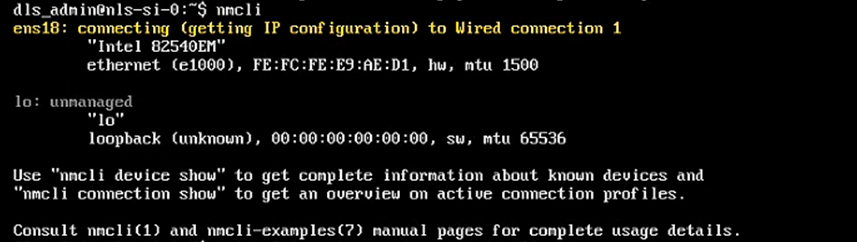
- Use nmcli to check inside the NVIDIA authorization server and find that the status of NIC connection is: disconnected
Root Cause
The network port connection status is disconnected
Solution
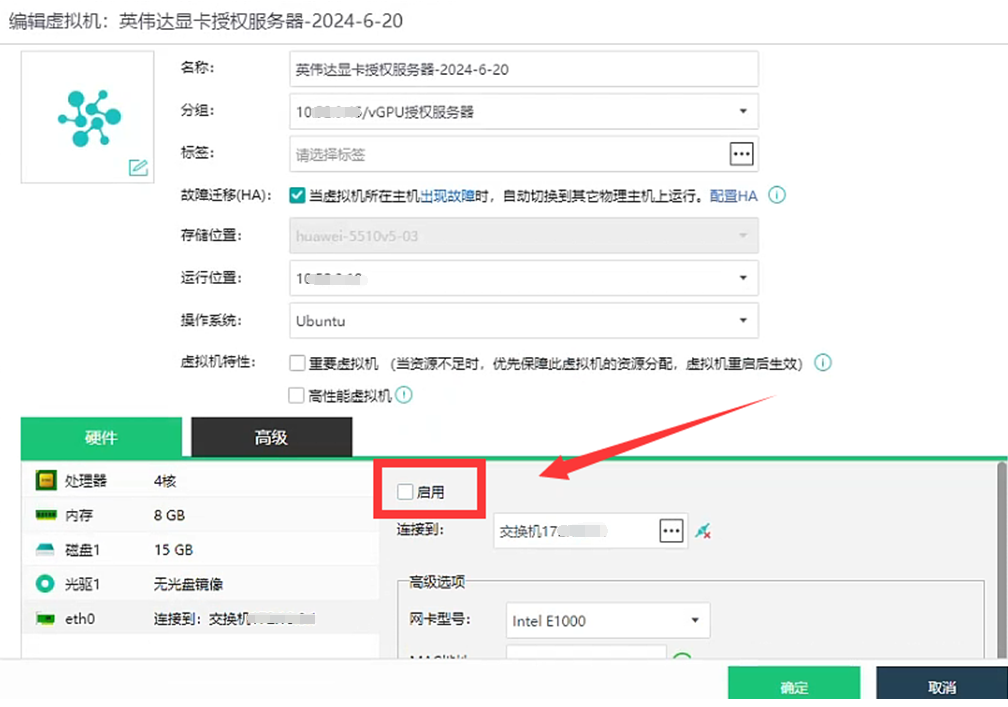
- Edit the virtual machine – disable the NIC, uncheck the checkbox in front of Enable and confirm
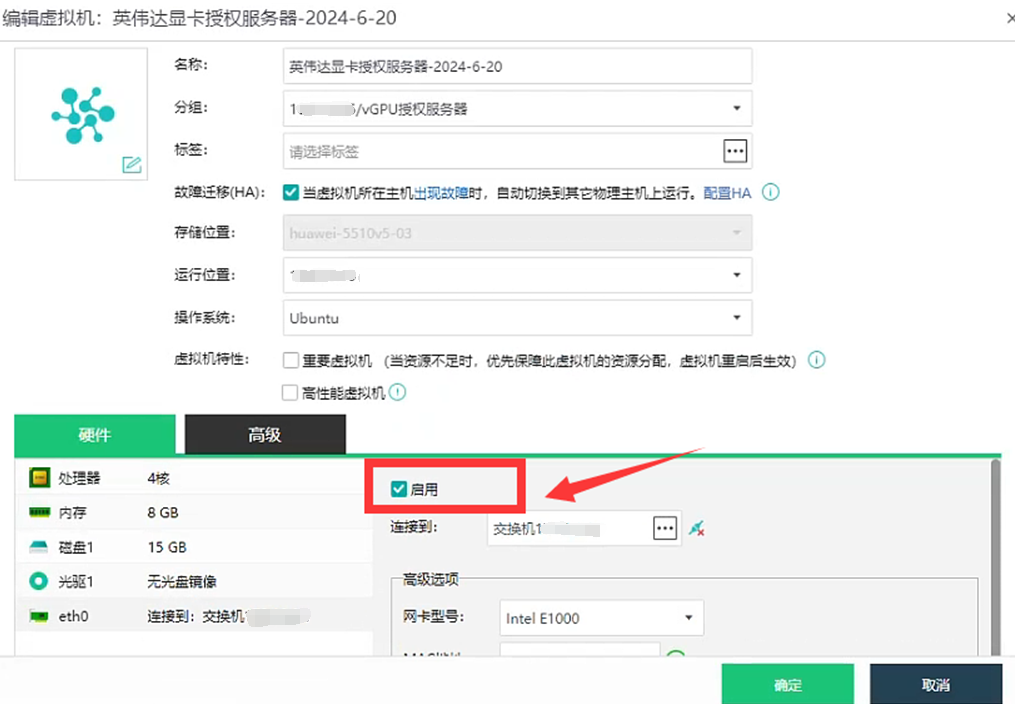
- Edit the virtual machine again – Enable the NIC, check the box in front of Enable and confirm;
- Enter the NVIDIA authorization server and use nmcli to check and confirm that the virtual machine's NIC status is connecting
- Configure the IP address for the NVIDIA authorization server again. The configuration is successful.
