
[HCI-VN] Failed to obtain the VLAN Subinterface configuration list
Problem Description
Failed to retrieve the VLAN subnet Subinterface configuration list, and the ipmi console displayed an error
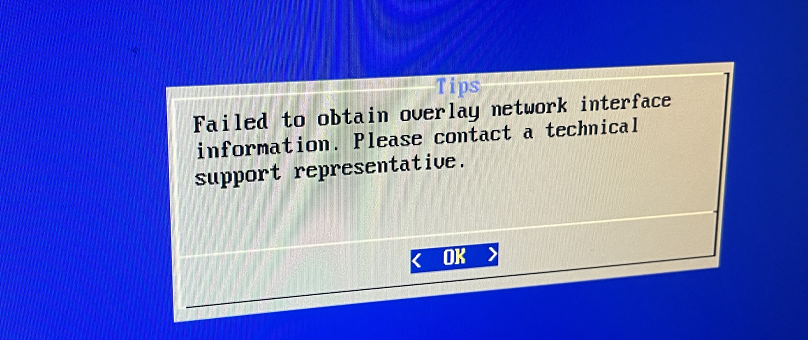
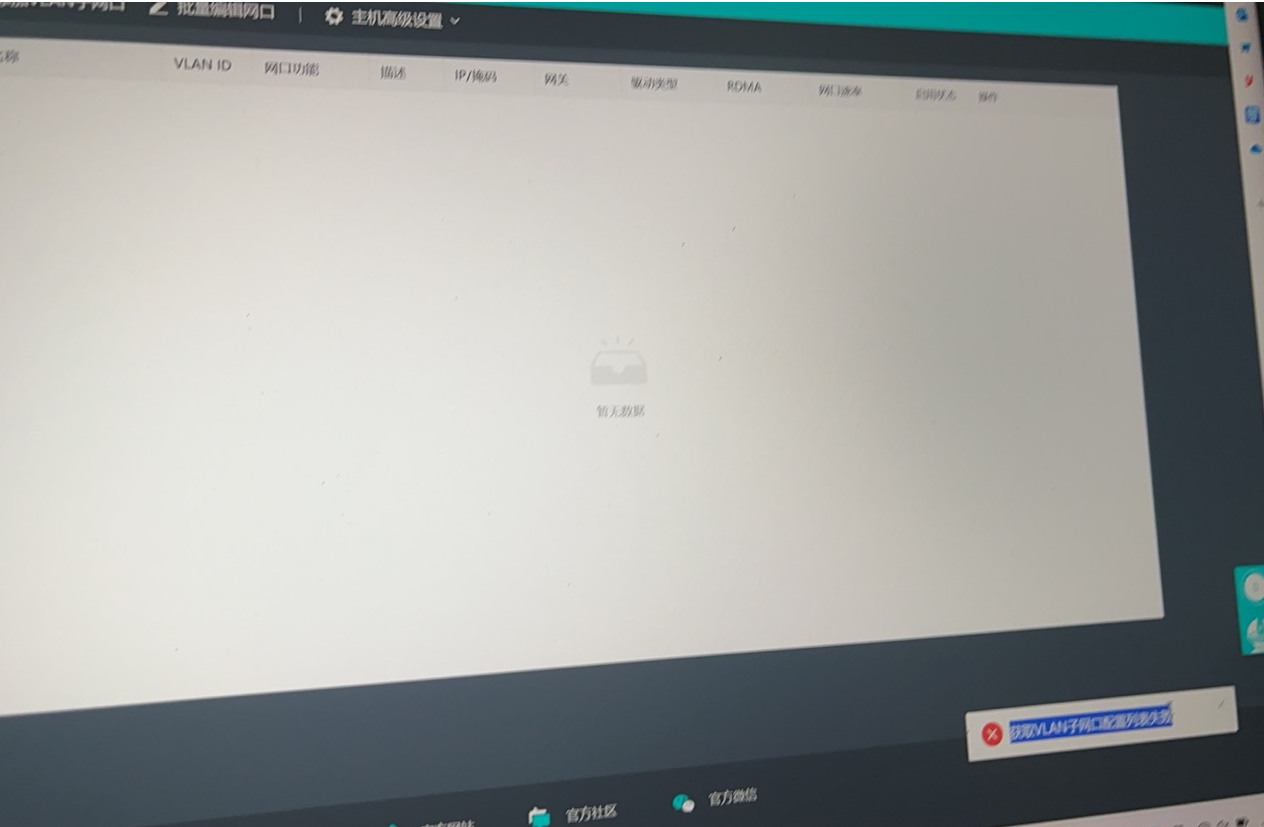
Effective troubleshooting steps
1.lspci -nnn | grep Eth;ll /sys/class/net/;cat /sf/cfg/if.d/clusterif.ini查看网口设备pci加载是否正常,网口是否乱序
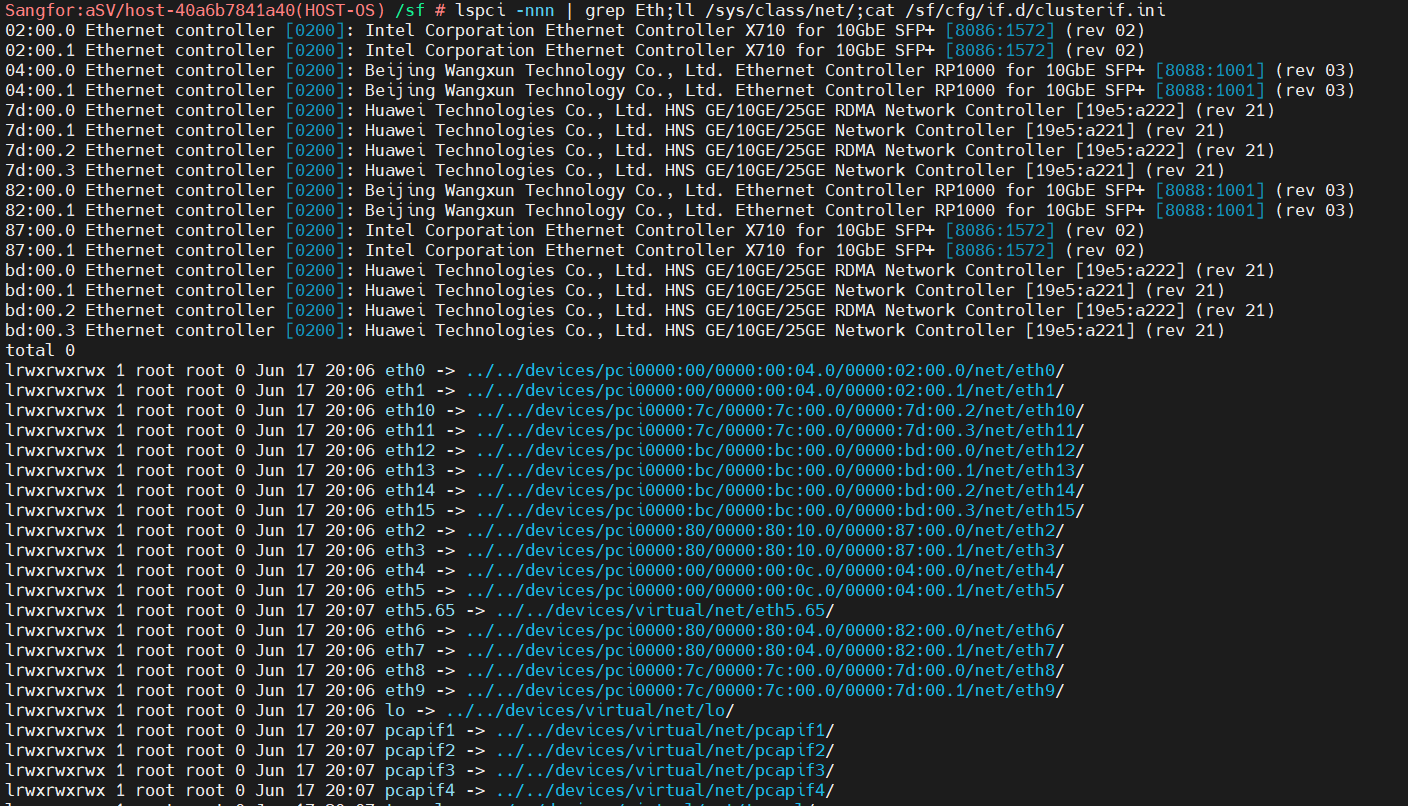
Found normal
- View the vn-node-agent-rpc log
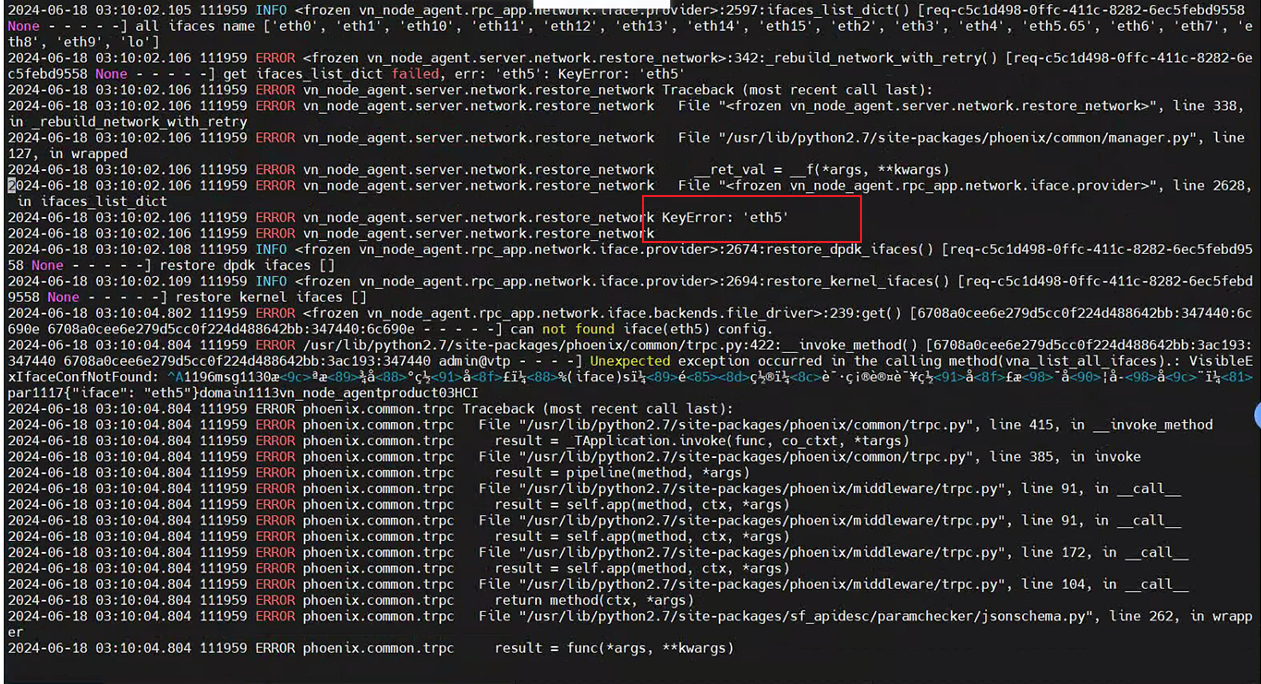
KeyError: 'eth5'
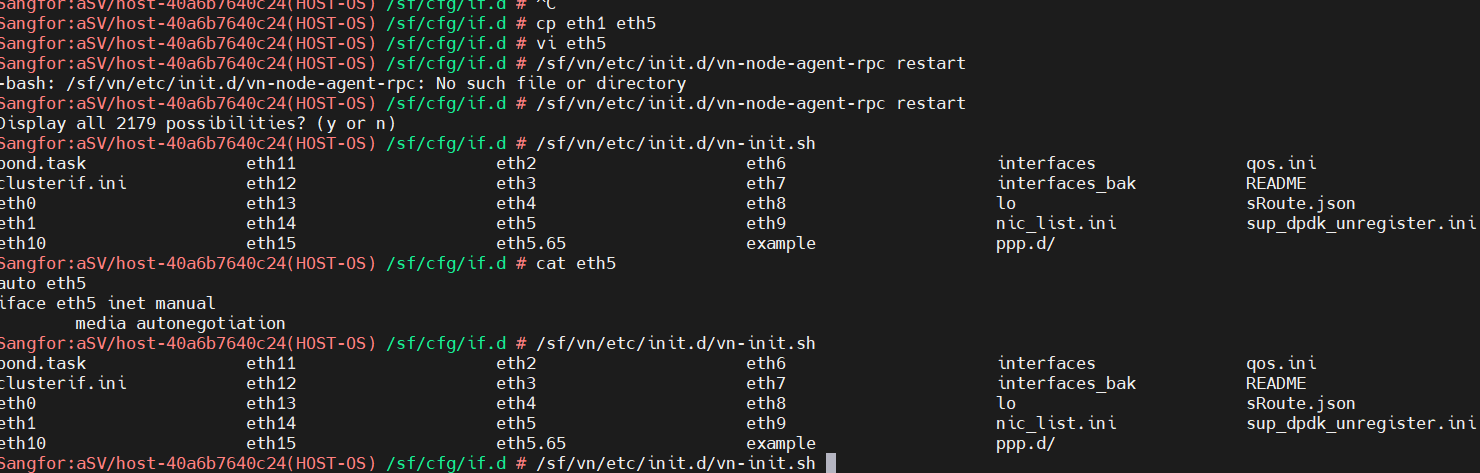
Go to the /sf/cfg/if.d/ directory and find that the eth5 configuration is missing
- Copy the configuration of a common network port to eth5, and then restart the vn-node-agent-rpc service
Root Cause
td:2024042900011
Solution
Add lost network port configuration, restart vn-node-agent-rpc service, version 6.10.0R1 and version 6.11.0 solved the problem