
[HCI-VN] Upgrade completed detection, Node business port configuration is inconsistent with the database
Problem Description
587 upgraded to 6100, aDeploy inspection environment abnormality
Warning Information
Node xxx is inconsistent with the database
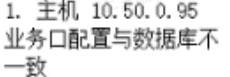
Effective troubleshooting steps
- Determine the parent network port of the VLAN subnet port where the Subinterface located before the upgrade 2. Enter the backend and check the configuration files of the VLAN Subinterface and parent network port before the upgrade in /sf/cfg/if.d/ If the role field in the VLAN Subinterface and parent port configuration files both have the business role, the problem can be located by combining the page effects.
Root Cause
Configuration abnormalities before upgrade or configuration conversion abnormalities cause configuration residues
Solution
1. Migrate the virtual machine of the current node node 2. Enter the vn-agent container: container_exec -n vn-a 3. Edit the VLAN Subinterface redundant roles: vim /sf/cfg/if.d/{network port name} 4. Remove the business role in the role field in the configuration file (if there is only a business role, you can delete the role field directly) 5. Restart the vn-node-agent-rpc service: /sf/vn/etc/init.d/vn-node-agent-rpc restart
Operation Impact Scope
Before restarting the service, you need to ensure that there are no virtual machines running on this node, otherwise it will affect the network for 5-10 seconds.
Is this a temporary solution?
no
Suggestions and Conclusion
If the above problems are found during inspection, they need to be handled according to the above steps.
Troubleshooting content
None