
[HCI] Windows virtual machine NIC NIC cannot be seen in the adapter options.
Problem Description
The Windows virtual machine NIC NIC cannot be seen in the adapter options. The network is abnormal.
Windows Server 2022 Standard English operating system
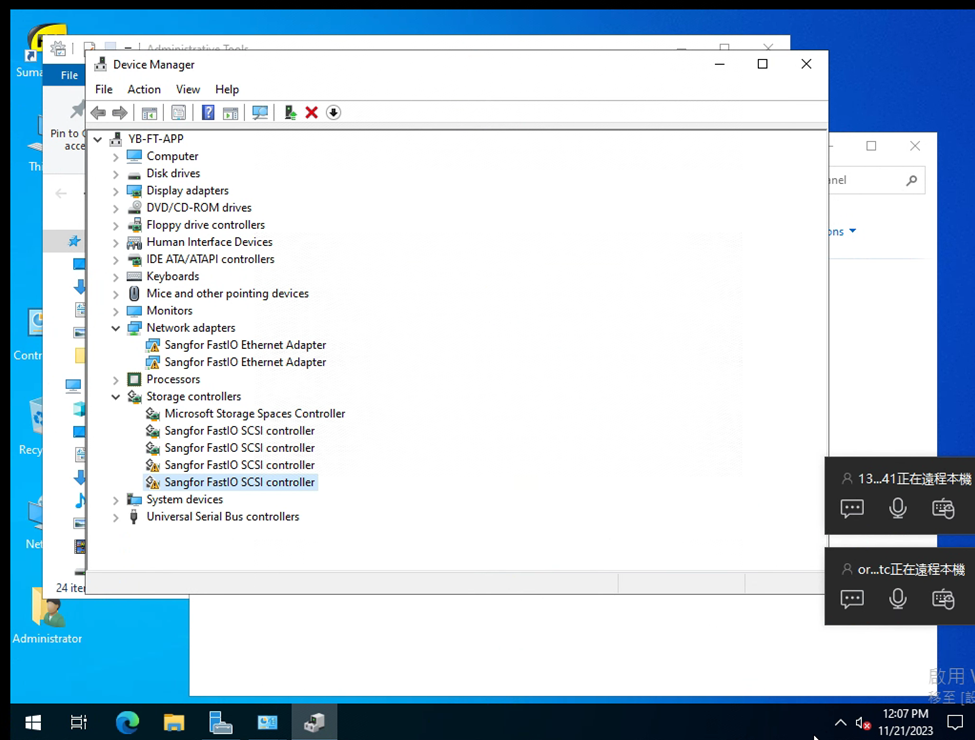
Effective troubleshooting steps
- Adding a new NIC is also abnormal; 2. I originally wanted to reinstall vmTools, but after uninstalling it, I found that NIC became normal, but after reinstalling vmTools, it became abnormal again; 3. Enabling the NIC service also reports an error
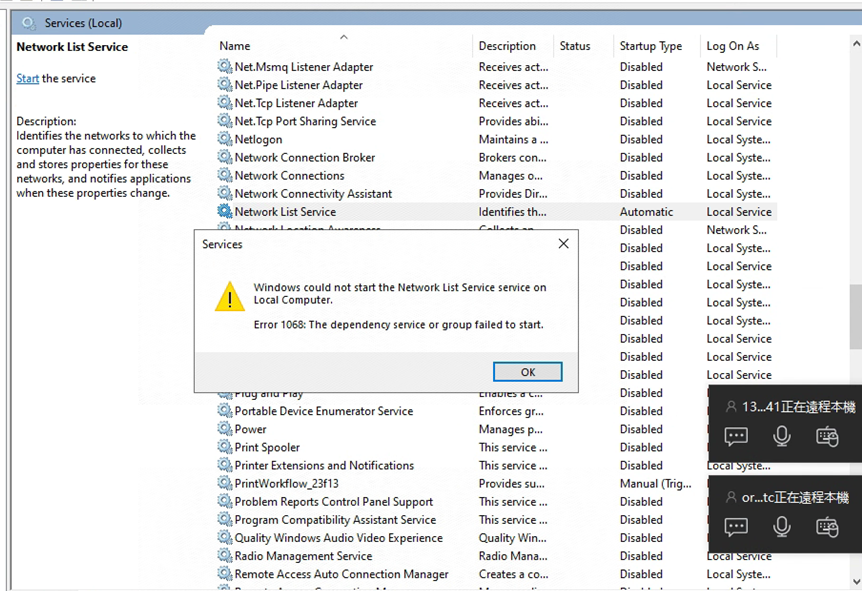
- The setupapi log reports failed to delete driver package error = 0xe0000223. Deleting the device and device registry has no effect, and reinstalling still reports error 56
- I checked the Network List Service startup type and found that selective startup was selected.
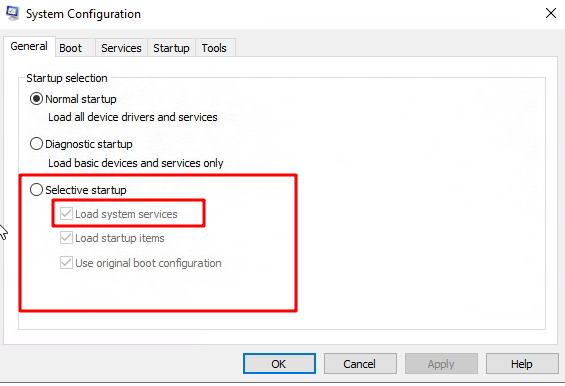
After changing to normal startup, it returns to normal
Solution
Change the Network List Service startup type to normal startup