
[Interface Multiplexing] When editing or switching network ports, prompt: The system is unavailable, possibly because the system is busy. Please try again later.
Problem Description
In the four-network-in-one scenario, when switching the vxlan port, the system is not available. This may be due to system busyness. Please try again later.
Warning Information
The system is unavailable, possibly because the system is busy. Please try again later.
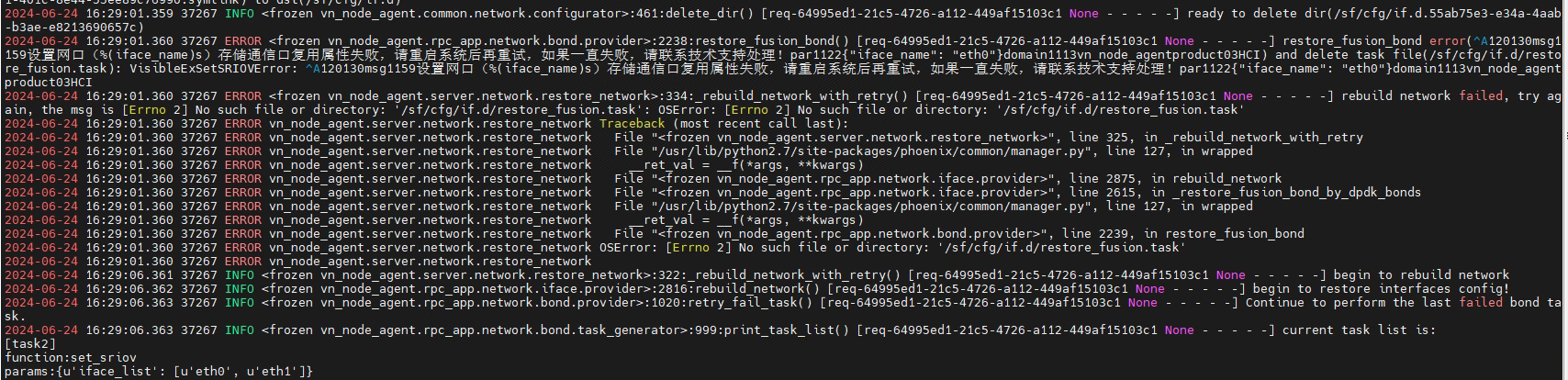
Effective troubleshooting steps
- According to the configuration plan, check whether the interface configuration is available, especially check the compatibility NIC to see NIC supports storage port multiplexing. Configuration plan: Four-in-one solution (optional) – Hyper-converged HCI – Sangfor technical support (sangfor.com.cn)
memory.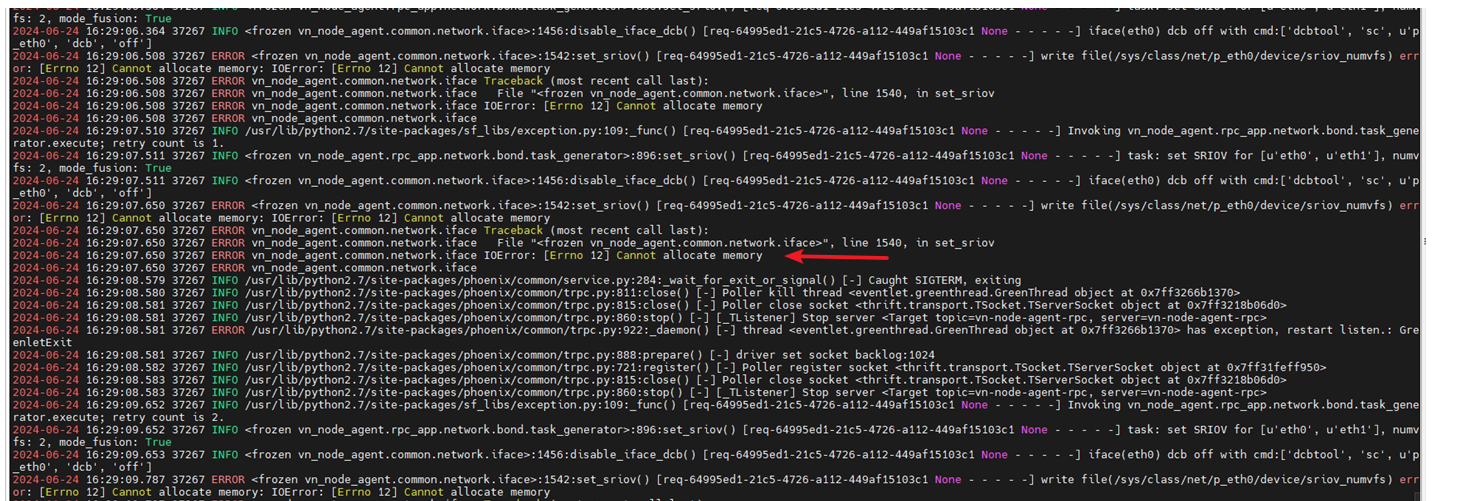
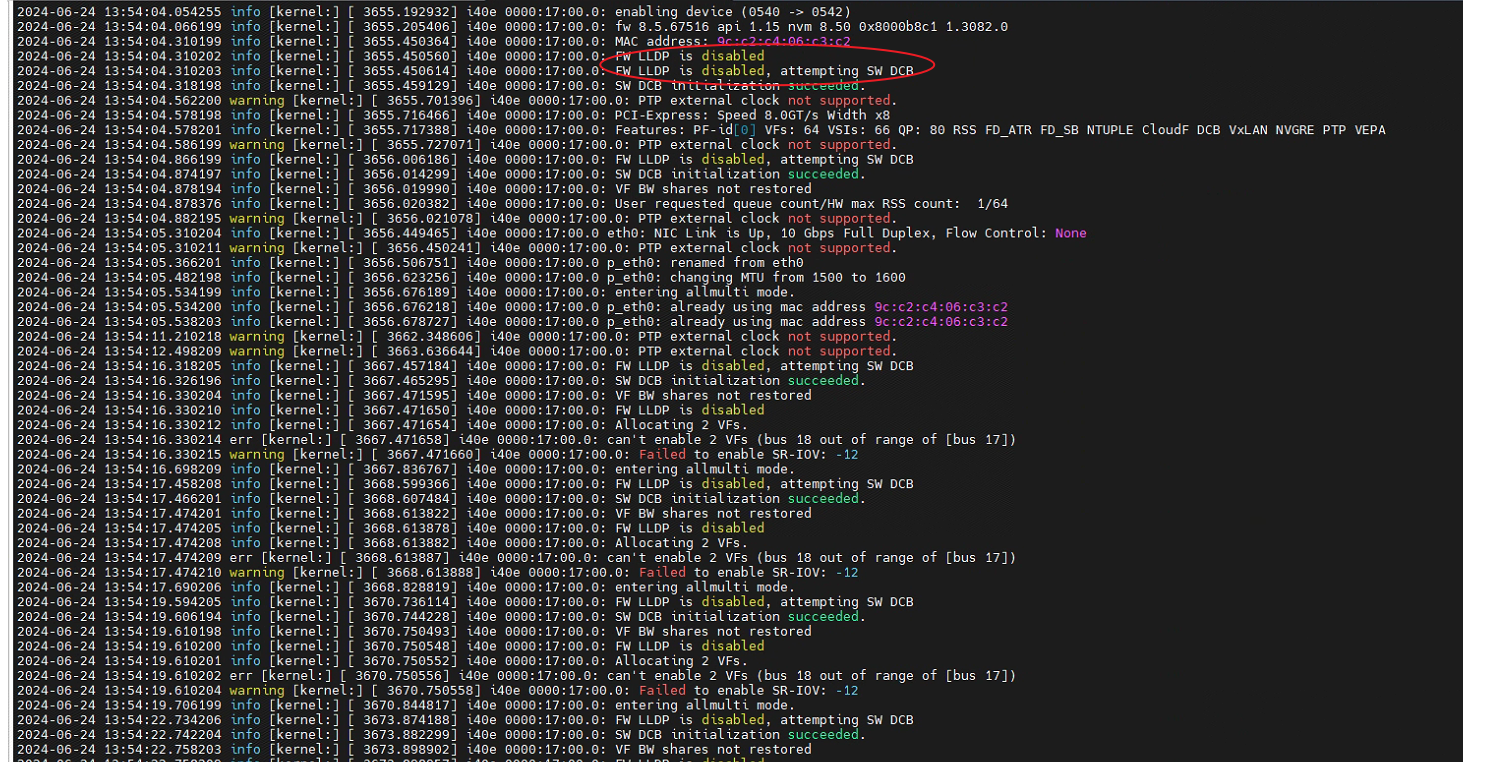
- Kernel log error i40e error when SR-IOV is enabled
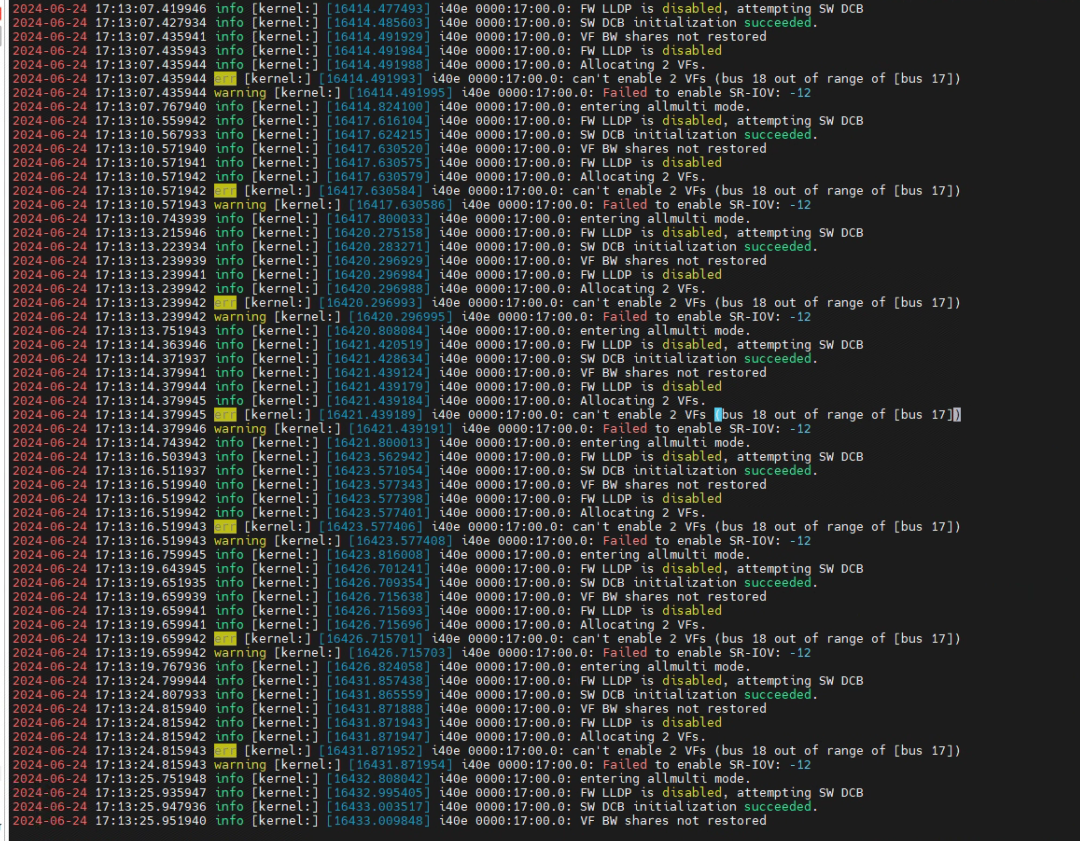
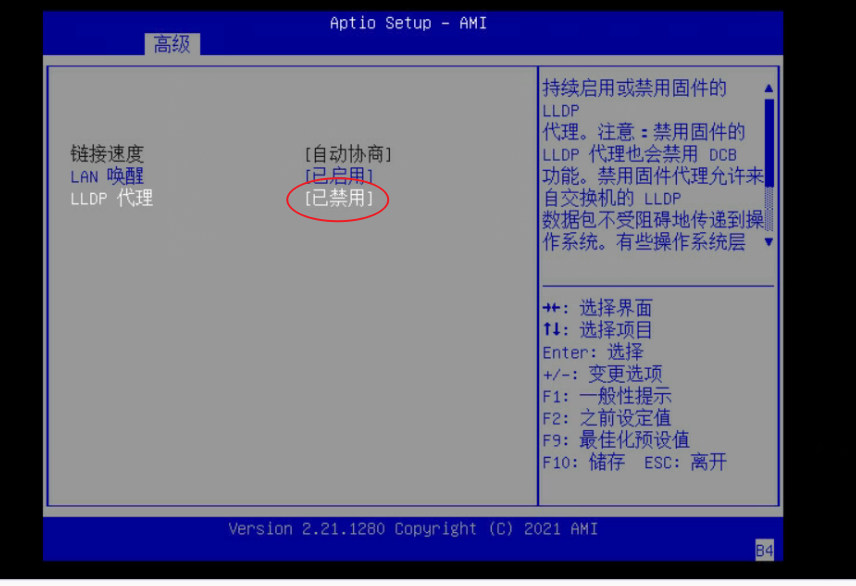
- Enter the bios to confirm that SR-IOV is enabled. Then analyze the log. The reused NIC is the X710 model. The kernel also has the lldp enable failure log. The bios is enabled and can be edited normally.
Root Cause
The third-party server network port does not have lldp enabled, resulting in a storage port reuse failure and an error in switching the network port.
Solution
- Enable lldp in bios
Operation Impact Scope
Reboot into bios
Is this a temporary solution?
no
Suggestions and Conclusion
- In the four-network integration scenario, first check the basic configuration and compatibility.
- When the network port and storage port multiplexing are enabled, four networks are integrated into one.
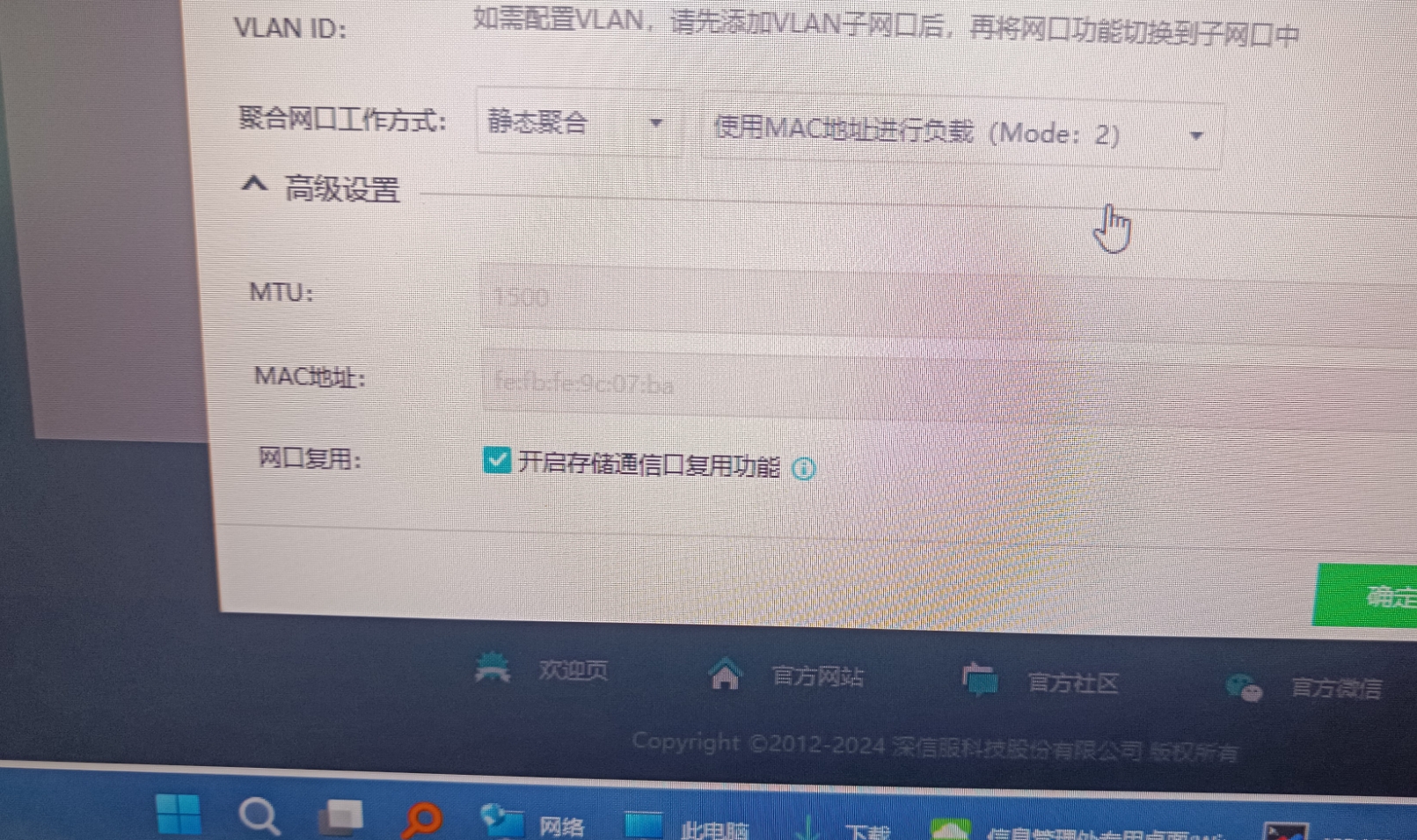
- Interface Multiplexing. There is no problem with the settings and compatibility. You can try to check whether SR-IOV and lldp in the bios are turned on.