
[No volume scenario] Single node and single Witness Node, upgrade 670 and earlier versions to higher versions, the volume page prompts that it is initializing
Problem Description
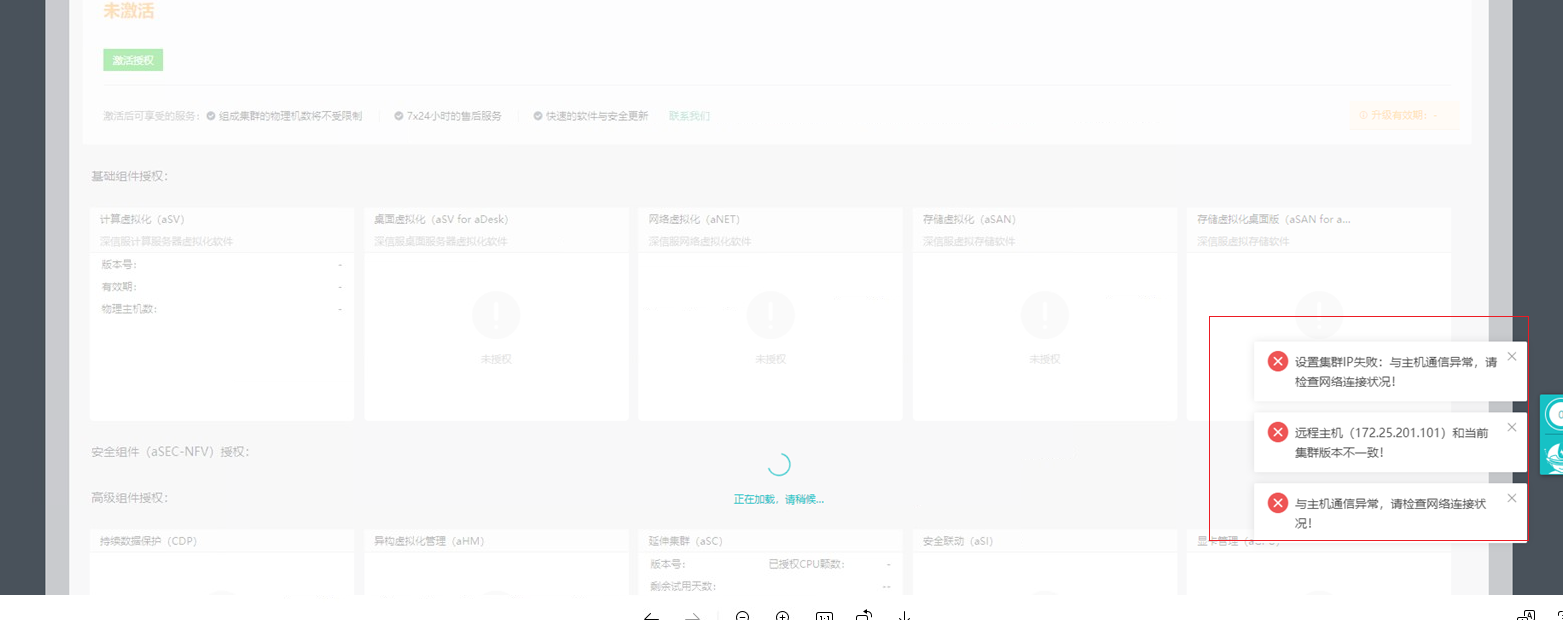
Single node and single Witness Node, no virtual Virtual Datastore After the upgrade, the page reports "Communication with Node failed, please check the network connectivity"
Warning Information
Effective troubleshooting steps
The VT call interface reports the following error: "Communication with Node failed, please check the network connectivity"
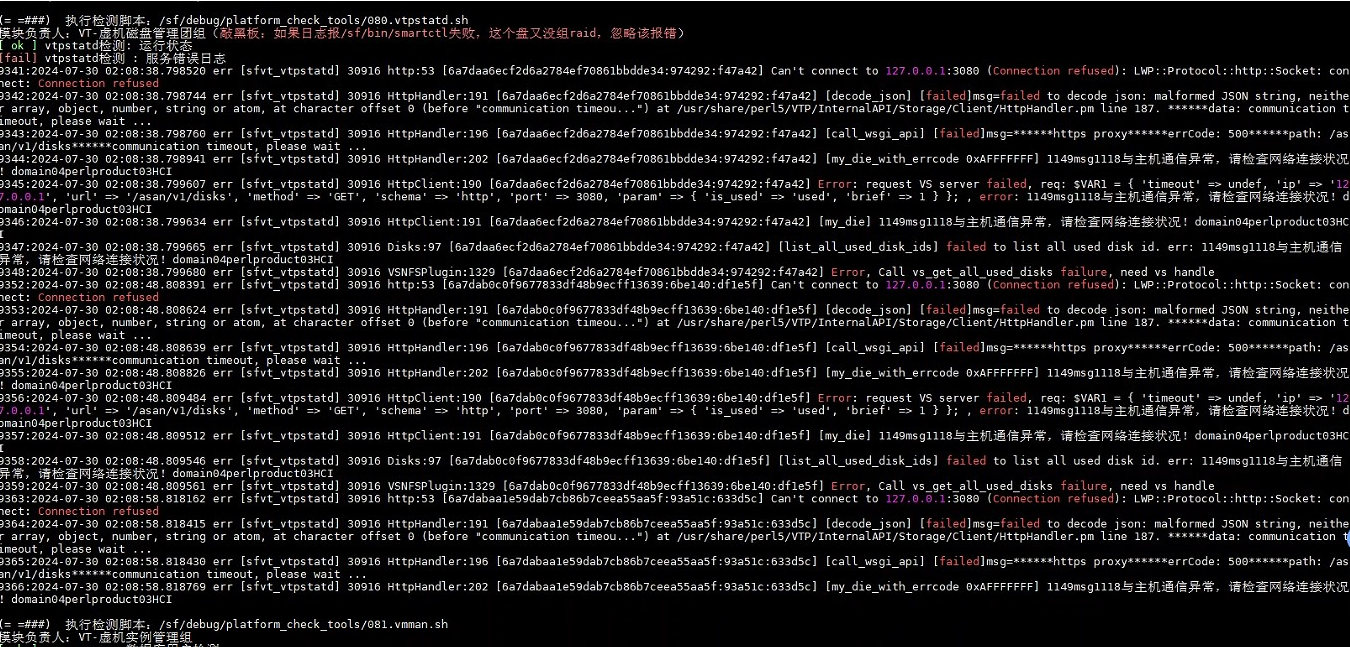
Execute the command in the VS container: service_ctrl list
As a result, only the net_config status (is_enable) is True
Root Cause
Active Upgrade from a non-container version to a container version, during the control plane upgrade phase, a service_list.json file will be copied from the upgrade directory to the /sf/cfg/vs/vs_dog directory (function copy_dog_config) 2. Then continue to execute, pull up the control plane containers one by one, and enable the services.
3. In the problem environment, the upgrade failed after enabling the service. Retried the logic of steps 1 and 2. During the retry, dog_server was not restarted.
4. When dog_server modifies the enable status of a service, it will determine whether the target status is consistent with the current status in memory. If they are consistent, the file will not be actually modified. (_modify_service_list).
5. So, in the problem environment, during the retry upgrade process, step 1 overwrote the local configuration file, and step 2 did not modify the file. Finally, the cfg directory retained a default configuration in which all enable states were false except for the vs_upgrade service.
To sum up: after a single node or single Node upgrade is successful, most services are kept alive and closed (the console reports a timeout).
Solution
Enter the VS container and execute the following script set_server_enble: See the attachment set_server_enble.rar ( 0.00M )
- Unzip first
- Add execution permission: chmod +x set_server_enable
- Execute: ./set_server_enable

Operation Impact Scope
none
Suggestions and Conclusion
Applicable versions 680~6.10.0_R1