
SCMT – adding 1160 kernel version
Problem Description
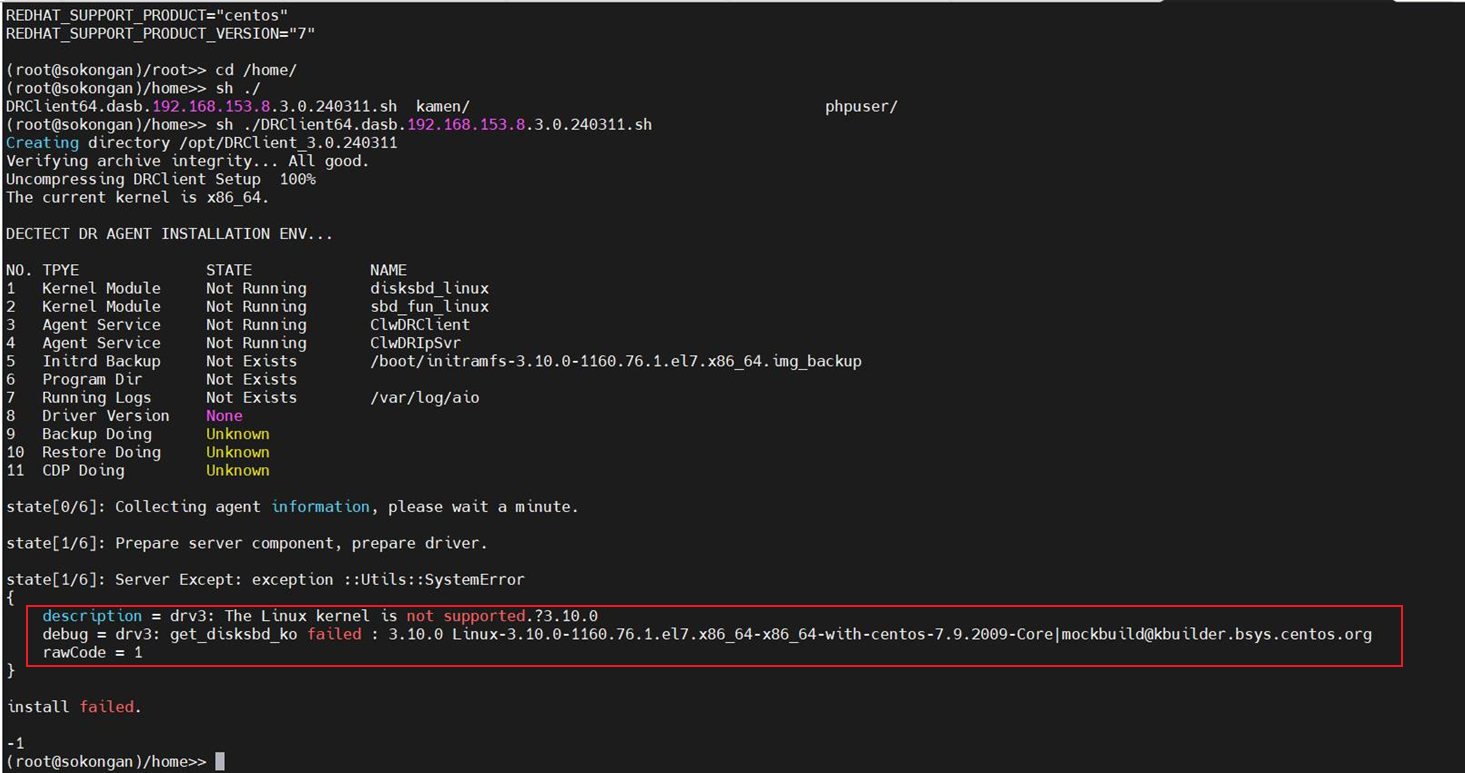
Reminder: before doing this task need confirm with R&D(Zhang jian kang z11422) first.
Solution
- Log in to the SCMT console as user admin.
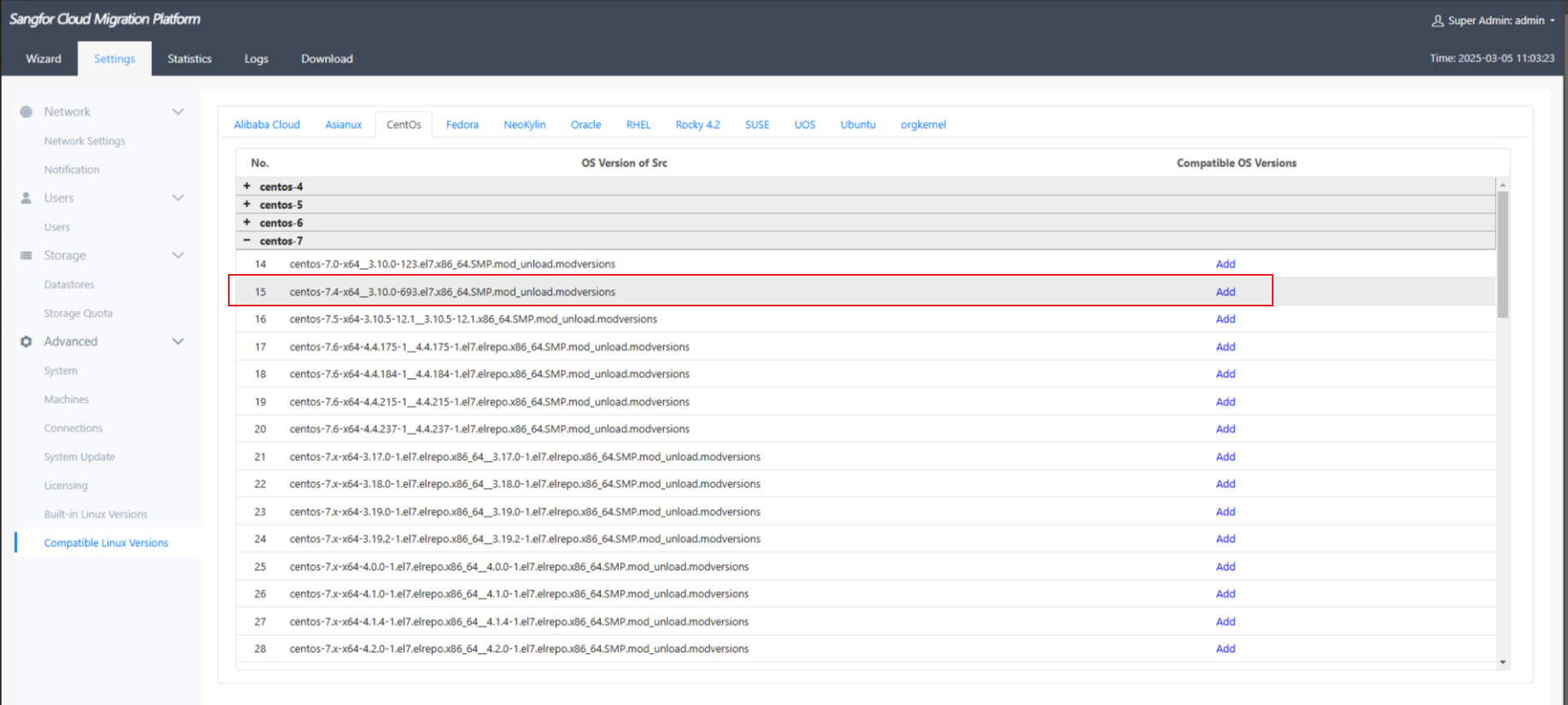
- Management Settings->Other Settings->Linux Compatible Support Version->CentOS->Find the corresponding version and select "Add" on the right (note that the 1160 kernel can only add 693);
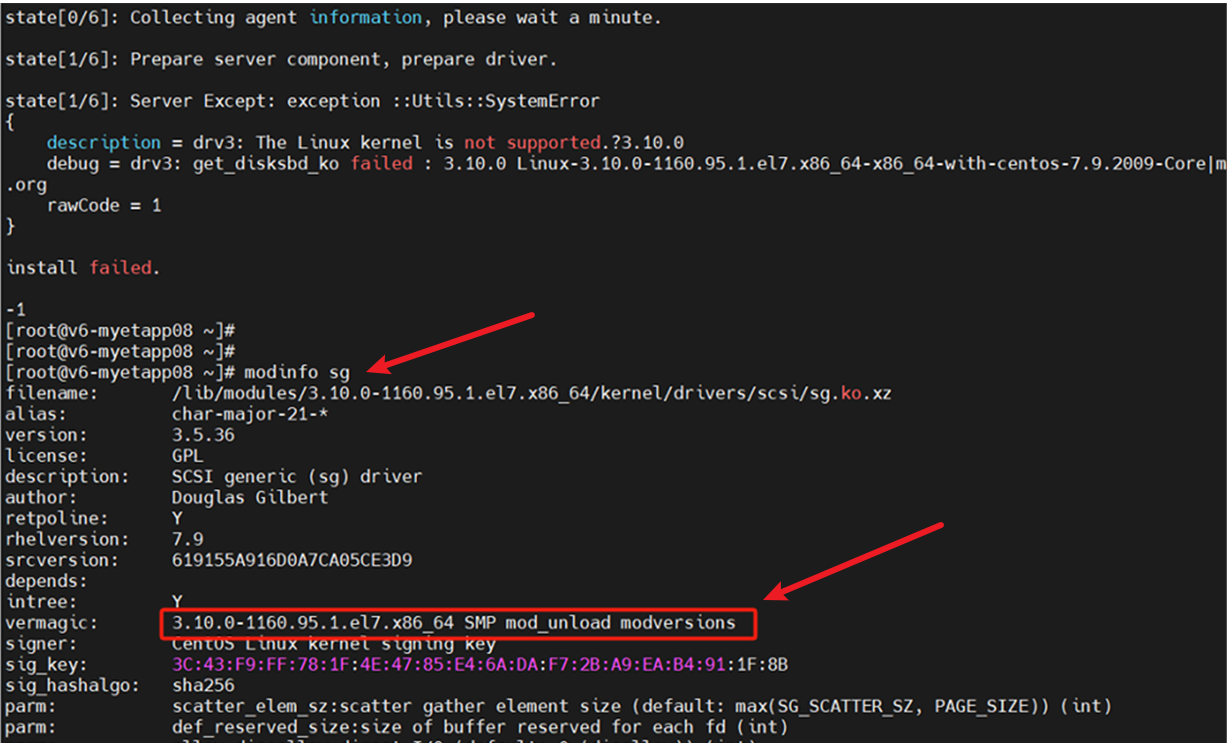
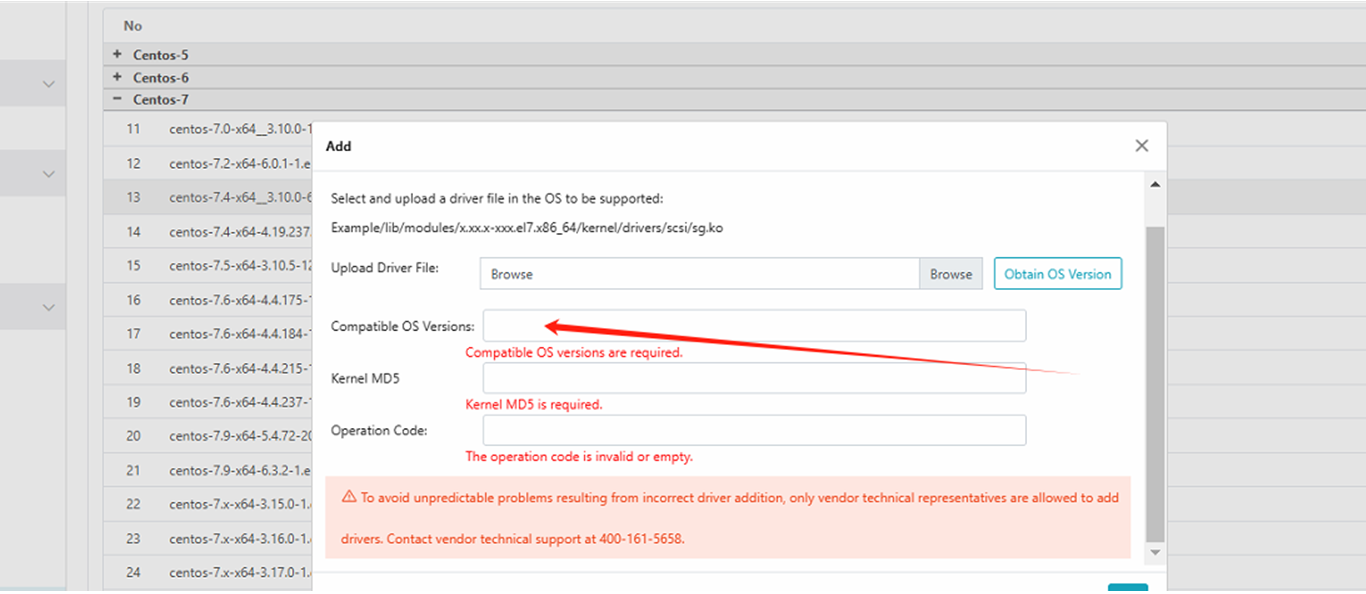
- After press Add, In the "Compatible OS Versions" fill in the result of vermagic in the "modinfo sg" command and add a space at the end; Copy the string in the red box.
- cd /boot
- md5sum vmlinuz-xxx (the vm file of the same kernel as this machine)
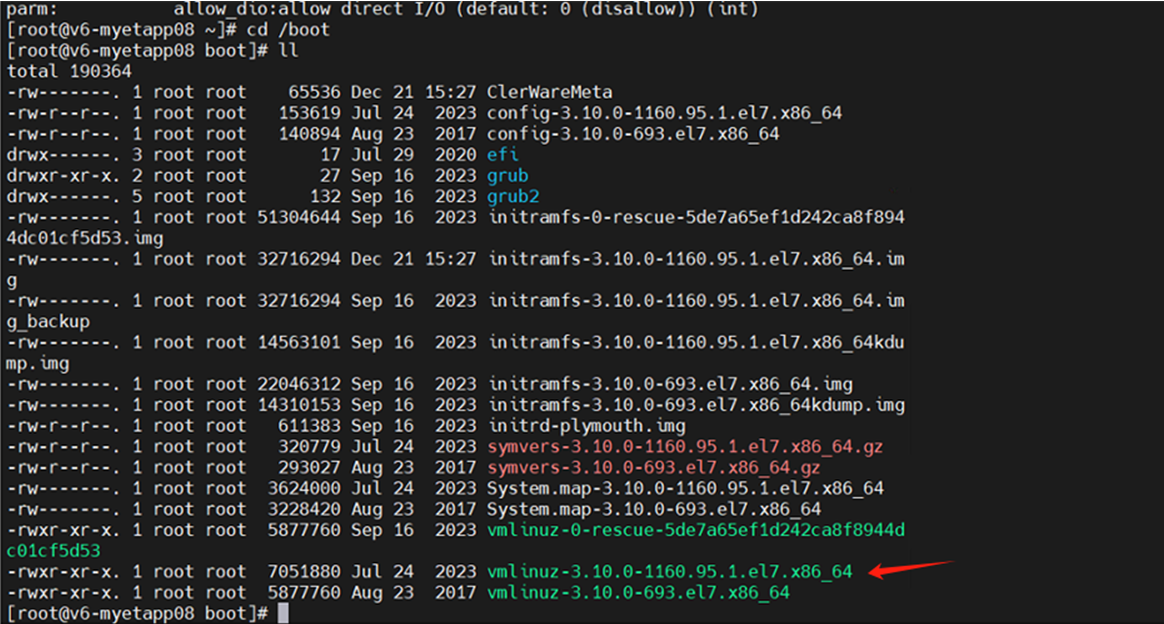
- Copy the md5sum and enter on the SCMT "kernel MD5" box.

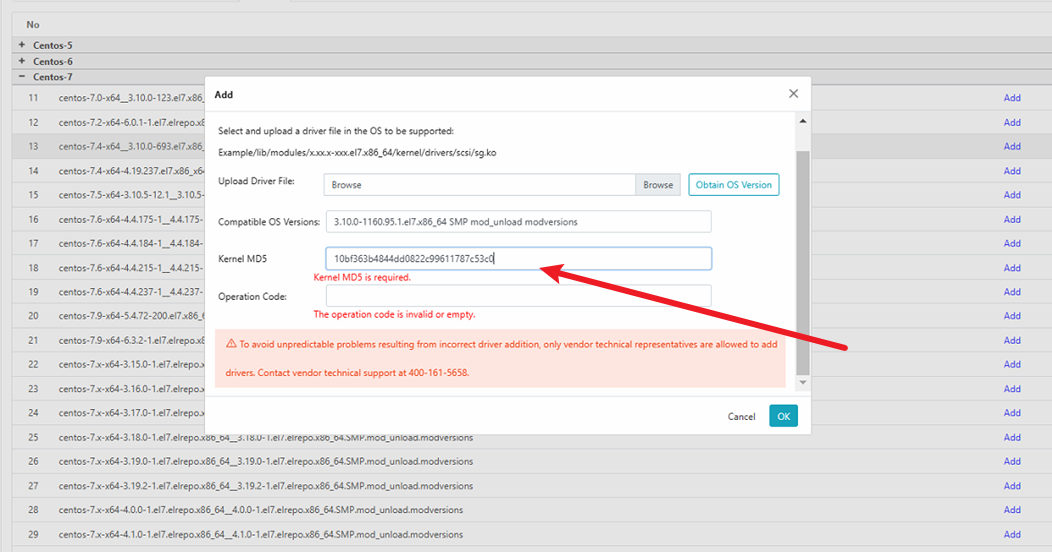
- "Operation Code": CLWsupport@abc,.123 (fixed)
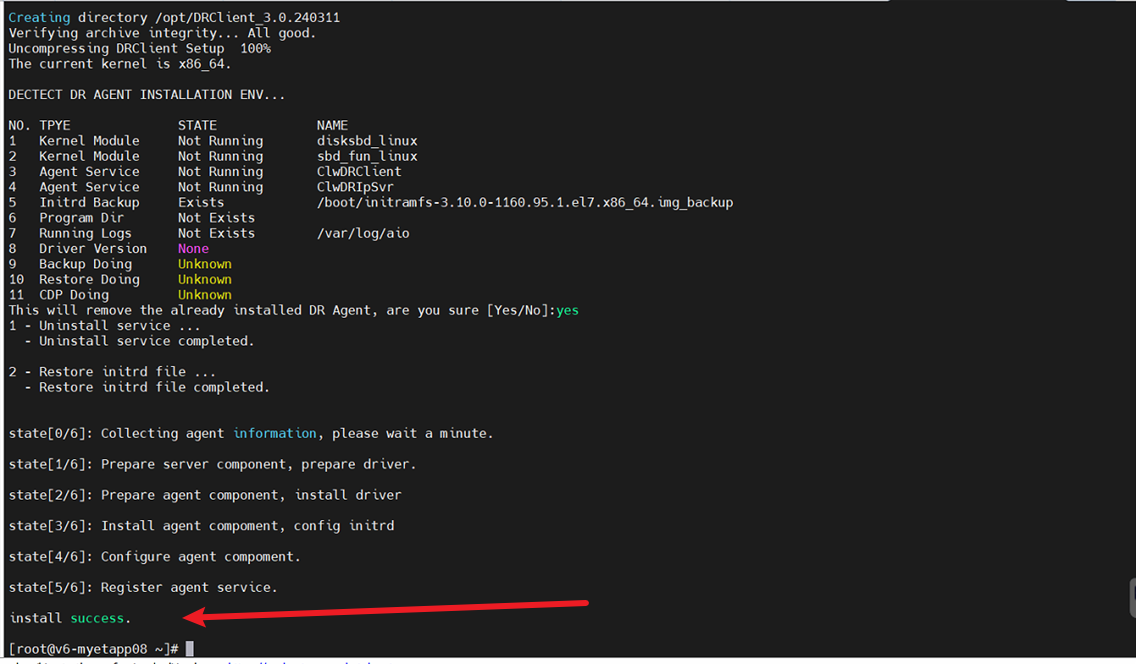
- After the operation is completed, just execute the script again without downloading the agent again
Suggestions and Conclusion
If the installation task still keeping failed may contact R&D to assist on this issue.