
【IAG】Internet Access Audit Configuration Guide_V13.0.80
Applicable Scenario
Background
This feature audits intranet users’ internet behavior and stores the user behavior log.
Theory
For the audit policy to take effect, we must ensure traffic passes through the IAG. A relevant audit option needs to be selected to ensure the audit is functioning.
Testing Scenario
Testing Environment
The customer intranet must have IAG deployed in any deployment mode. Ensure the user traffic passes through IAG.
Expected Testing Result
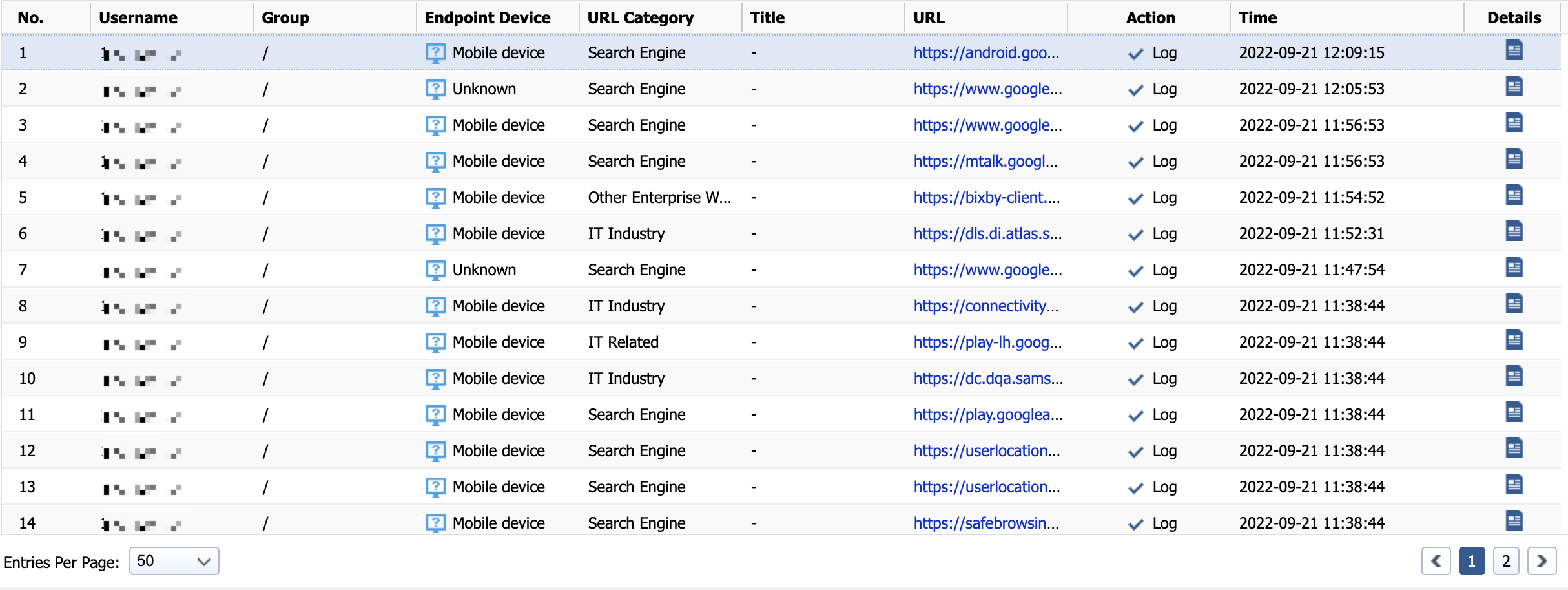
Path: Log in to IAG. In the top right corner, click the Business Intelligence drop-down list and select Internal Report to enter the Report Center. Next, navigate to Logs > Website Browsing, select the Period and necessary Filter, and click Go.
You can see real-time internet activities and users’ online behaviors.
Configuration Steps
Configure Audit Policy
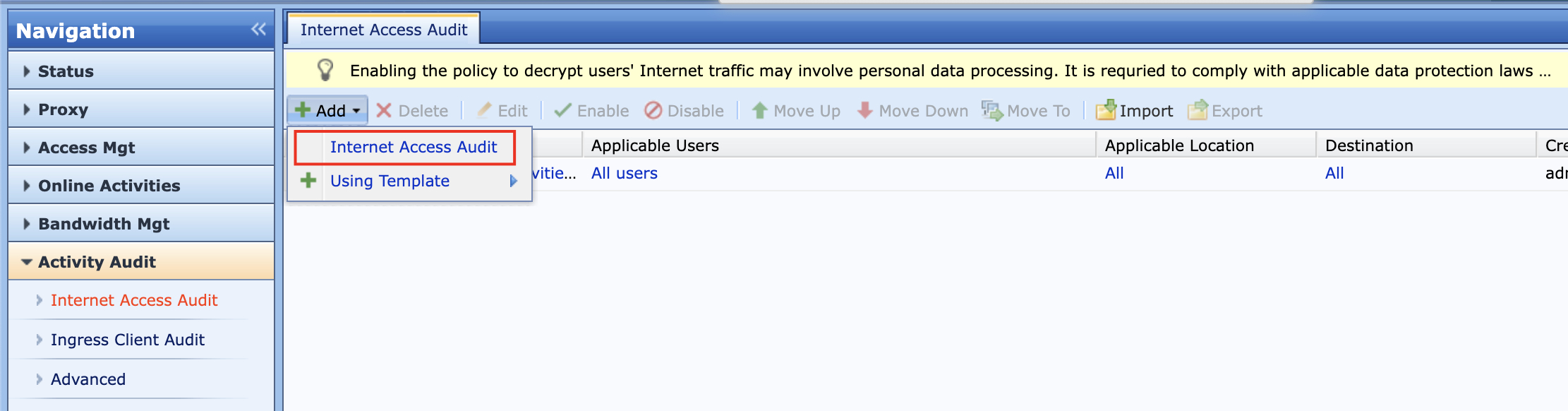
- Create an audit policy. Navigate to Activity Audit > Internet Access Audit > Add, and select Internet Access Audit.
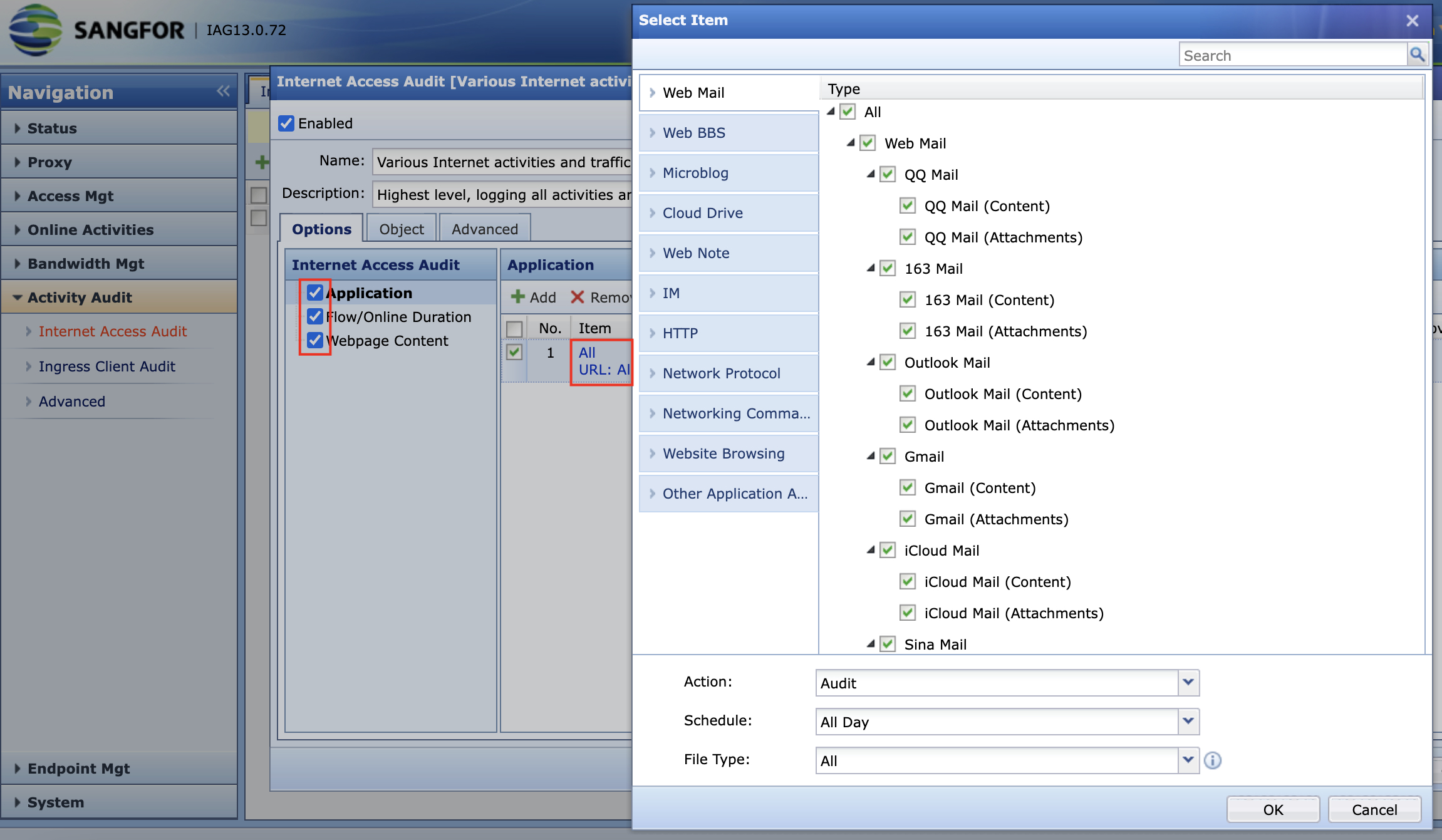
- Input the Name and Description, then tick the Application, Flow/Online Duration, and Webpage Content. On Application, click Add and select the Type that is required to be audited.
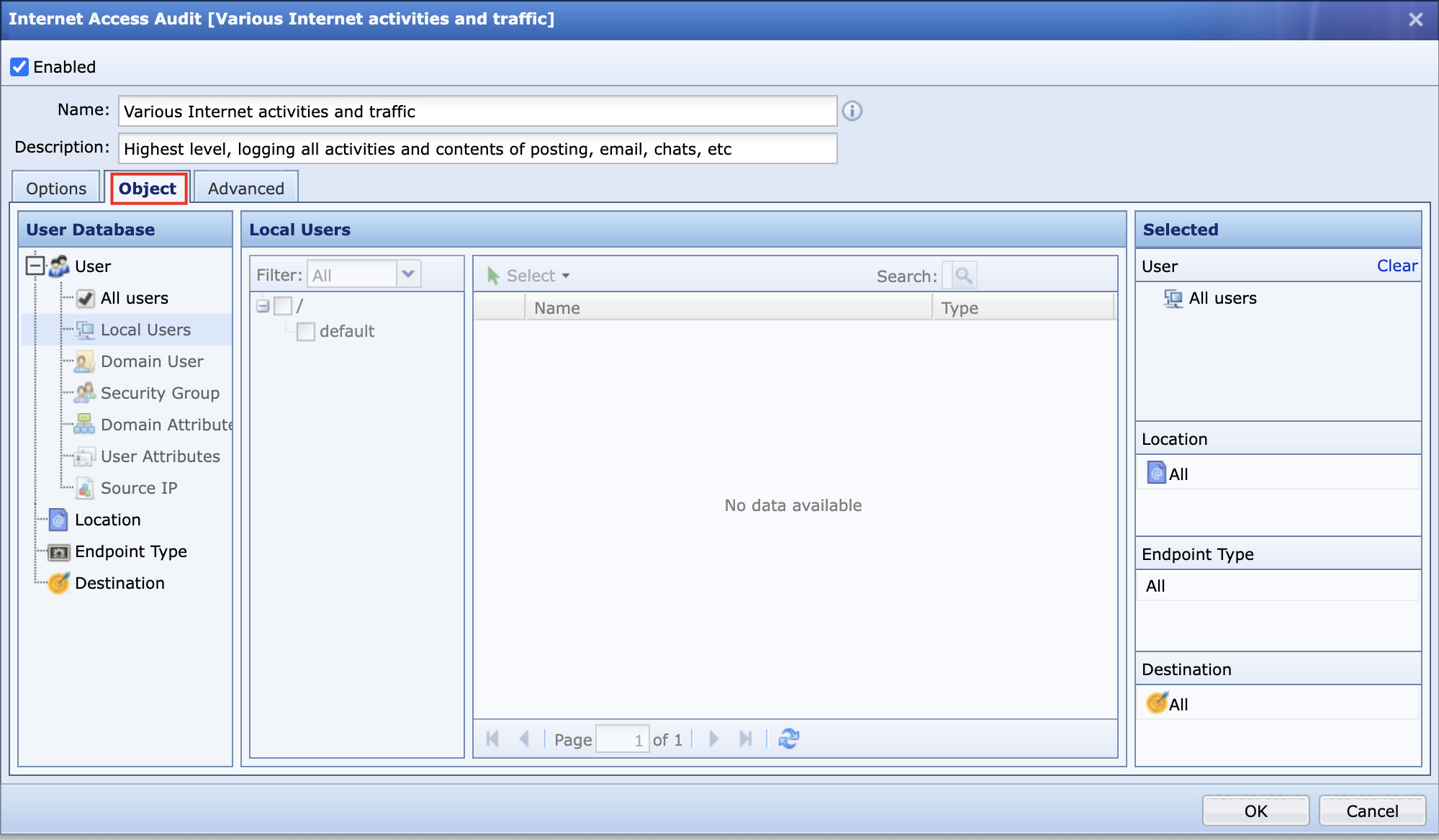
- Switch to Object and select the user groups that are required to be audited.
- A newly created audit policy will appear at Activity Audit > Internet Access Audit.

Precautions
- Users that need to be audited shall not be included in global exclusion lists.
- The application signature database needs to be updated to prevent errors in identifications.
- Ensure the user activities are showing under Status > Internet activities.