
【IAG】Password-Based Authentication Configuration Guide_V13.0.80
Introduction
The customer requires that all visitors accessing this network segment must be authenticated through username and password-based authentication. After the authentication, visitors can access the Internet based on the permissions corresponding to their usernames.
Configuration Steps
Create New Local Users
- Log in to the IAG web console, and navigate to Access Mgt > User Management > Local Users.

- On the Members tab, click Add > User.

- In the Add User dialog box, configure the username and password for the authentication policy.

- You can check and add policies for this user on the Policies tab.

- On the Advanced tab, select advanced options based on requirements. Click OK after completing the configuration.

- You can see the newly created user is on the user list now.

Configure Authentication Policy
- Navigate to Access Mgt > Authentication > Web Authentication > Authentication Policy.

- Click Add to open the Auth Policy dialog box. On the Objects tab, configure the objects, which could be the IP address, MAC address, or VLAN ID.

- On the Auth Method tab, select Password based for the Auth Method and Local user database for External Auth Server.

- On the Action tab, configure the actions based on requirements. Click OK to complete the settings.

- The new authentication policy has been added to the list.

Verify the Result
- When using the web browser, the unauthenticated user will be redirected to the authentication page. The user needs to enter the correct username and password for login.
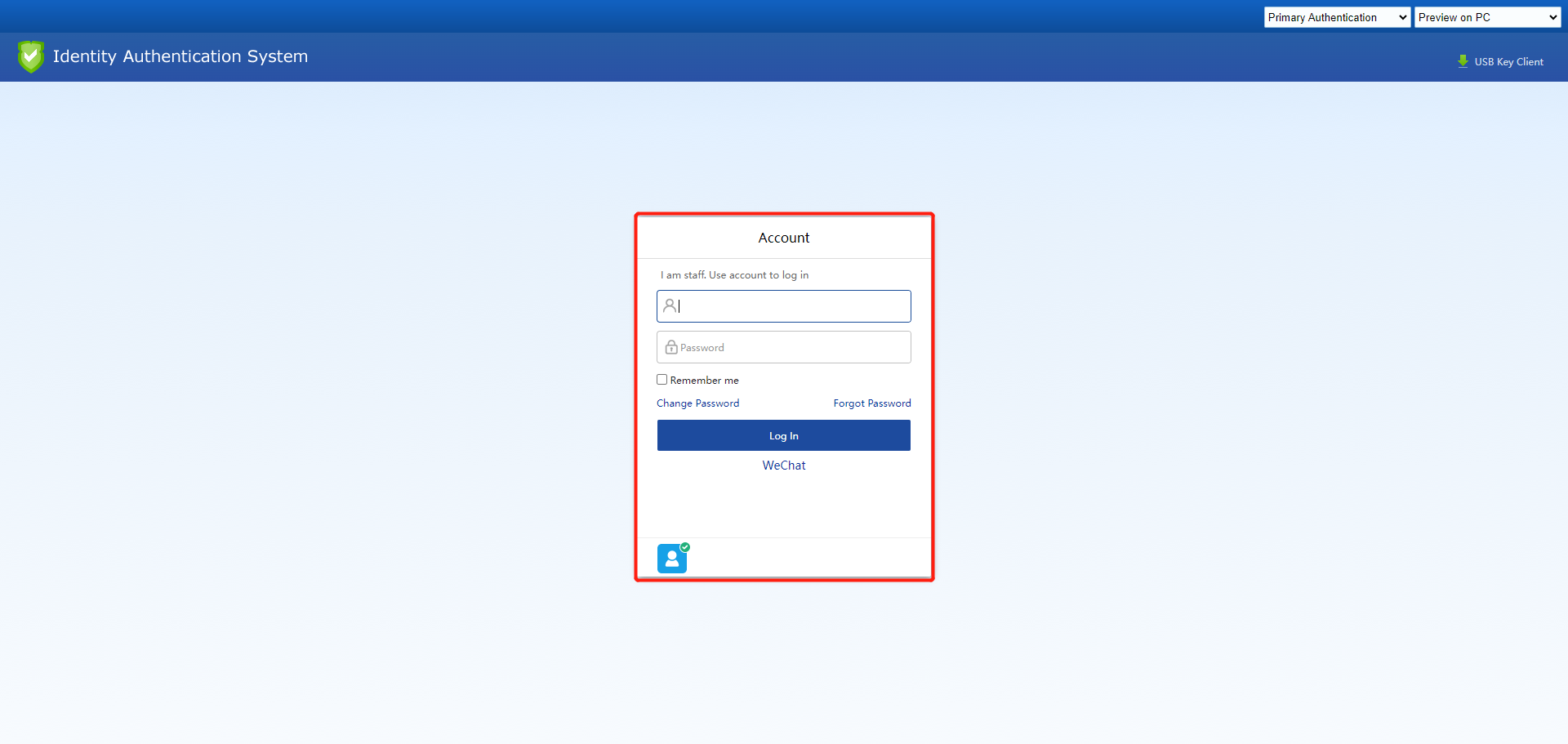
- After being authenticated successfully, the user will appear on the Online Users list. You can navigate to the Status > Users page to see the user details.

Precautions
- If there is a need to bind a MAC address with a local user account, please ensure that the local area network is an L3 environment. If so, it is required to enable MAC acquisition across the L3 network.
- If the local network is using DHCP, do not bind with an IP address.
- For the user opening an HTTPS URL and needs to be redirected to the authentication page, it is necessary to select the Redirect HTTPS requests(not using proxy) to captive portal if user is not authenticated option, as shown in the following figure:
