
[IAG] Changed IAG admin authentication method from backend
Issue Description:
If the admin account has configure email + password auth to login web console, once the IAG not able to send verification code, admin account is unable to login we console anymore, even password recovery also cannot recover the admin account.
Solution:
Start from IAG 12.0.42, Sangfor update and backend is disabled during startup. Since the cross cable or USB method is unable to recovery the admin account to default password mode, below is the step can perform to recover the admin account.
- Proceed the factory support.
- After factory reset, unzip and upload the script (S99_EnableBackend.sh) to backend under directory /ac/init/ or /ac/cron/cron.min, chmod to 777
- sh -x S99_EnableBackend.sh to excute the script.

- Restore the backup again before the date of factory reset.
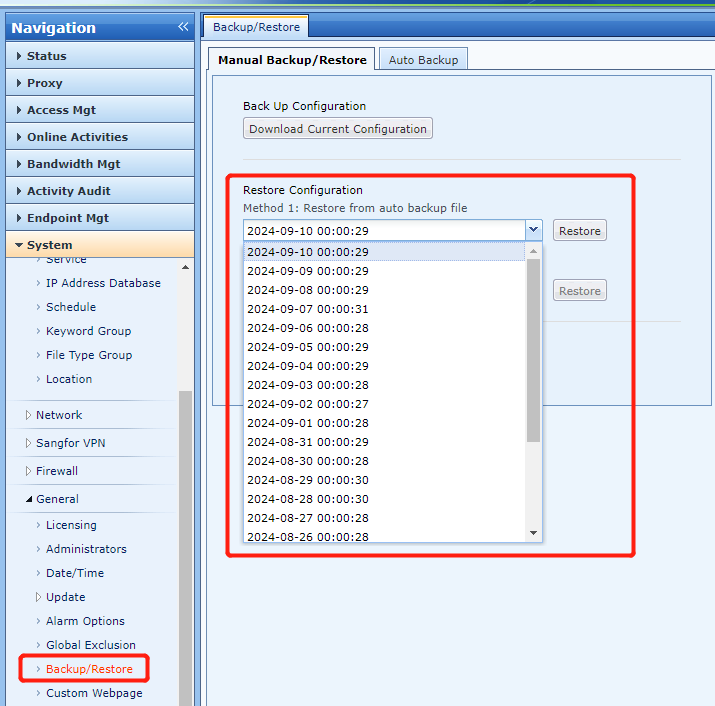
- vi /ac/etc/config/ctrluser.ini
- Search Admin (means Admin account), change the policy to Pwd (means only password authentication).
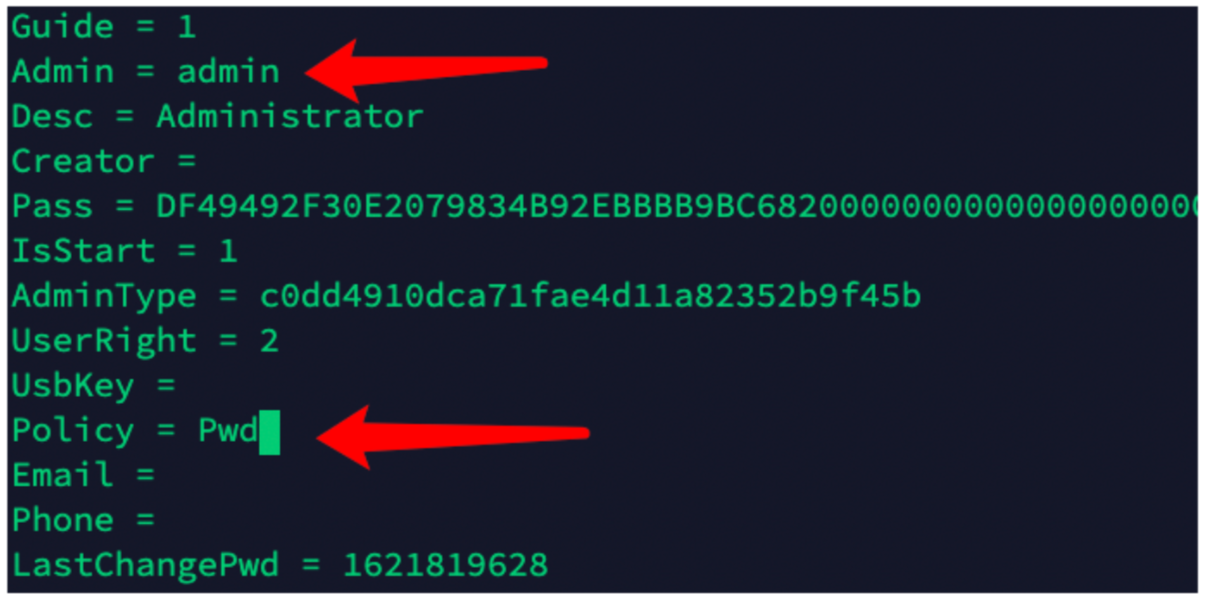
- After that, user will abled to login admin account without verification code.
Remember to remove the S99_EnableBackend.sh script after done everything, this script is to enable the backend access when IAM boot up or every min (if put this script on /ac/cron/cron.min)
S99EnableBackend.sh