
[IAG] 802.1x authentication Android 11 does not support the method of not verifying certificates
Problem Description
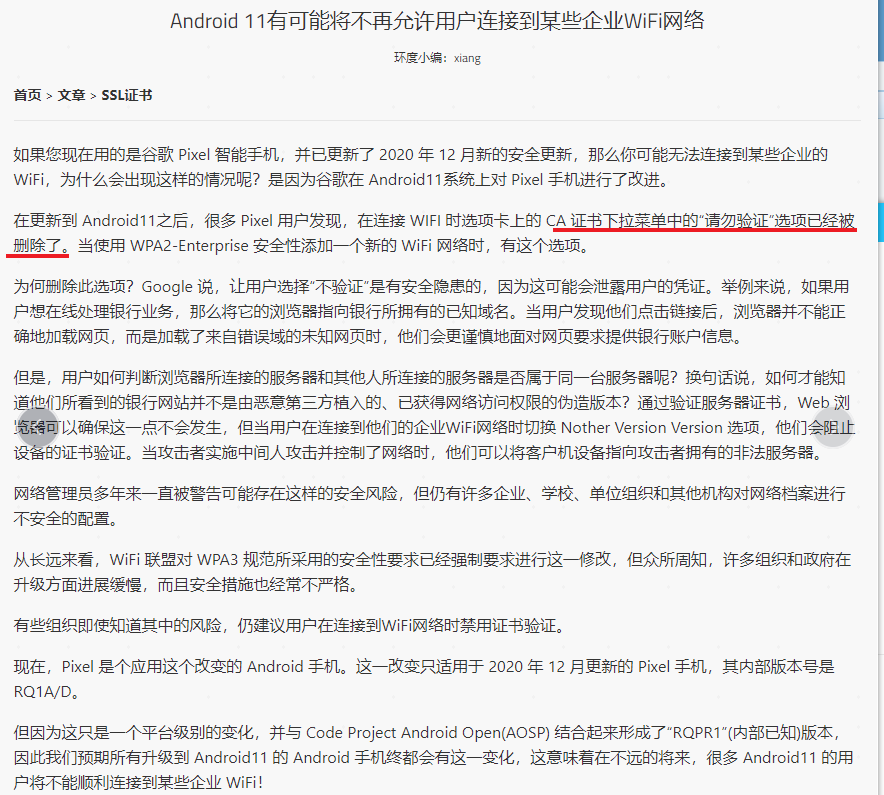
802.1x authentication Android 11 no longer supports not verifying certificates
Effective troubleshooting steps
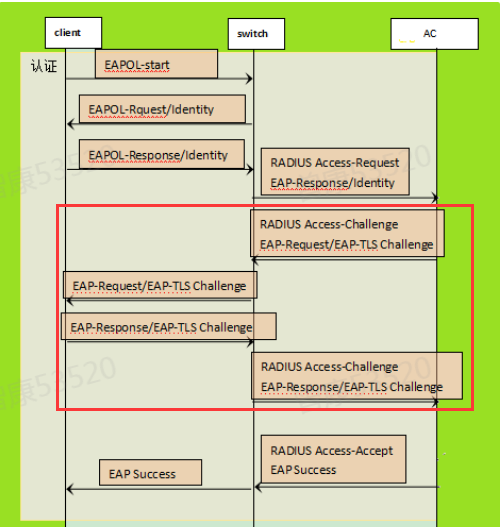
- Since the certificate used in our current 802.1x authentication is a self-built CA certificate, the certificate is not trusted by the mobile phone, and the authentication process requires verification of the certificate, which will cause authentication abnormalities.
- Since current Android phones cannot import the root certificate of the device, the current R&D solution is for customers to apply for a certificate from an authoritative organization and import it into the IAG device. In this way, when the user verifies the certificate, since the IAG server certificate itself is trusted, there will be no alarm or even authentication abnormality.
Note: - There are no special requirements for the certificate issued to the applicant. The certificate issued to the applicant will not be checked during the 802.1x authentication process.
- Authentication still belongs to 802.1x account authentication rather than certificate authentication. The certificate refers to the certificate of the TLS negotiation process in the 802.1x authentication interaction.
Root cause
The certificate of the IAG's self-built CA is not trusted by the mobile phone
solution
Import a trusted certificate issued by an authority:
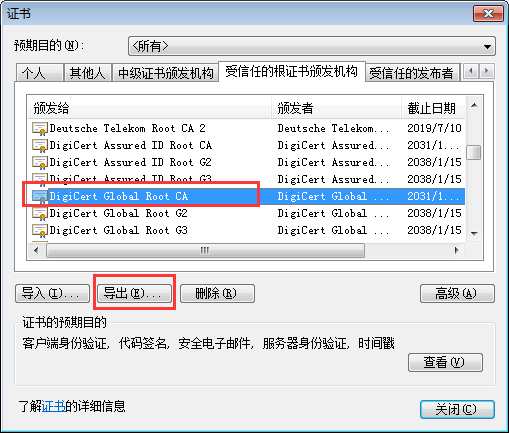
- Obtain the root certificate of the authority:
- Find the root certificate name of the certificate you applied for
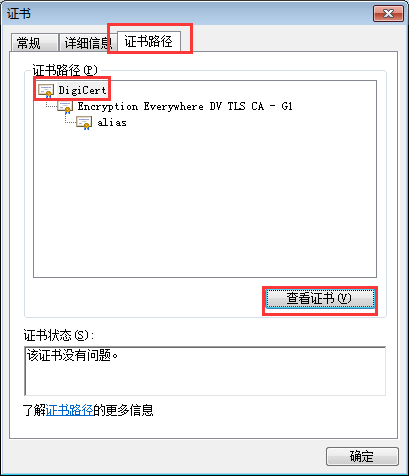
- Export the root certificate found from the browser
- Check Certificate Authentication and import the certificate provided by the authority in the server certificate and the root certificate of the authority in the root certificate.
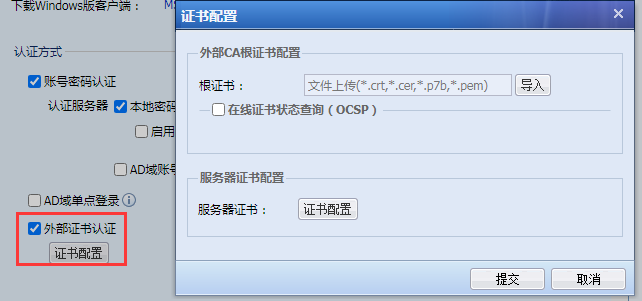
Note:
①. After importing the certificate, you cannot uncheck the external certificate authentication
②、OCSP certificate query does not need to be checked
③. During the authentication process, you still need to enter your account and password, and select the system-built-in certificate.
Operation Impact Scope
Importing an incorrect certificate will cause authentication errors on some terminals that require certificate verification
Original Link
https://support.sangfor.com.cn/cases/list?product_id=22&type=1&category_id=8450&isOpen=true