
[IAG] A possibility that the bridge deployment device cannot log in
Problem Description
After the device bridge is deployed, the device cannot be logged in through the device bridge port.
Process——
- Device 0-2 is a pair of bridges. If you connect only one device to the bridge port, you cannot log in to the device.
- The device management port can be used to log in, and no abnormalities are found when logging in to the device
- When the bridge port is connected, the device network port light is off.
- Self-loop network port test, the network port light is on again
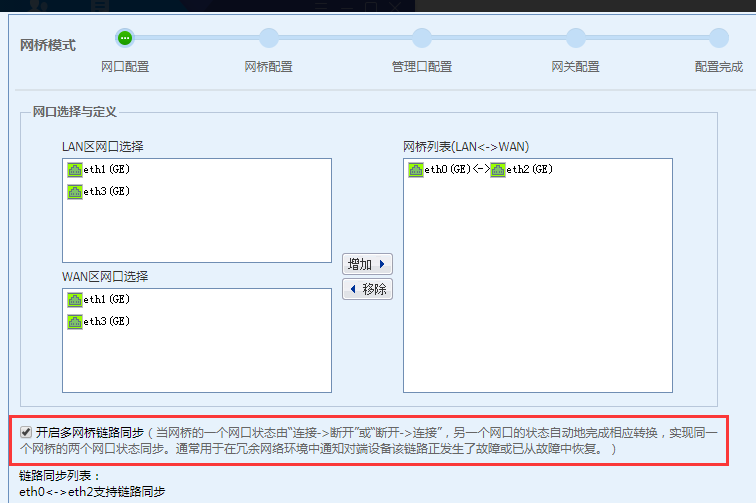
- It was found that the link failure synchronization function was enabled in the device bridge deployment.
396385b55120ebbf3a.png (43.39 KB)
Root cause
After enabling the link failure synchronization function, both network ports must be connected at the same time for the network ports to be UP.
solution
- Connect both network ports of the device to the network cable and light them up, then the device can be logged in.
- If there is no special requirement, uncheck the link failure synchronization function.
Original Link
https://support.sangfor.com.cn/cases/list?product_id=22&type=1&category_id=6067&isOpen=true