
[IAG] Access is restricted when modifying IP address group in object definition
Problem Description
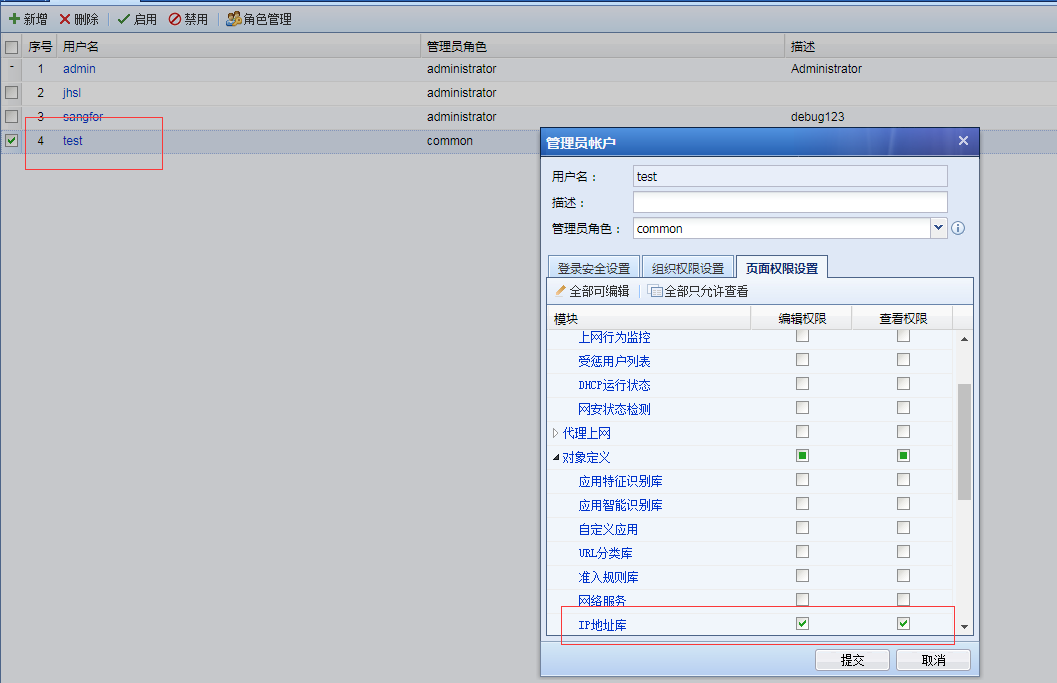
The administrator user on the IAG adds a user named test, with the administrator role permission as common, and grants the permission to add or modify the IP address library; after the creation, use the newly created user to log in to the device, add a new IP address to the original IP address group name, and find that the prompt access is restricted
761705e073720f37de.png (63.3 KB)
Warning Information
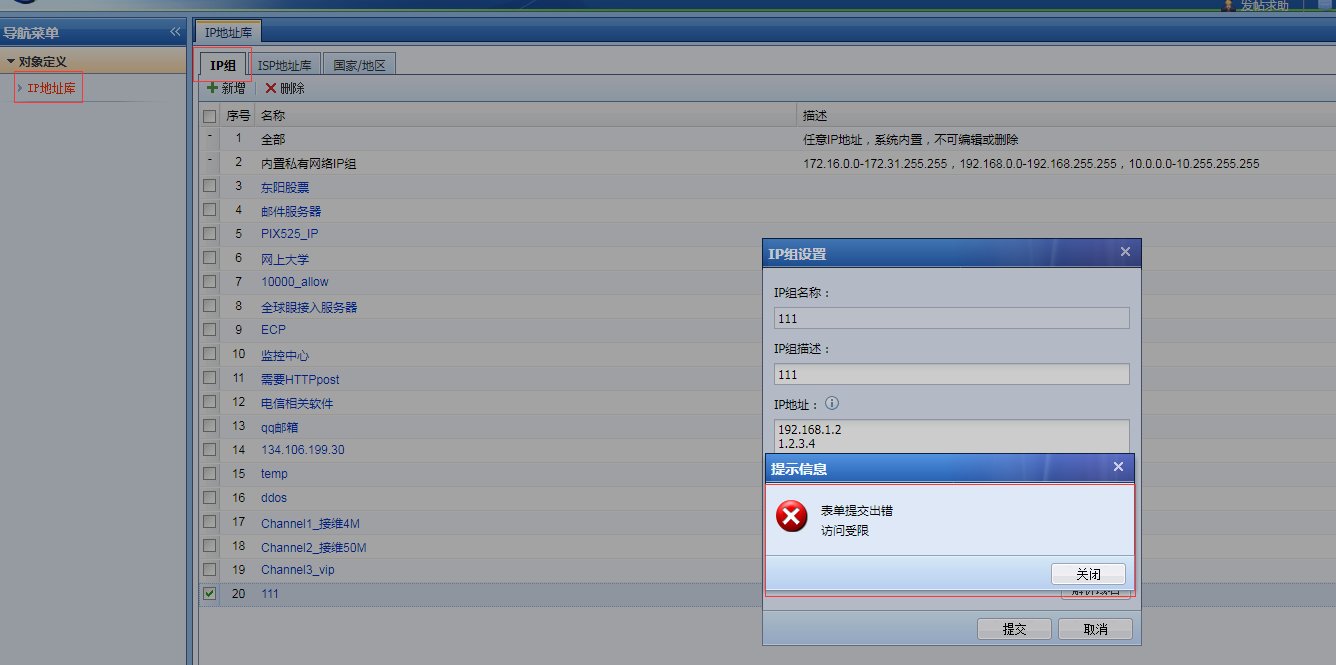
939065e0735d65ee9b.png (104.18 KB)
Process——
- First check whether the corresponding added administrator user has editing permissions, and it is found that
- Therefore, it should be possible to add an IP address group after logging in to the device through this user; however, as shown in the alarm information in the figure above, the IP address is added to the IP address group name 111 created under the original admin privileges. In this case, there is no privilege to operate. Low-privilege users cannot operate the information created under admin privileges when logging in to the device.
- Then use the test user to log in to the device to create an IP address group, then log out and log in again; then edit the IP address group created under the original test user and add a new IP address.
- Log in to the device using the admin user, and then edit the IP address group created under the test user.
Root cause
The user role test with low permissions cannot log in to the device and edit the content created by the admin administrator user.
solution
Log in to the device using the test role and create an IP address group and edit it later
Suggestions and Conclusion
Any user role with low permissions cannot edit the content created by a high-privilege user.
Original Link
https://support.sangfor.com.cn/cases/list?product_id=22&type=1&category_id=7222&isOpen=true