
[IAG] Accessing VDI using a browser without going through IAG prompts that it is blocked by IAG policy
Problem Description
When a customer uses a browser to access the VDI in the intranet environment, the access to the VDI does not go through the IAG, but when the web page accesses the VID, a prompt pops up saying that the IAG access is denied.
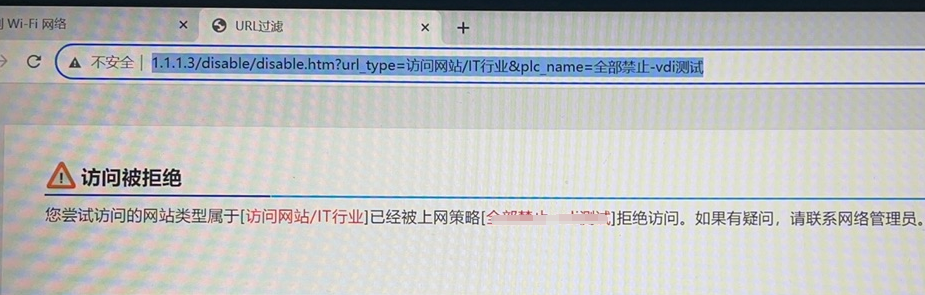
Effective troubleshooting steps
- If you enable direct access to the computer's source IP, the system can recover. If you enable direct access to the destination IP, the system will not recover.
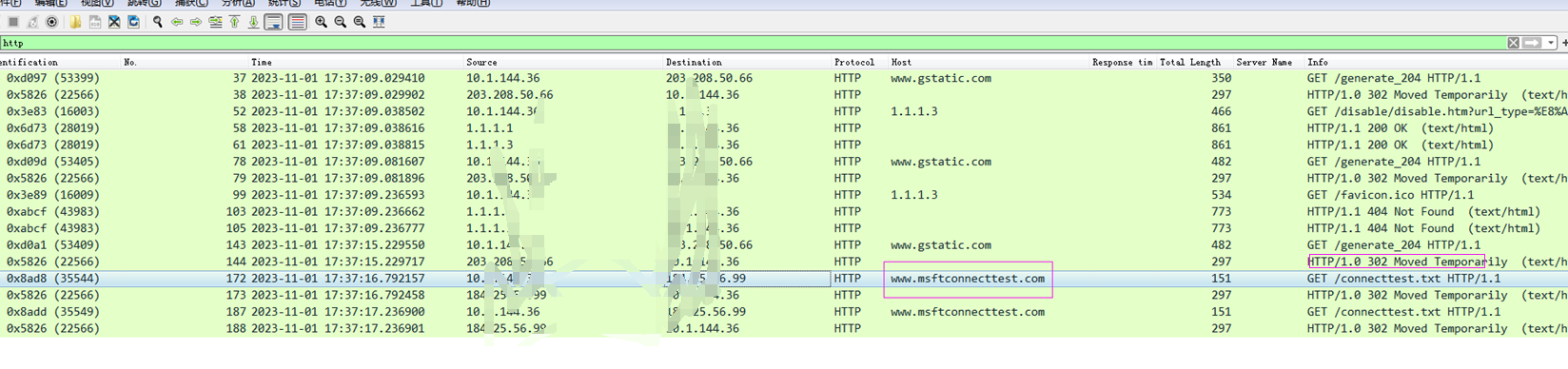
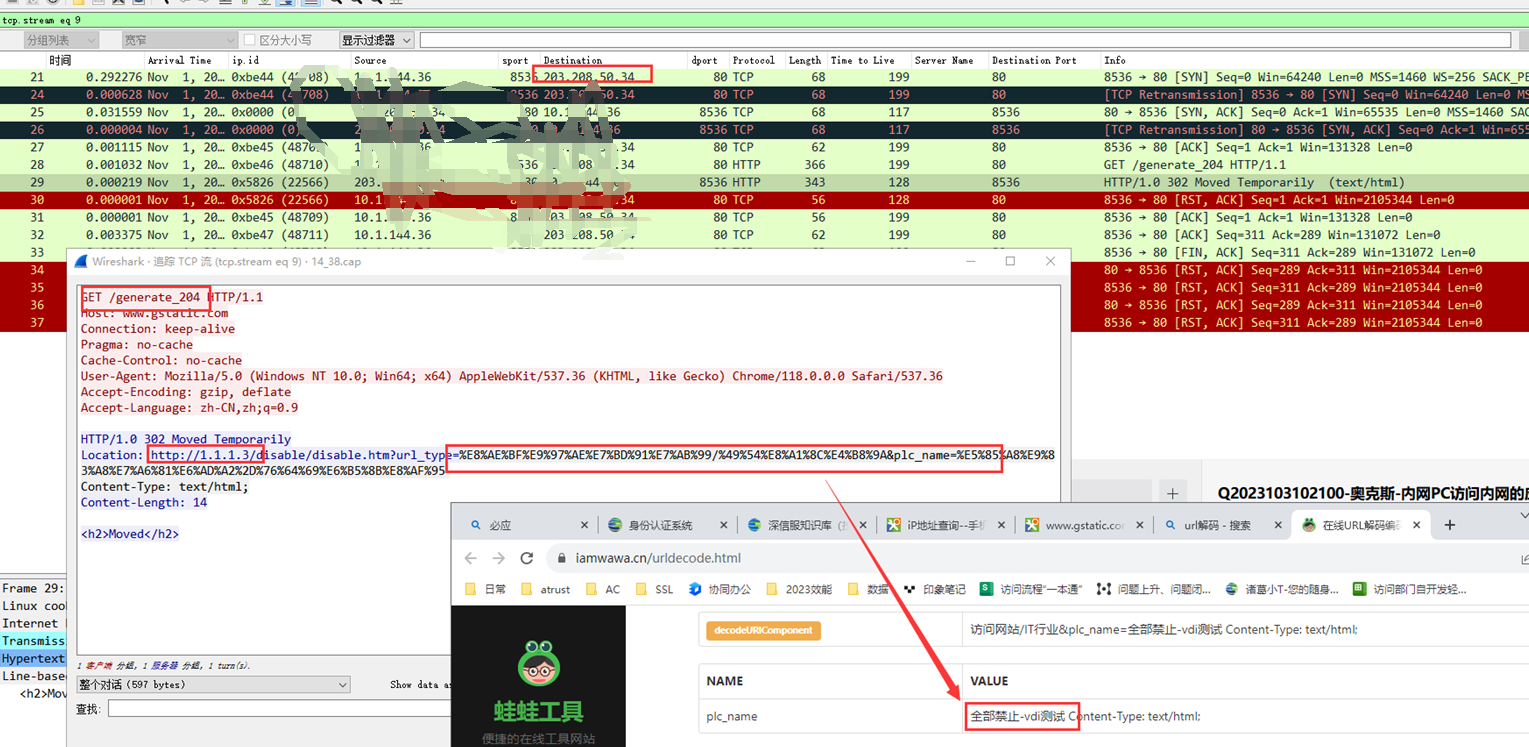
- Capture packets on the PC for analysis, filter the corresponding HTTP request to find the corresponding IAG's 302 data flow tracking flow, find the corresponding domain name, and confirm that the traffic from the intranet PC to the Internet passes through the IAG, and the traffic to access the VDI does not pass through the IAG
Root cause
Before the browser accesses a web page, it will first access the domain name associated with the browser. The corresponding domain name is intercepted by ac, resulting in an exception.
solution
Filter and process the corresponding domain name by capturing packets, and configure custom applications to solve the problem
www.gstatic.com
accounts.google.com
www.msftconnecttest.com
edge-http.microsoft.com
PS: If it still doesn't work, you can filter it by capturing the packet and then release it for the corresponding domain name.
Original Link
https://support.sangfor.com.cn/cases/list?product_id=22&type=1&category_id=24836&isOpen=true