
[IAG] AD domain script single sign-on failed because the sinforIP file content did not configure the user’s computer DNS IP address.
Problem Description
Computer-side ad domain script single sign-on failed
Effective troubleshooting steps
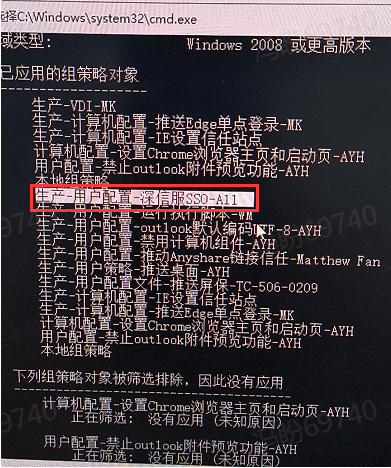
- Execute "gpresult /r" in the computer cmd command line to see that the PC has joined the domain and has obtained the corresponding group policy from the domain controller.
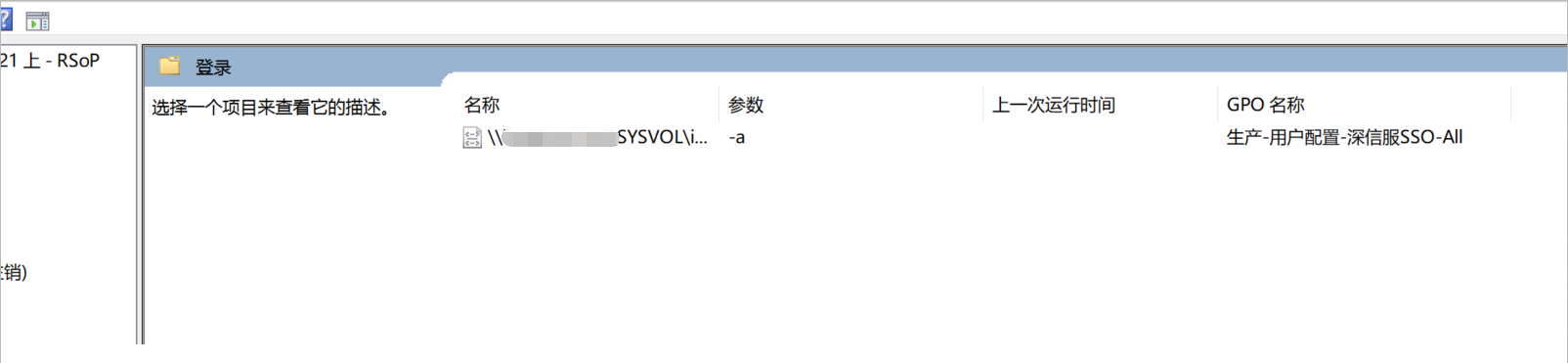
- Execute rsop.msc on the computer and find that the group policy execution fails, and the "Last Run Time" is empty
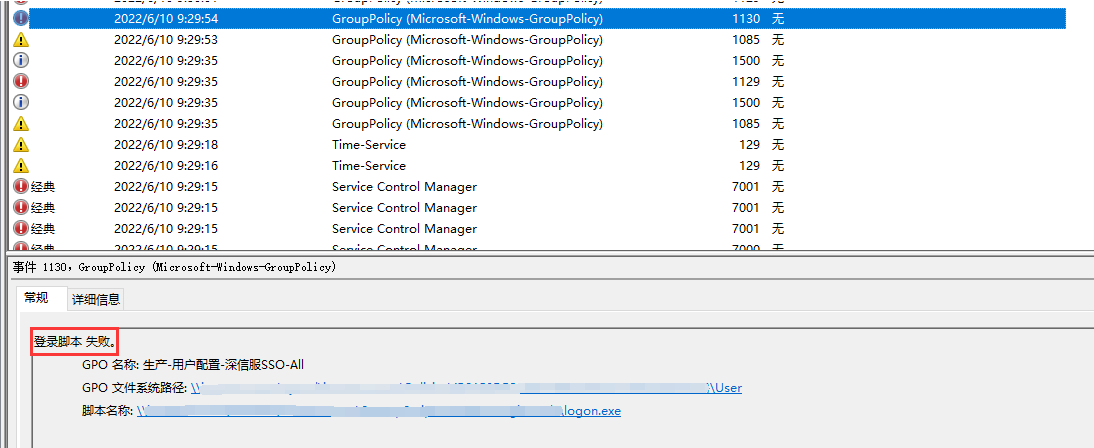
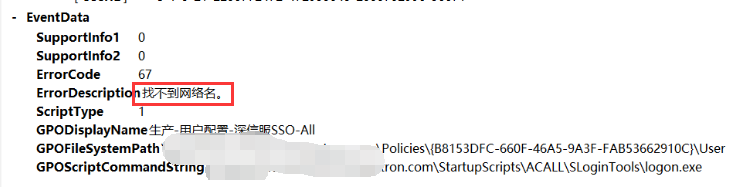
- Check the Windows Group Policy event log. If there is a log that prints "Login script failed", it indicates that the network name cannot be found.
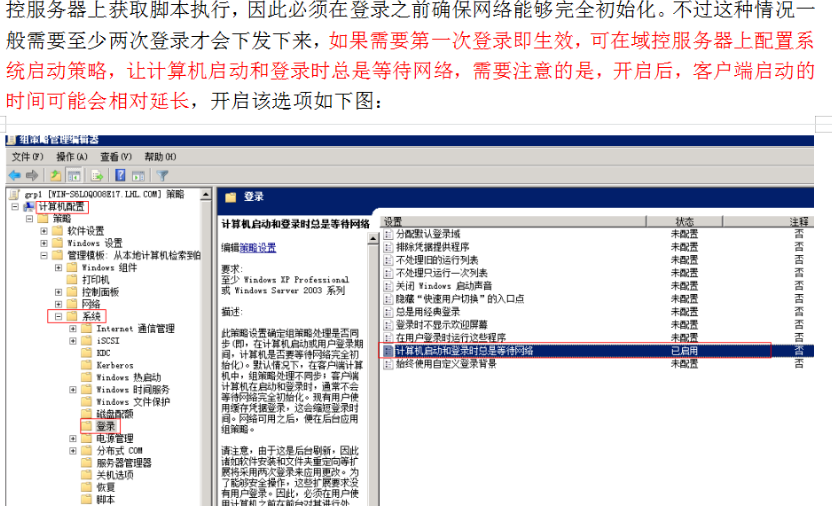
4. Modify the group policy and set "Always wait for the network when the computer starts and logs in". After re-issuing the group policy, the PC can run the login script.

-
On the user's computer, enter the script log path through "%appdata%/.logon" and analyze login.log. It is found that the following screenshot information is printed. After successfully reading the sinforIP file content, the sinforIP file is immediately deleted. The result of rsop.msc confirms that it is caused by adding the parameter "-a".
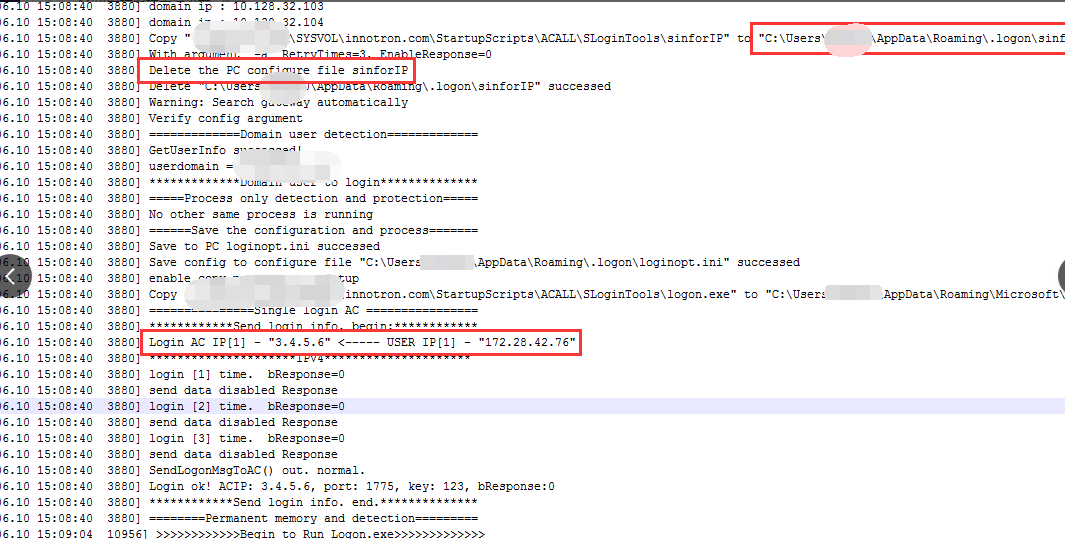
The following log prompts that the packet is still sent to 3.4.5.6, not the ac address specified in the sinforIP file -
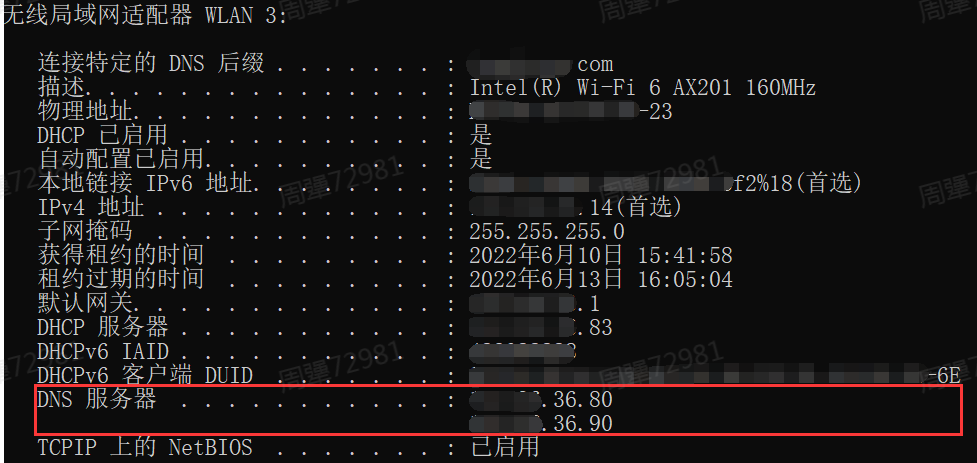
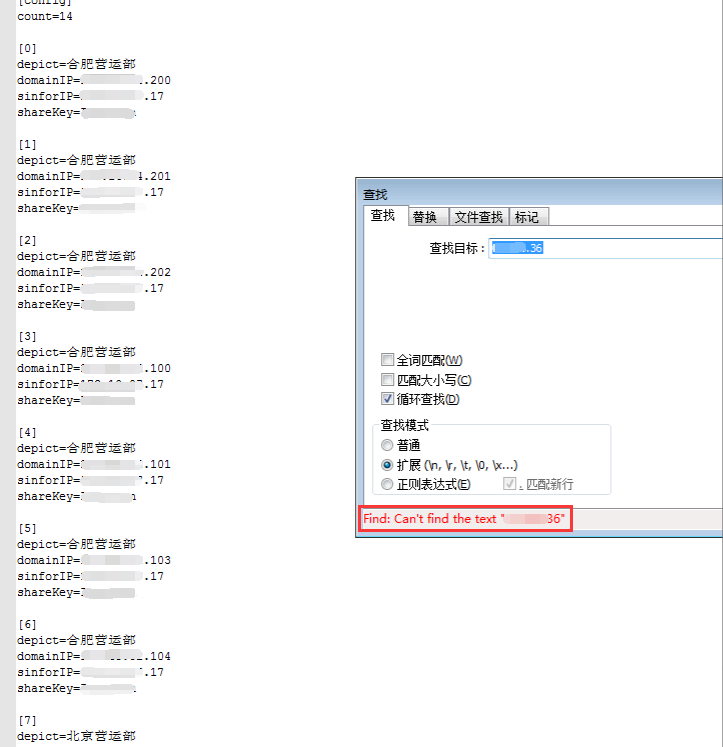
Check the contents of the sinforIP file. The old format is used. Check that the format is correct, but domainIP does not configure the dns ip of the user's computer. Add the domain controller IP (that is, the DNS address of the user's computer), the corresponding IAG single point IP, and the shared key to the sinforIP file as required. After the customer uploads it to the corresponding directory of the AD domain controller group policy, the AD domain script single point login is successful.
Root cause
The sinforIP file does not configure the user's computer DNS IP
solution
Add the domain controller IP (that is, the DNS address of the user's computer), the corresponding IAG single point IP, and the shared key to the sinforIP file as required, and the customer uploads it to the corresponding directory of the AD domain controller group policy.
Operation Impact Scope
When modifying the sinforIP file, you need to check whether the script format and content are correct. If there are no problems, it will not affect the business.
Suggestions and Conclusion
- When using the sinforIP file for single sign-on script, it is recommended not to add the -a parameter
- When using the sinforIP file for single sign-on in the logon script, check the corresponding format. When using the old format, confirm whether the domainIP address is complete and whether the corresponding sinforIP and sharkKey are correct.
Original Link
https://support.sangfor.com.cn/cases/list?product_id=22&type=1&category_id=8534&isOpen=true