
[IAG] Added LDAP server, test account validity, error: Successfully connected to the server but unable to bind user
Problem Description
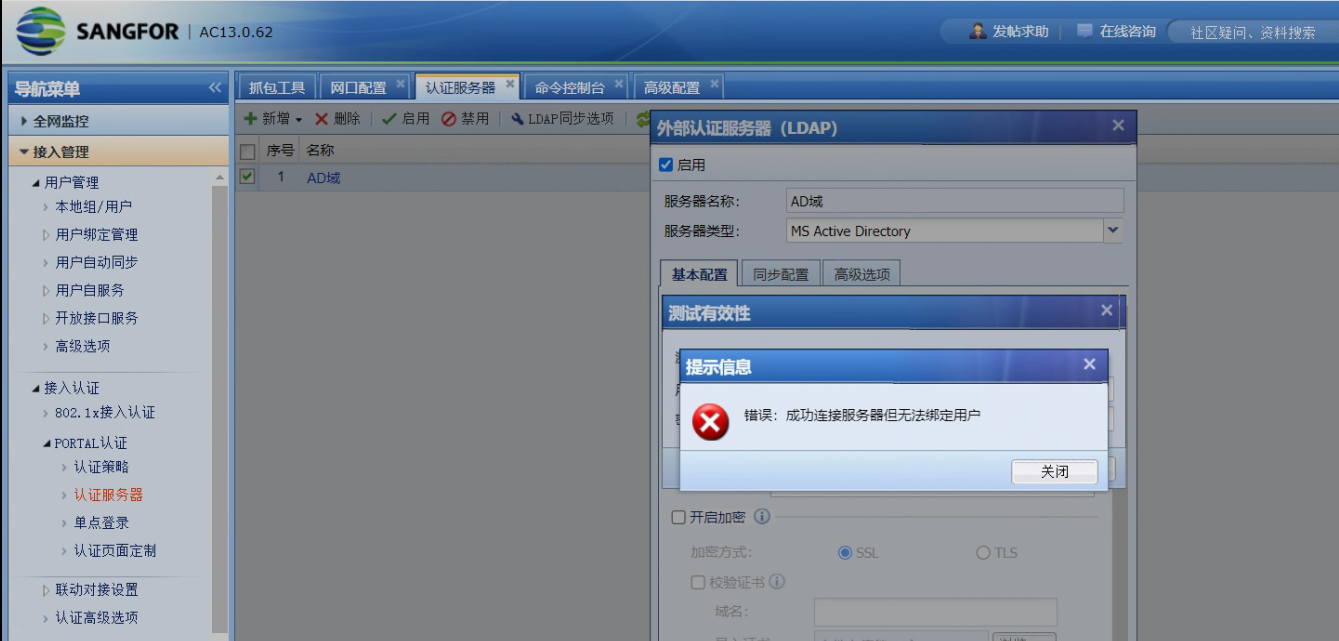
Added LDAP server, test account validity shows error: Successfully connected to the server but unable to bind user
Warning Information
solution
- Enter the device background to capture the data packet of the LDAP server, and retest the account authentication. It is found that the LDAP server returns 52e
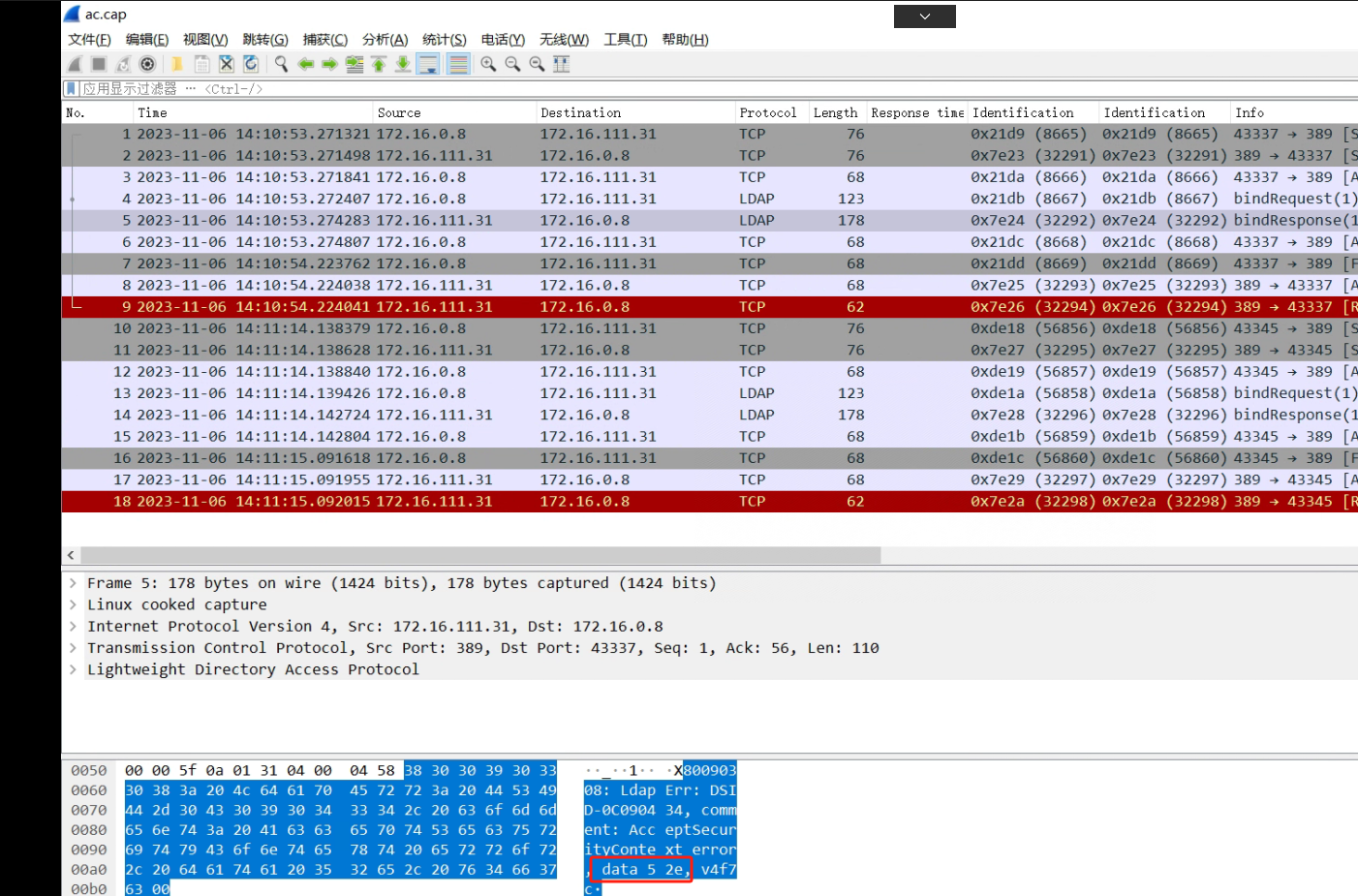
- This is due to an administrator full path configuration error or a password configuration error. Try to use the remote desktop to the AD domain server and find that you cannot log in with this password. After obtaining the correct password, you can log in successfully.
Suggestions and Conclusion
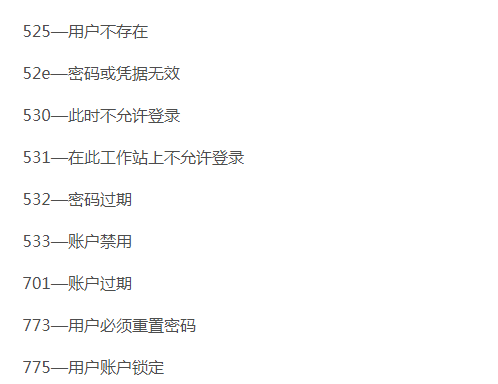
Common LDAP server error codes are as follows:
Original Link
https://support.sangfor.com.cn/cases/list?product_id=22&type=1&category_id=24983&isOpen=true