
[IAG] After configuration import, all application control policies are displayed in the audit policy position
Problem Description
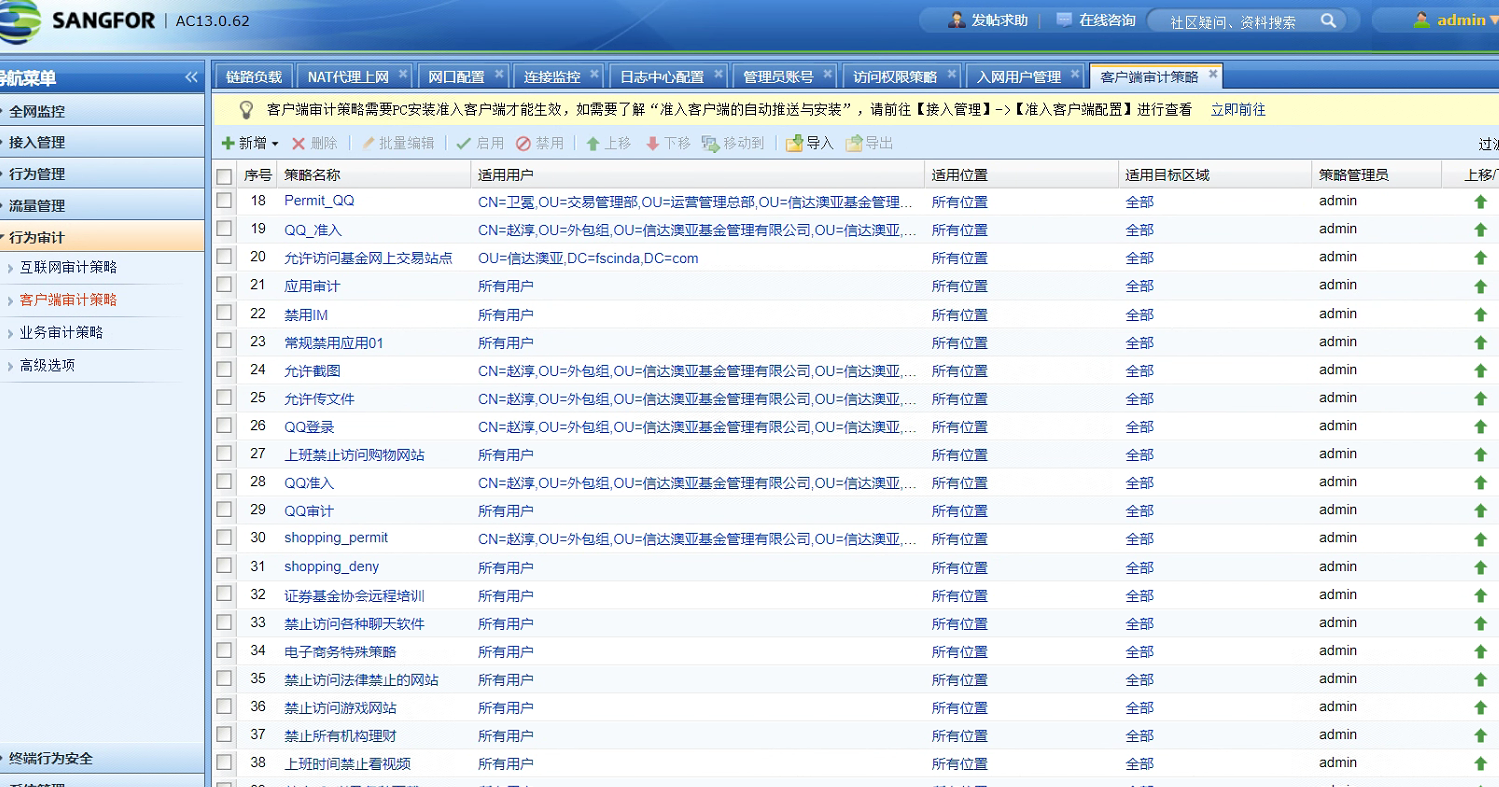
After IAG configuration is imported, the application control policy is displayed in the wrong position and all are displayed in the audit policy position
solution
- Log in to the console normally, then open a new tab to enter the console in debug mode, that is, add the ?debug parameter after the login page login.html (https://device IP address/login.html?debug)

- After debugging the default login, the homepage address will also have the debug parameter (https://device IP address/index.php?debug)
- Change the browser address to the following format: (https://device IP address/index.php?debug&page=page.system.Directive), enter the policy view setting page, and select "Category View"
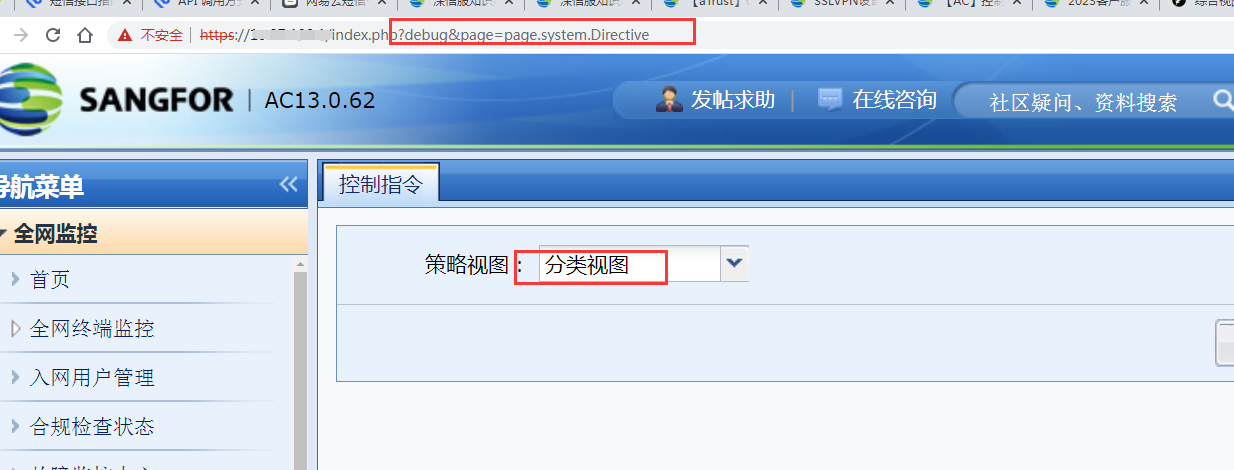
- Log in to the console again normally, and the Internet policy display returns to normal
Original Link
https://support.sangfor.com.cn/cases/list?product_id=22&type=1&category_id=25015&isOpen=true