
[IAG] After configuring SSL content identification, users cannot use Dandelion networking applications, even after installing the IAG root certificate
Problem Description
After SSL content identification is configured, users cannot use Dandelion networking applications.
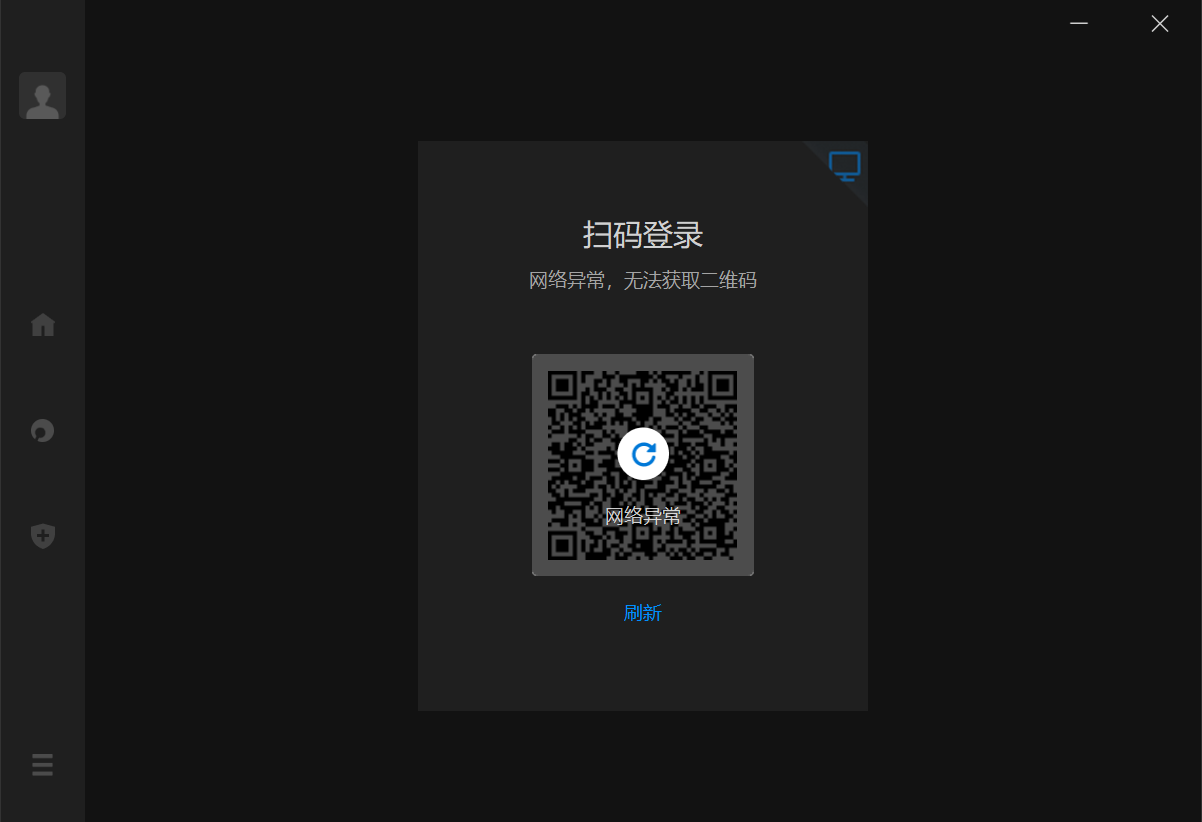
Effective troubleshooting steps
- After IAG pass-through is enabled, the system returns to normal. After SSL content identification policy is disabled, the system returns to normal. It is determined that the problem is caused by SSL content identification.
- After installing the IAG root certificate on the user's computer and clearing the Internet certificate cache, Dandelion still cannot be used normally.
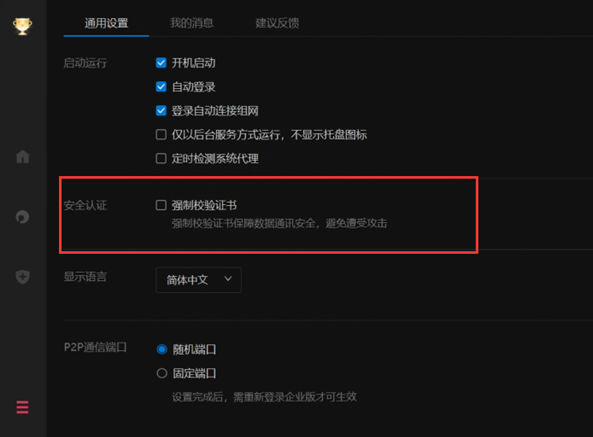
- Search for relevant security functions of Dandelion networking, check the Dandelion software option settings on the user's computer, and find that mandatory certificate verification is enabled by default.
Root cause
By default, the mandatory certificate verification function is enabled in the Dandelion network. The SSL content recognition of the IAG device will replace the certificate file, causing the Dandelion network to not provide services.
solution
- After turning off the mandatory certificate verification, you can use Dandelion normally, or you can reduce the decryption domain name range of the IAG device's SSL content identification policy to prevent Dandelion-related traffic from having its certificate replaced.
Original Link
https://support.sangfor.com.cn/cases/list?product_id=22&type=1&category_id=24909&isOpen=true