
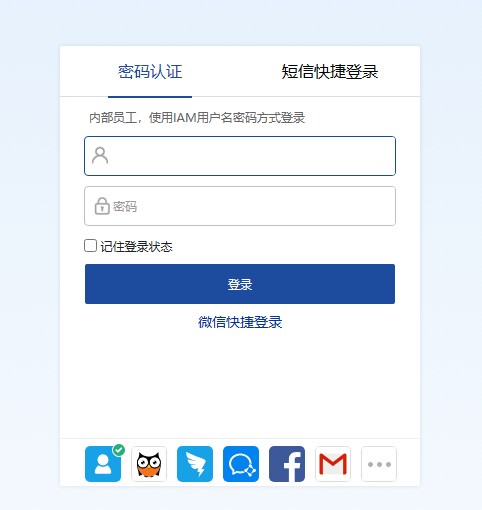
[IAG] After customizing the authentication page, modifying the authentication page file, repackaging and uploading it to IAG, the preview page reports a 404 error.
Problem Description
- After customizing the authentication page and modifying the authentication page file and repackaging and uploading it to IAG, the preview page reports a 404 error.

Effective troubleshooting steps
- Re-download the original compressed package of the authentication page, directly open the compressed package to edit and upload it, and open the authentication page to preview it normally.
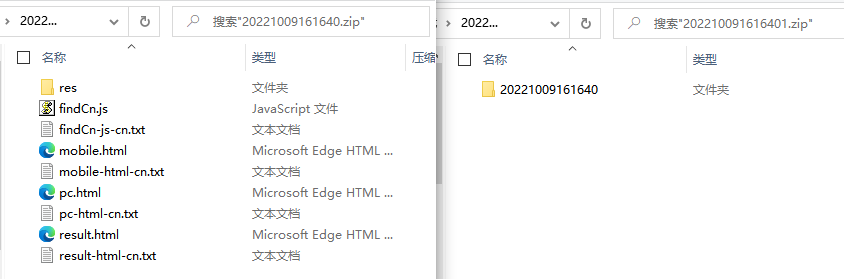
- Comparing the contents of the two compressed packages, there is one more folder in the compressed package of the abnormal authentication page.
Root cause
After editing the authentication page file, the outer folder was also compressed when it was re-compressed and packaged. The extra folder caused an authentication page path error and a 404 error message when opening the preview page.
solution
After editing the authentication page file, when re-compressing and packaging, directly select all files in the folder for packaging instead of directly selecting the folder for packaging.
Suggestions and Conclusion
For operations that require editing the compressed package and then re-uploading, it is recommended to compare the original compressed package with the new compressed package before uploading to avoid file path errors after re-compression.
Original Link
https://support.sangfor.com.cn/cases/list?product_id=22&type=1&category_id=25331&isOpen=true