
[IAG] After enabling SSL and submitting the username and password, the authentication page cannot be opened–the terminal browser Internet settings have disabled TLS1.2
Problem Description
After enabling SSL to submit the username and password, some terminals cannot open the authentication page
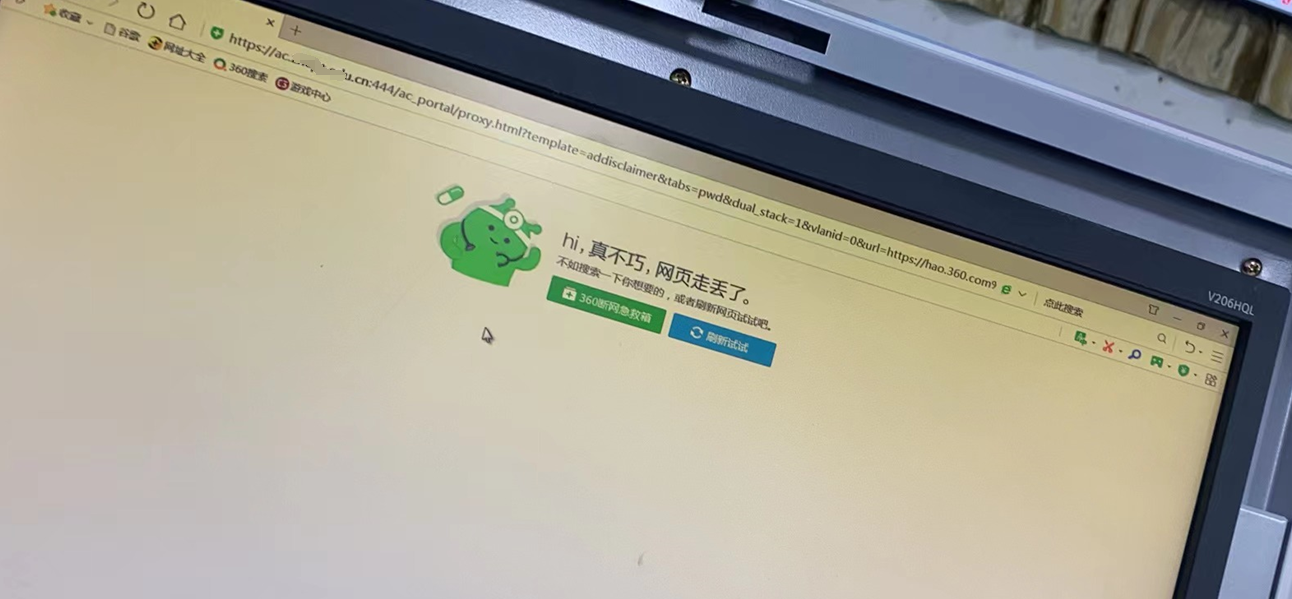
Effective troubleshooting steps
- Check the fault screenshot and find that there is a redirection to the https authentication page, indicating that the redirection function is normal.
- The telnet authentication domain name 444 port on the faulty computer can communicate normally
- After capturing the data packets for analysis, it was found that the client initiated the client hello message but was disconnected by the IAG, prompting that the protocol was not supported.
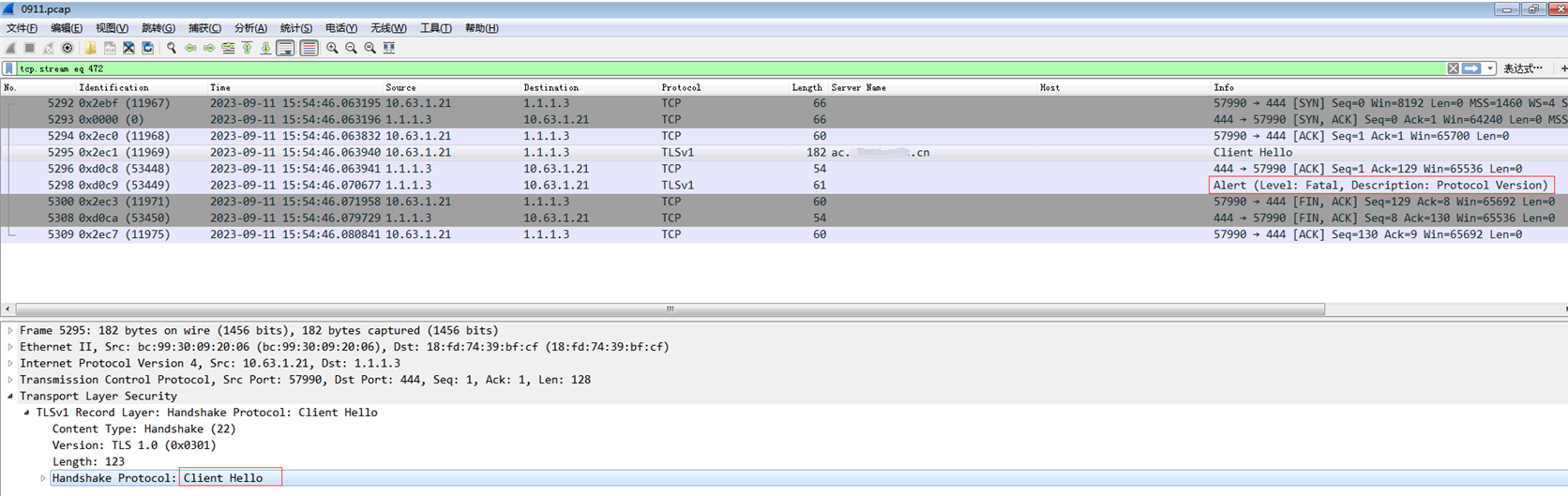
- After enabling tls1.2 on the faulty terminal, the test became normal.
Root cause
The terminal Internet settings have disabled TLS1.2, which results in the inability to open the https authentication page
solution
- Check TLS1.2 in the terminal Internet settings
- Implement the optimization package KB-AC-20230920-110-052-fix to enable IAG to support TLS1.0, TLS1.1 and TLS1.2 at the same time
Note: Using TLS 1.0 protocol may cause security risks, so you need to communicate with your customers in advance.
Operation Impact Scope
Packaging will restart the authentication service
Original Link
https://support.sangfor.com.cn/cases/list?product_id=22&type=1&category_id=23812&isOpen=true