
[IAG] After enabling SSL content recognition and installing the certificate, Google opens the web page with an alarm, but IE opens normally
Problem Description
After enabling SSL content recognition and installing the certificate, Google opens the web page with an alert, but IE opens it normally
Google, Chrome, Certificate Warning
Effective troubleshooting steps
- Check the certificate installation status and find that everything is normal, but IE does not alarm and Google will alarm when accessing it
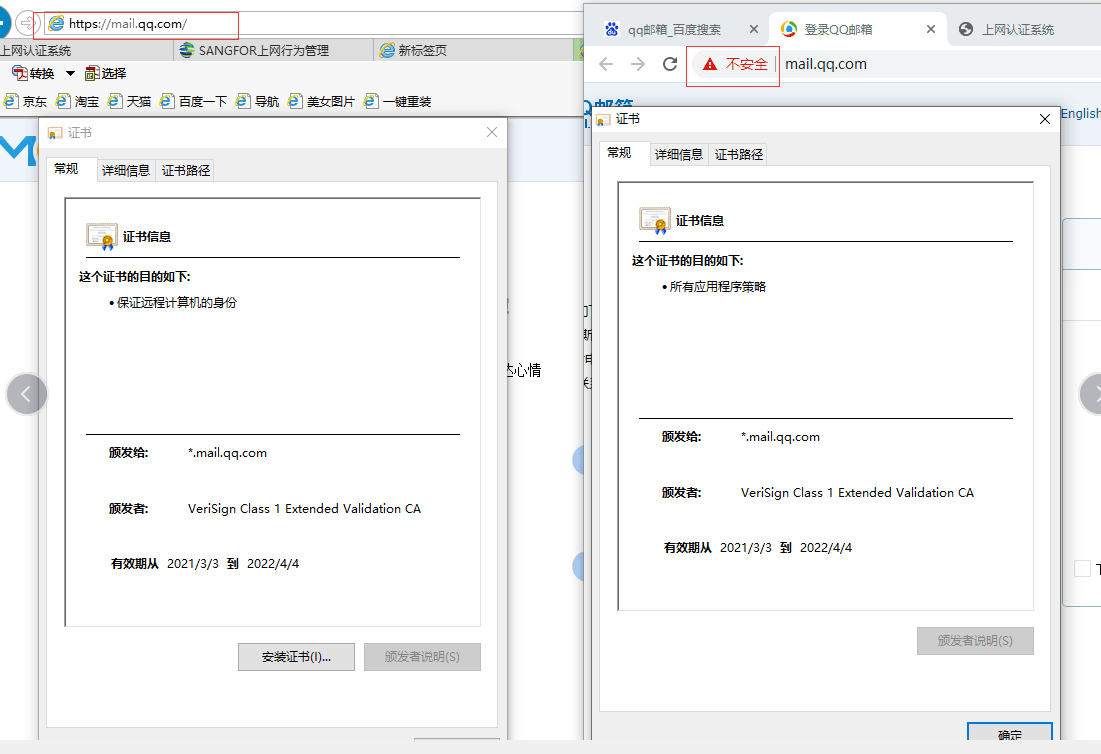
- Use the browser F12 to check the security status and find that the ERR_SSL_OBSOLETE_VERSION error code is not because the certificate is not trusted. Through Baidu's current error code, it is found that after Chrome is upgraded to version 84, the Tls1.3 encryption protocol is enabled by default, and the Tls1.2|1.1|1.0 protocol is abandoned. The handshake fails because the encryption protocol of the browser server (Tls1.2) and the client (Tls1.3) is inconsistent

- Follow the link below to turn off the default settings of Google Chrome and use it normally
https://ask.csdn.net/questions/1092328
Root cause
Since Chrome was upgraded to version 84, the Tls1.3 encryption protocol is enabled by default, and the Tls1.2|1.1|1.0 protocols are abandoned. The handshake fails due to the inconsistency between the browser server (Tls1.2) and the client (Tls1.3) encryption protocols
solution
Open chrome://flags directly with your browser – disable Enforce deprecation of legacy TLS versions
Original Link
https://support.sangfor.com.cn/cases/list?product_id=22&type=1&category_id=8061&isOpen=true