
[IAG] After enabling SSL to submit username and password, the device still pops up a certificate warning after importing a trusted certificate for authentication
Problem Description
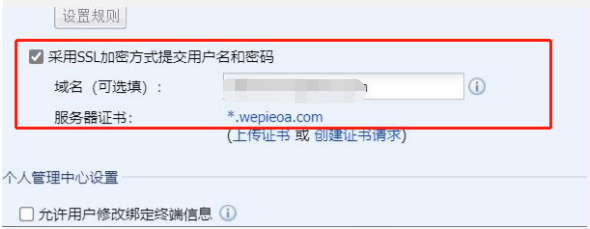
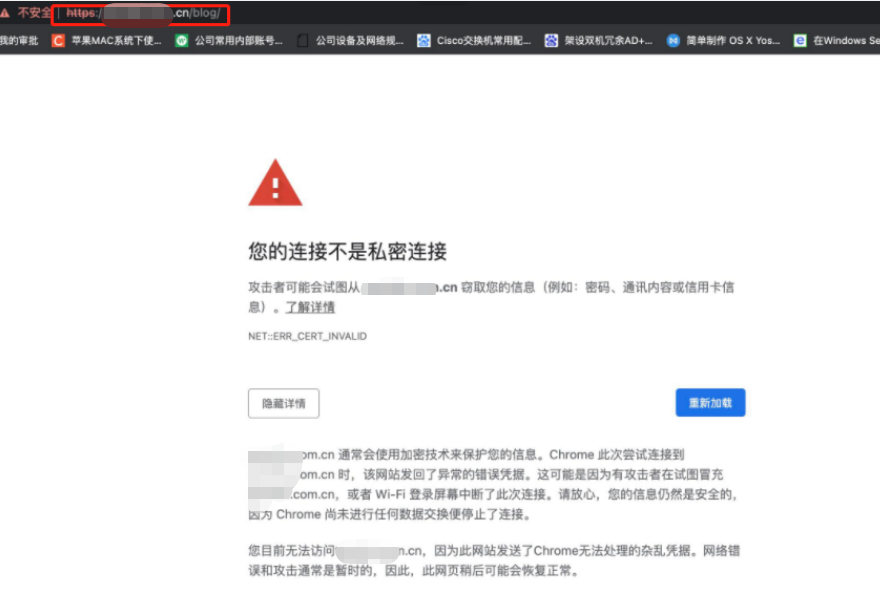
After the customer turns on [Submit username and password using SSL encryption] and sets a specified domain name, and purchases a trusted certificate for the domain name and imports it into the IAG device, the user still receives a certificate warning when opening the page redirection authentication page;
Picture 1.png (61.29 KB)
Warning Information
Picture 2.png (130.89 KB)
Effective troubleshooting steps
- In actual testing, the http page can pop up the user authentication page normally without any alarm, but only the https website will pop up the certificate alarm;
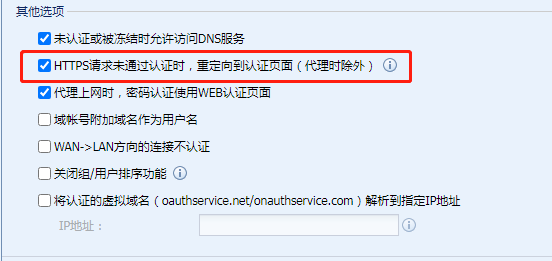
- Judging from the page URL, the certificate alarm is an alarm that pops up on the actual access page, not on the authentication page. The device has enabled [Redirect to authentication page when HTTPS request fails authentication], so when the user requests the https page, the IAG will first perform SSL middleman decryption, resulting in the certificate being untrustworthy;
Picture 3.png (20.34 KB)
Root cause
**
The device has enabled [Redirect to authentication page when HTTPS request fails authentication], so when the user requests the https page, IAG will first perform SSL middleman decryption. The client does not have the IAG root certificate installed, resulting in a certificate error.
**
solution
There are two main solutions to eliminate SSL content identification certificate warnings:
-
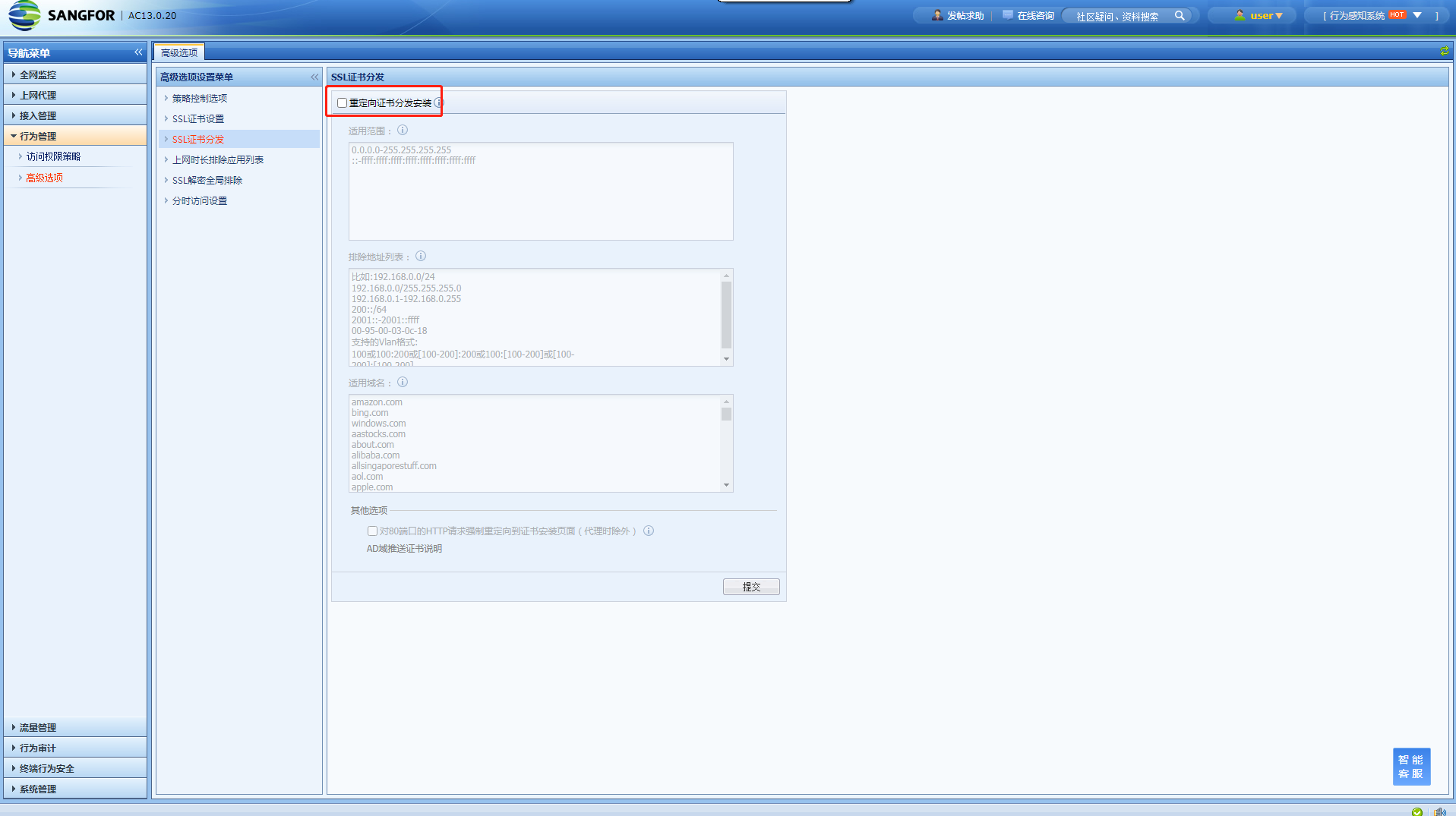
The first method is to directly let the client install the certificate. Through IAG's SSL certificate distribution method, the client is forced to redirect to install the IAG root certificate page, or directly implement certificate distribution through AD domain group policy in an AD domain environment. Another method is to directly import the certificate that has been installed on the client before;
Picture 4.png (109.63 KB)
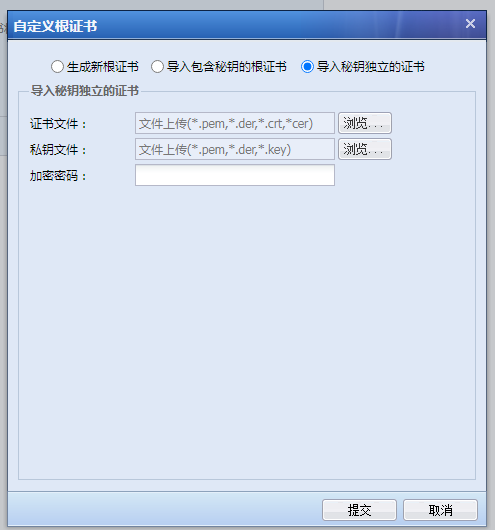
Image5.png (22.51 KB) -
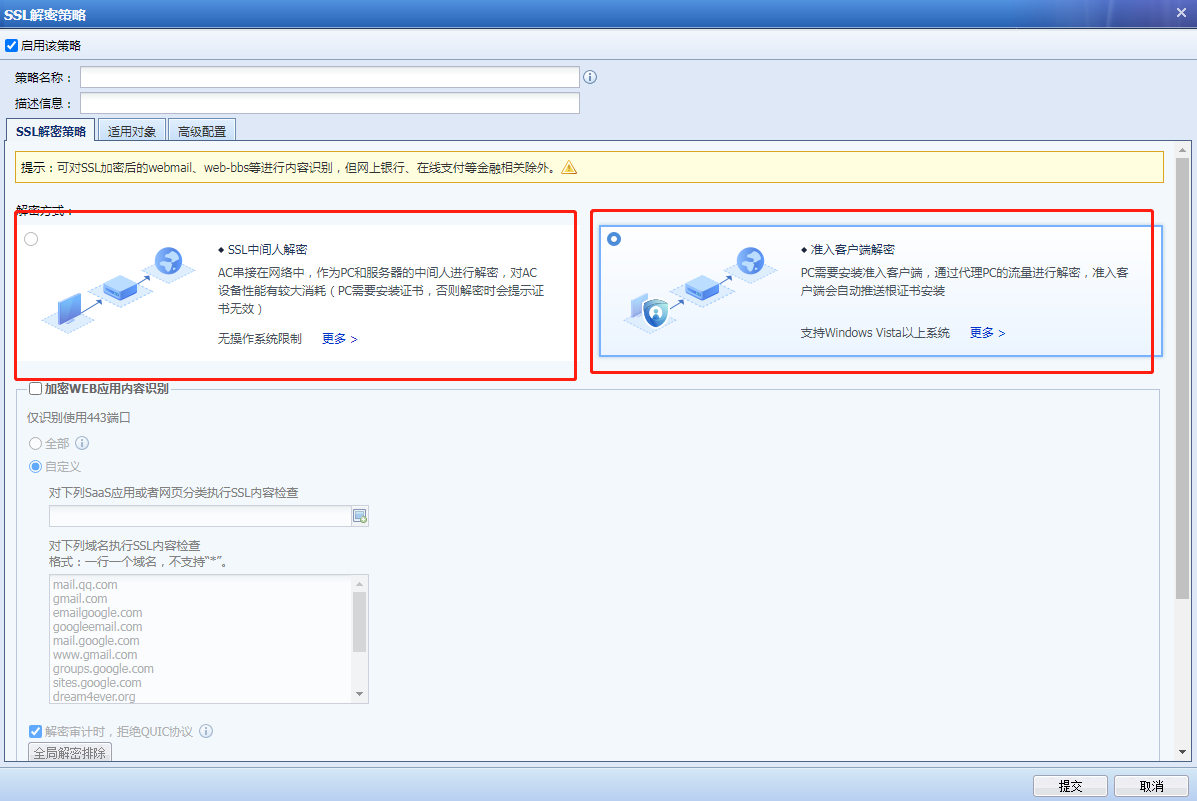
Install Ingress Client (only supported Windows operating systems, IAG13.0.47 is recommended). Currently, Ingress Client installation will bring two certificates, one for SSL terminal decryption and one for IAG root certificate. However, after installing Ingress Client, you need to enable client proxy decryption, then cancel client proxy decryption, and then enable middleman decryption. Only then will the certificate be issued. At this time, decryption can be achieved and the certificate alarm can be eliminated.

Picture 6.png (4.75 KB)
Picture7.png (85.5 KB)
Original Link
https://support.sangfor.com.cn/cases/list?product_id=22&type=1&category_id=7911&isOpen=true