
[IAG] After password authentication for a single terminal on IAG, the entire network is disconnected and the connection is restored directly
Problem Description
After password authentication for a single IP on IAG, the entire network is disconnected, and the network is restored after IAG is connected directly
Warning Information
None
Effective troubleshooting steps
- In the IAG authentication policy, check the option of automatic IPMAC binding. There is a binding relationship in the binding relationship.

- The background packet capture confirmed that the MAC was the MAC of the Core Switch. Since the Core Switch MAC was bound to a single IP, other users could not authenticate and the network was disconnected.
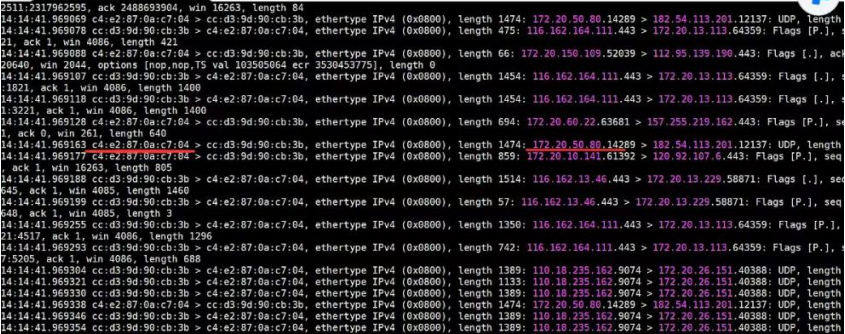
Root cause
Binding Core Switch MAC to a single IP causes other users to be unable to authenticate and cause network disconnection
solution
- Cancel the automatic binding in the authentication policy and delete the existing binding relationship
- Perform cross-layer MAC acquisition on the IAG to obtain the real MAC address of the terminal
Operation Impact Scope
None
Is this a temporary solution?
No
Suggestions and Conclusion
When testing authentication policies, you need to pay attention to whether the environment is a three-layer environment and whether MAC is obtained across three layers.
Troubleshooting content
No
Original Link
https://support.sangfor.com.cn/cases/list?product_id=22&type=1&category_id=24328&isOpen=true