
[IAG] After turning on SSL content recognition, a warning page still pops up after installing the device certificate (rootca.crt)
Problem Description
After turning on SSL content identification and installing the SSL content identification root certificate, a warning page still pops up when the PC accesses the web page
Warning Information
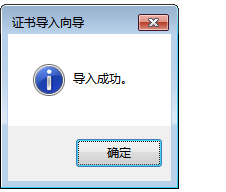
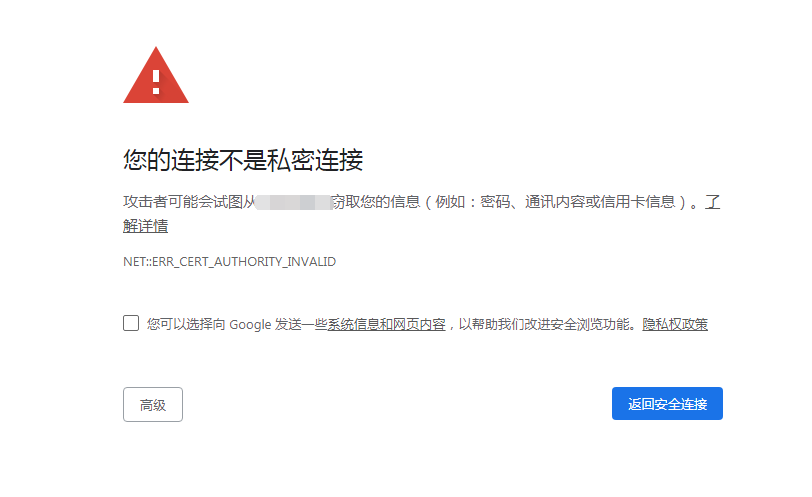
The device certificate has been installed, but the certificate is not trusted warning page still pops up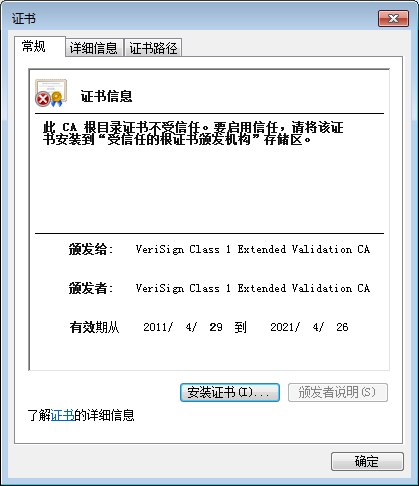
841635d56225f61008.png (22.19 KB)
538365d56225109676.png (9.11 KB)
622645d5622847861b.png (36.31 KB)
Process——
- Check the online user list to see if there is a match with the SSL content identification policy
- Open the test webpage and it will prompt that the certificate is not trusted
- Check the webpage certificate issuer is VeriSign Class 1 Extended Validation CA
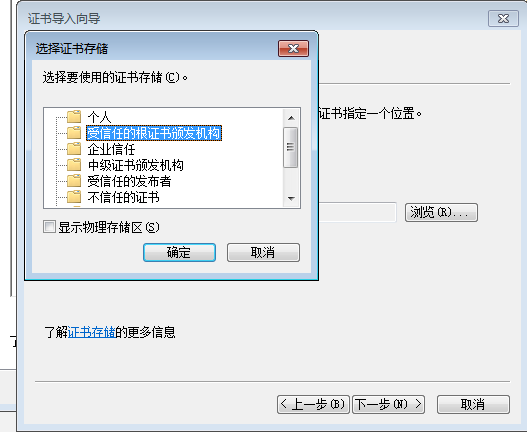
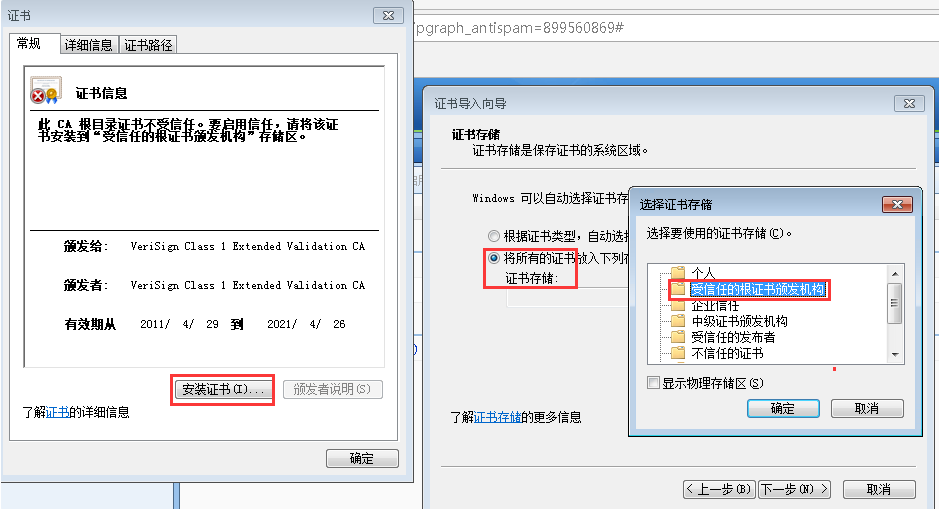
- The reason is that the certificate was not added to the "Trusted Root Certification Authorities" when the device certificate was installed
930065d5622ba288f1.png (26.39 KB)
Root cause
Device certificate not added to Trusted Root Certification Authorities when installing the certificate
solution
When installing the certificate, put the device certificate in the "Trusted Root Certification Authorities" and the web page opens normally
671775d5651f2894d3.png (48.85 KB)
Suggestions and Conclusion
After configuring SSL content recognition, you need to install a certificate, and the certificate must be installed in the "Trusted Root Certification Authorities"
Original Link
https://support.sangfor.com.cn/cases/list?product_id=22&type=1&category_id=7075&isOpen=true