
[IAG] After upgrading to 13.0.80, the authentication assistant disappears and the run access error message resrouter.dll cannot be found
Problem Description
The authentication assistant disappears after upgrading to 13.0.80
Warning Information
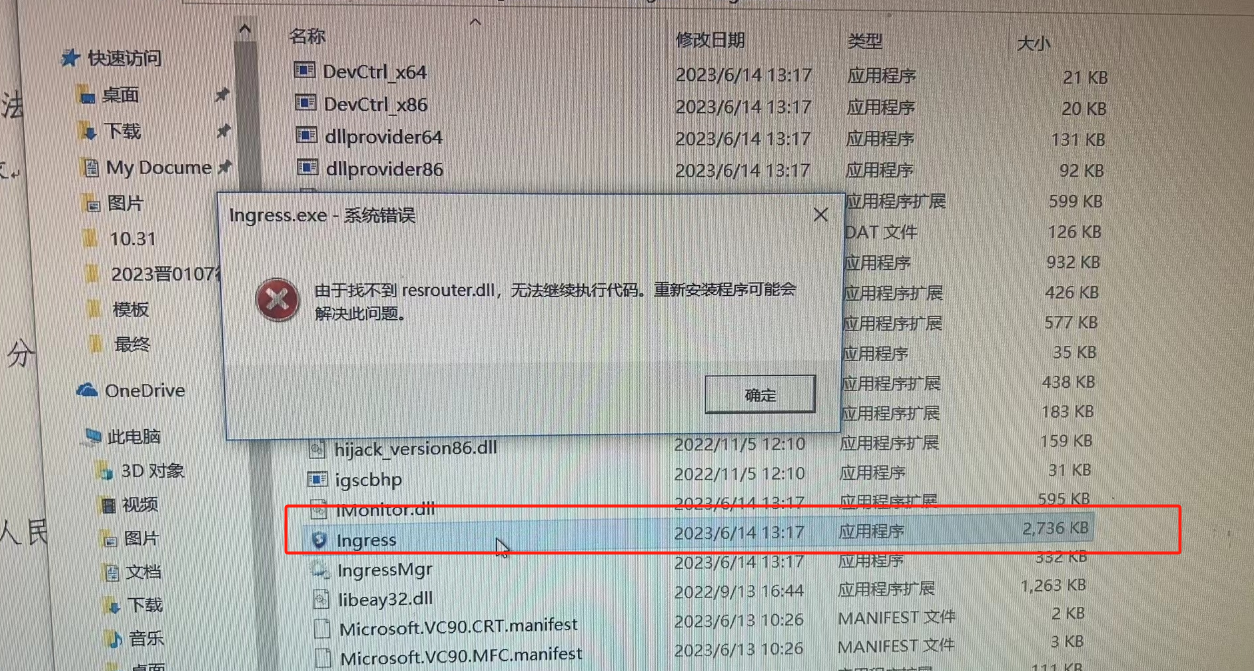
Effective troubleshooting steps
- After upgrading to 13.0.80, reinstallation is normal
- If the terminal does not have antivirus software installed, an error will be reported when manually running the access program, and resrouter.dll cannot be found.
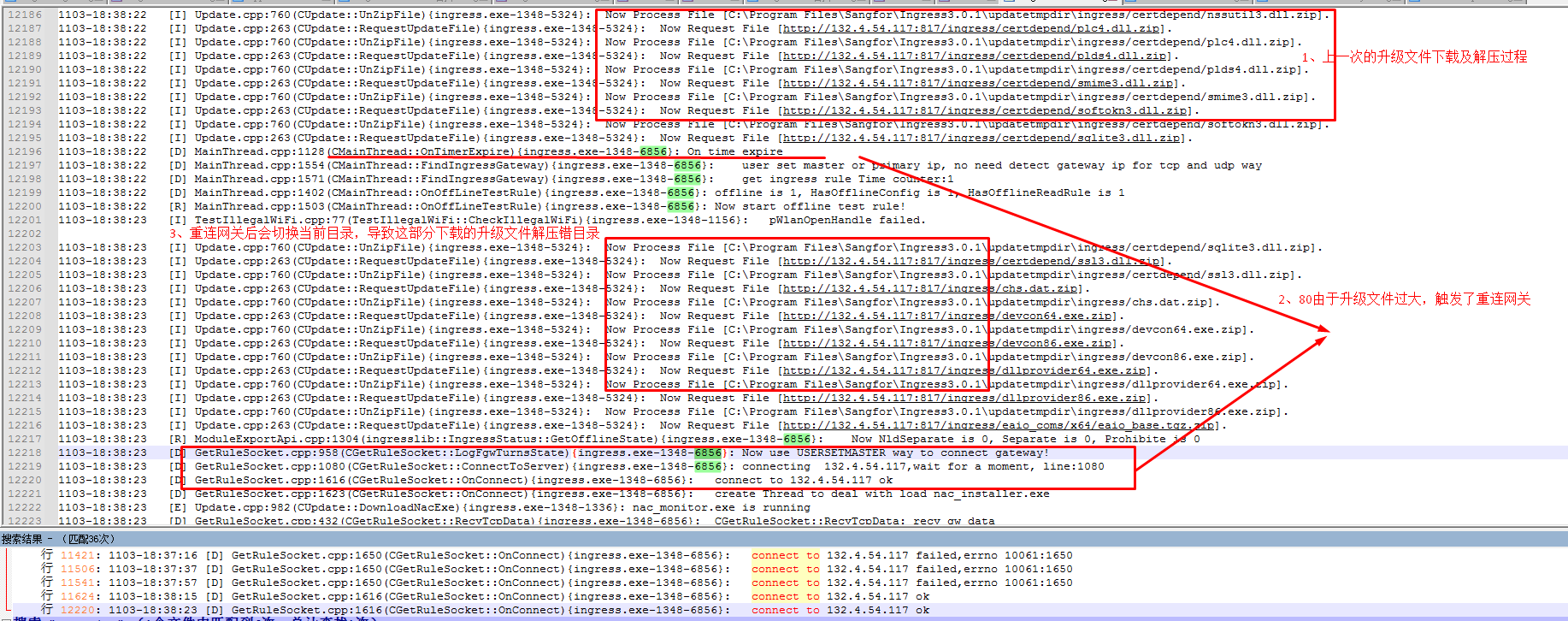
- Analysis of Ingress Client log IngressClient.log found that during the client upgrade process, the upgrade file was downloaded. Due to the large size of the upgrade file, the admission reconnection gateway was triggered, resulting in some files being downloaded to the new admission path.
Root cause
- Principle of upgrading from a lower version: Download the compressed files one by one and decompress them to the working directory of the current process
- The client is upgraded from 62 to 80. Due to the increase in the size of the 80 version client, the upgrade time is too long. During the upgrade process, the current process working directory will be set to the new directory, i.e. c:/program files/sangfor/ingress3.0.x/
- During the upgrade process, the code logic problem triggers the gateway to reconnect. After the gateway is reconnected, the configuration package will be re-pulled and decompressed. At this time, the working directory of the current process will be modified again to c:/programdata/ingress/
- Since the upgrade process of the first step is still continuing, the subsequent downloaded upgrade files will be decompressed to the configuration directory, i.e. c:/programdata/ingress/
- The final result is that some files in the access installation directory have been upgraded, and some have not been upgraded (decompressed to other directories)
- Some of the files that the access process depends on are missing, so it cannot be pulled up
solution
- The upgrade failure problem caused by the working directory switching during the upgrade process has been fixed in 80. This problem will not occur when upgrading from 80 to a higher version.
- However, since the current client is still in a low version and executes the upgrade logic of the low version, this part cannot be modified and can only be coordinated with the customer to manually reinstall the client
Operation Impact Scope
None
Original Link
https://support.sangfor.com.cn/cases/list?product_id=22&type=1&category_id=25227&isOpen=true