
[IAG] Authentication policy configuration is not allowed to take effect
Problem Description
Customer feedback: The authentication policy is not effective, but the terminal computer can still log on to the IAG and access the external network normally.
Effective troubleshooting steps
- Check the online user status. The user is online normally, which means that authentication is not required.
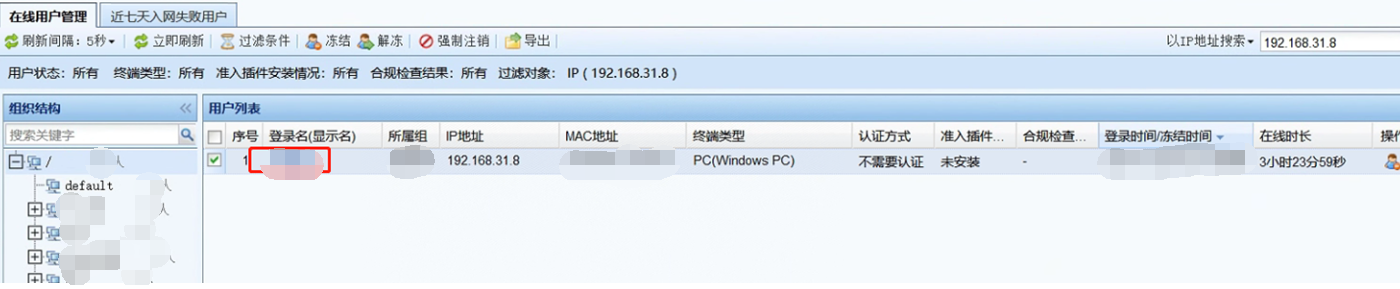
- Search the authentication policy for the computer IP, and the matching one is the authentication policy that does not allow authentication

- The computer IP is not included in the global troubleshooting, direct troubleshooting, and device package transfer
- Create a new password authentication policy. The user logs out normally. After removing the password authentication policy, the user still logs in without authentication.
- The priority of the authentication policy that is not allowed will be gradually increased until the fifth authentication policy takes effect normally.
Root cause
The format of the applicable scope of the high-priority authentication policy is incorrect
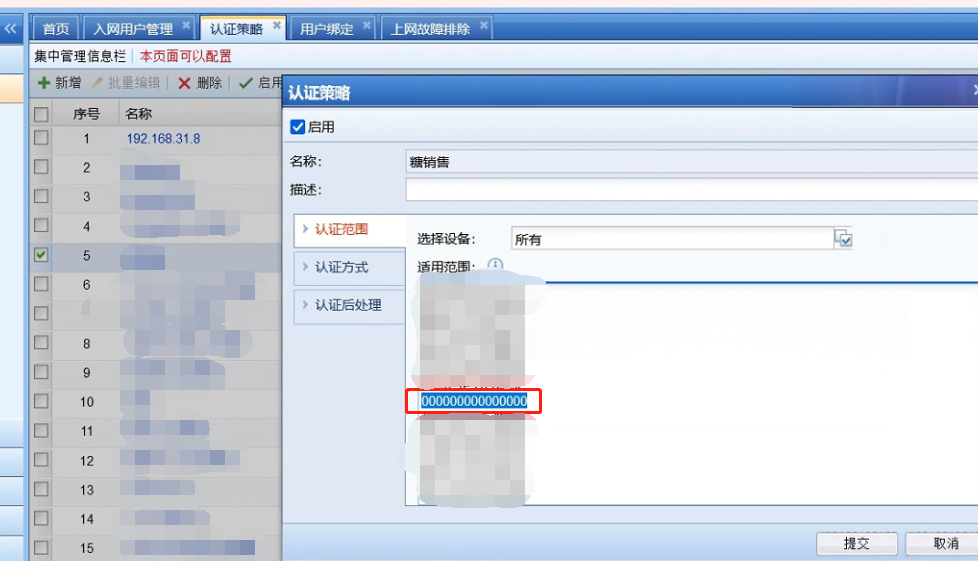
solution
After the communication client removed the malformed address, the authentication policy matched normally.
Original Link
https://support.sangfor.com.cn/cases/list?product_id=22&type=1&category_id=26582&isOpen=true