
[IAG] BA bandwidth analysis query error – the file storing traffic analysis results does not exist
Problem Description
After the BA bandwidth analysis system is opened, an error message is displayed: [The file storing the traffic analysis results does not exist. Please check whether the synchronization strategy of the device is normal], as shown in the following figure
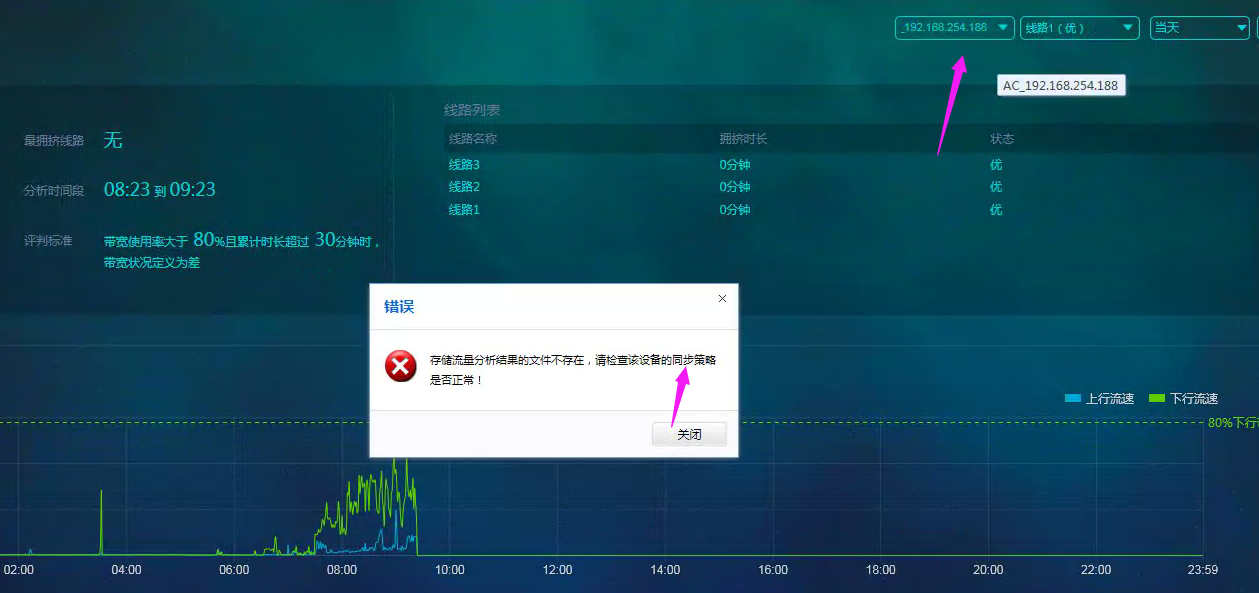
597655d55471e5b7e6.png (520.14 KB)
Process——
-
Multiple IAG devices are connected to ba. Try to query other devices for bandwidth analysis data.
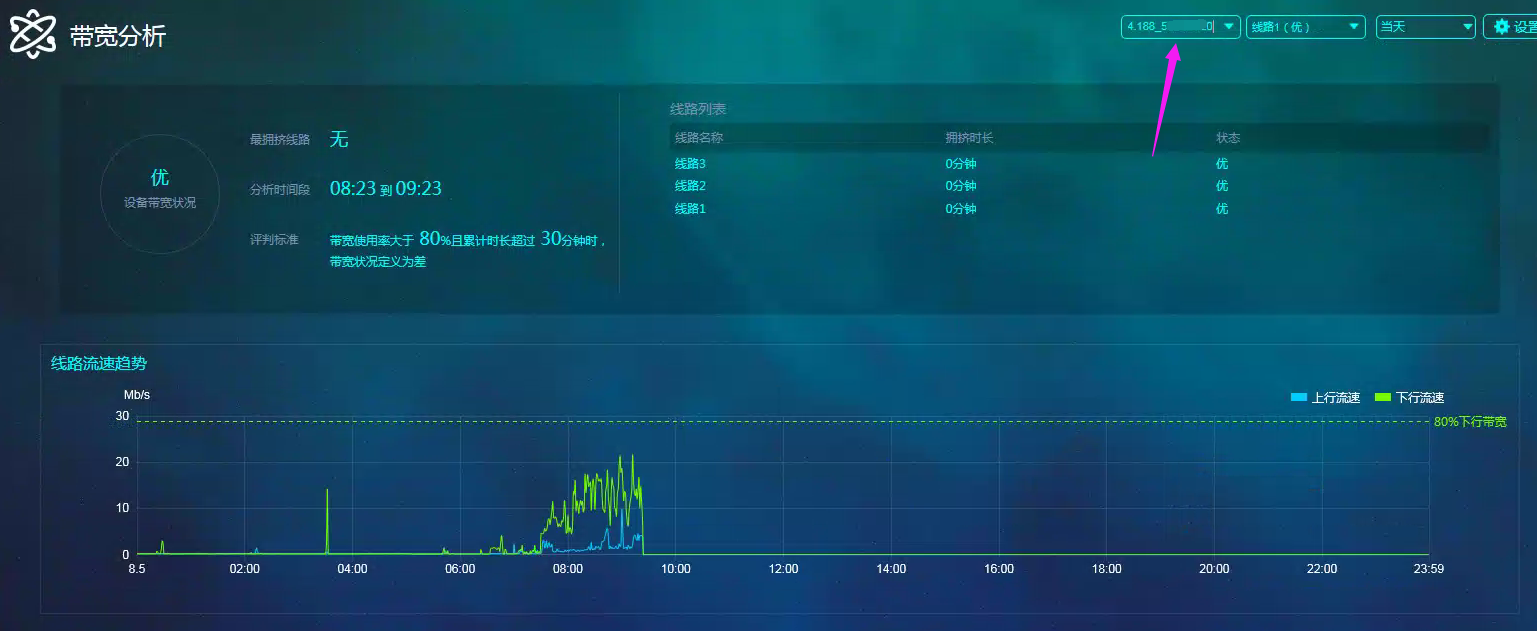
902275d55449a8ef70.png (547.42 KB) -
Check the index update progress in BA's [System Configuration] – [Operation Status] and find that the two IAG devices have the same IP address.

678445d5544e945610.png (124.24 KB) -
Then I logged in to the IAG device to check and found that the two IAG devices were deployed in active and standby mode. Therefore, the two devices would not generate traffic at the same time, so the error shown in the figure above would appear.
solution
-
In this case, the two IAGs are deployed in active and standby mode. Therefore, when querying the bandwidth analysis data of a specified device [on the current day], only one IAG will have traffic data. The other IAG is a standby device and has no traffic. Therefore, it is normal to see this error.

500795d55463715255.png (40.4 KB) -
If two IAG devices have switched within a month, you can query the bandwidth analysis data of any device [month], and no error will be reported.
Original Link
https://support.sangfor.com.cn/cases/list?product_id=22&type=1&category_id=7073&isOpen=true