
[IAG] Baidu cannot be blocked after SSL is enabled, and Zoom cannot be used after SSL is disabled
Problem Description
Intranet users are only allowed to use the zoom software and are prohibited from accessing other websites. After testing, it was found that the Baidu homepage can still be opened at this time, but the page after the keyword search cannot be opened.
The policy configuration is as follows:
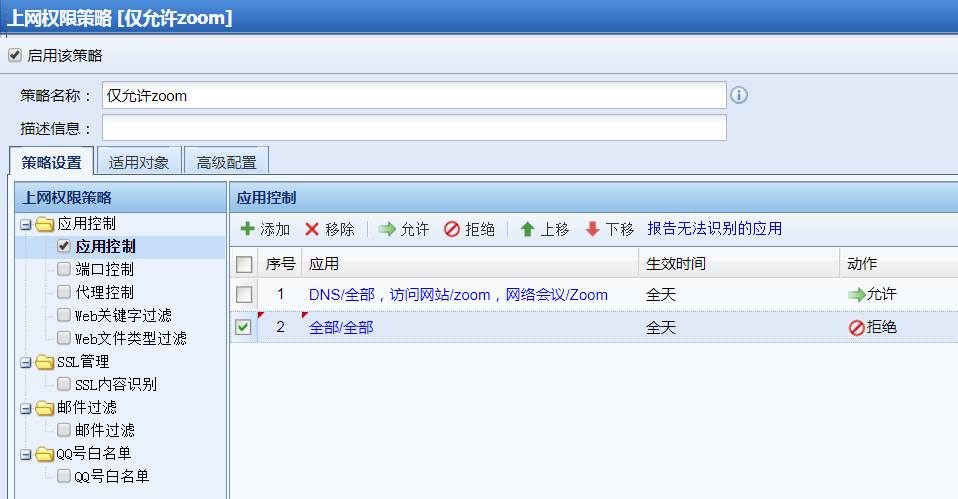
87475e5e2291790ac.png (68.77 KB)
Process——
- After multiple tests, it was found that if you do not check the box to allow [Network Protocol/SSL], Baidu can block it, but then Zoom will not be able to log in.
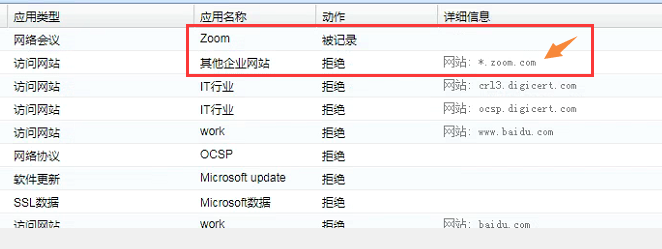
- Keep [Network Protocol/SSL] open (neither allow nor reject this protocol) and test. It is found that when using Zoom, the URL rejection log of Zoom-related websites will be prompted in [Internet Behavior Monitoring]!
385205e5e2029408ab.png (90.36 KB) - Try to access the website according to the URL denied in the prompt [Internet behavior monitoring], and zoom can be used after it is opened.
Root cause
[Network Protocol/SSL] is a special protocol and is usually not recommended to be checked. That is, when rejecting or allowing an application, do not select this option.
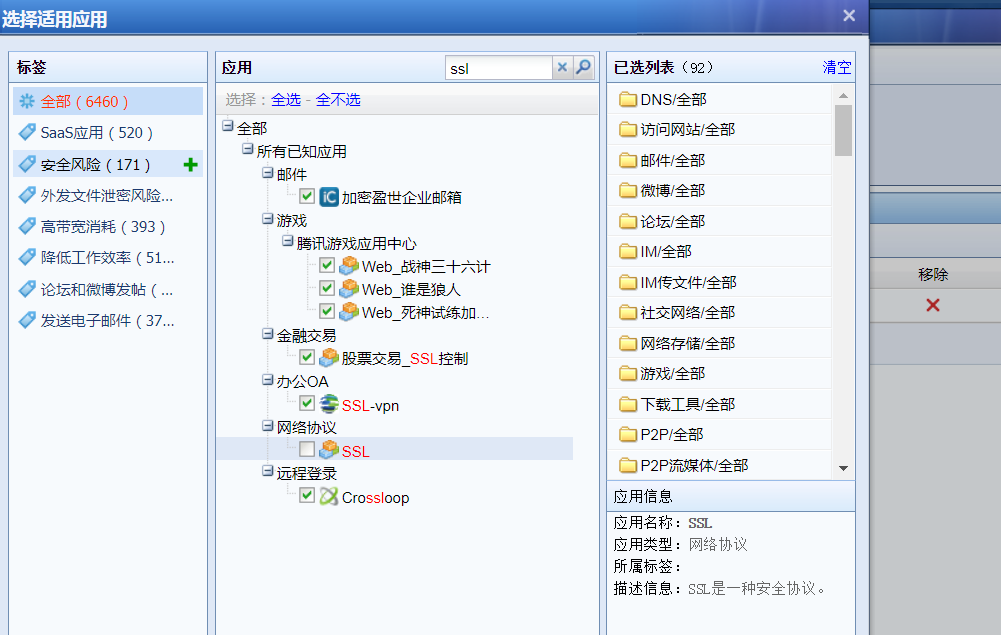
668575e5e1f88aa074.png (133.81 KB)
solution
-
When configuring the release policy, release the URLs of the websites visited during the use of the zoom software:
zoom.com
*.zoom.com
*.zoom.com.cn
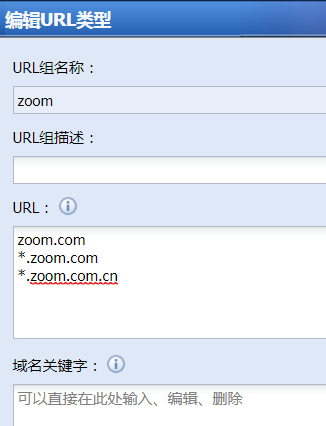
700085e5e20aac9818.png (21.6 KB) -
When configuring the rejection policy, do not check [Network Protocol/SSL] when selecting the application
The following figure shows that when rejecting all applications, the [Network Protocol/SSL] item is not checked.
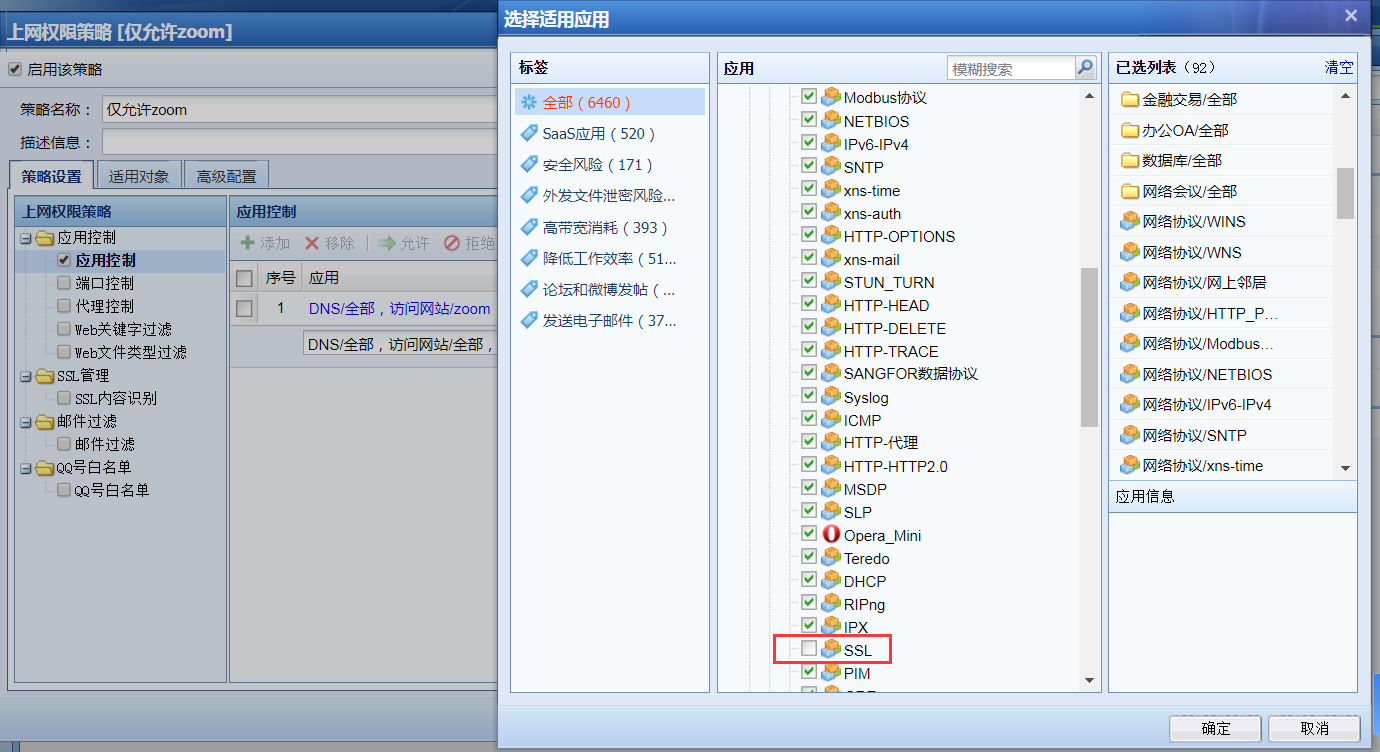
914245e5e218a1cf21.png (228.02 KB) -
At this time, you can block Baidu or use zoom software
Original Link
https://support.sangfor.com.cn/cases/list?product_id=22&type=1&category_id=7276&isOpen=true