
[IAG] Bidirectional NAT configuration does not take effect
Problem Description
After IAG egress routing deployment and bidirectional NAT configuration, the intranet cannot access the server mapped to the public network
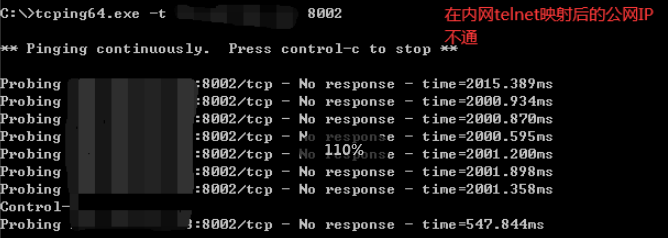
Effective troubleshooting steps
-
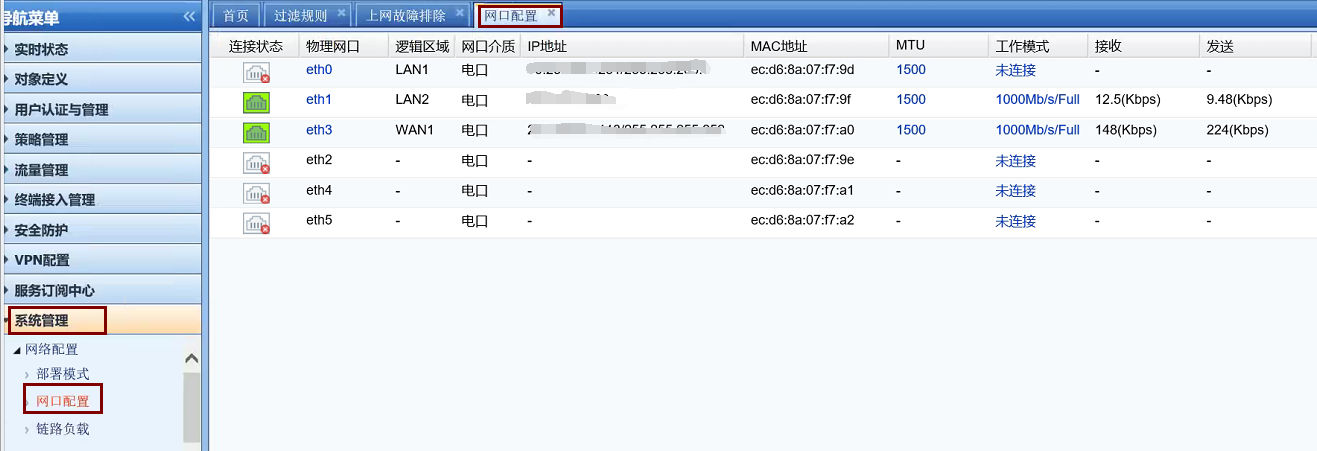
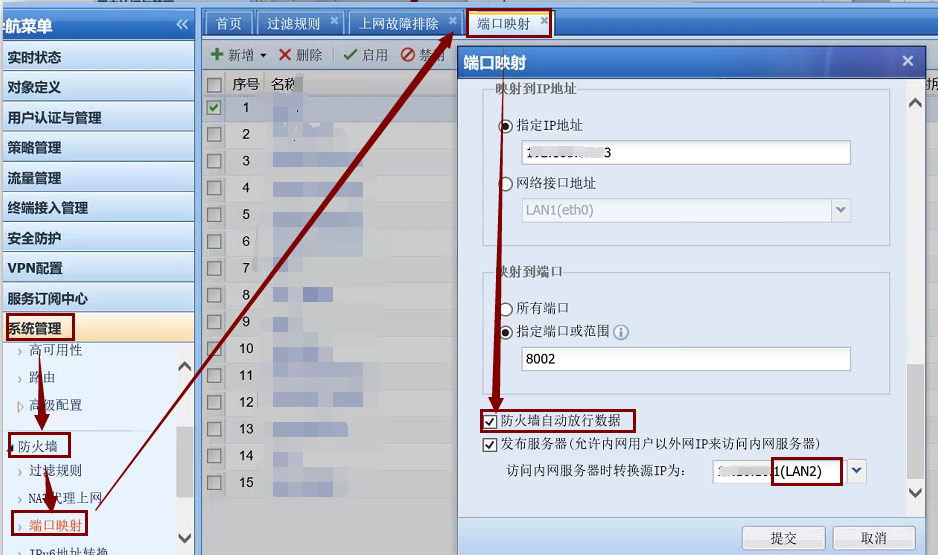
[System Management]-[Firewall]-[Port Mapping] Check the port mapping configuration, verify that there is no abnormality in the configuration, check whether [Firewall automatically releases data] is checked, and check that the conversion source IP is also the converted intranet interface eth1 port
-
[System Management] – [System Diagnosis] – [Packet Capture Tool], capture the data of the intranet interface eth1 port, and find that the source address and destination address are not converted to the eth1 port address and the actual server address

-
[System Management] – [System Diagnosis] – [Internet Troubleshooting] By turning on data direct access, it is found that port mapping is connected, and the direct access log prints out the interception log of eth1-eth1, which shows that the firewall rule intercepts

-
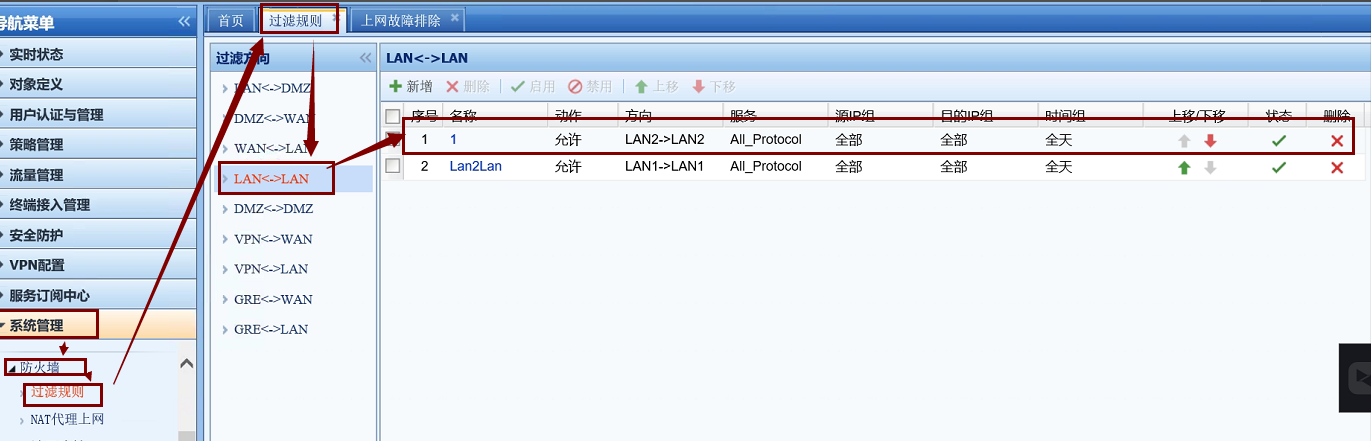
[System Management] – [Firewall] – [Filtering Rules] – [LAN-LAN] Add LAN2-LAN2 full pass rule to solve the problem
Root cause
The firewall rule does not open the lan2-lan2 logical area, causing the bidirectional NAT to fail.
solution
Solution 1: [System Management] – [System Diagnosis] – [Internet Troubleshooting] Enable direct solution
Solution 2: [System Management] – [Firewall] – [Filtering Rules] – [LAN-LAN], add the LAN2-LAN2 full pass rule to solve the problem
Original Link
https://support.sangfor.com.cn/cases/list?product_id=22&type=1&category_id=7705&isOpen=true