
[IAG] Branch terminals cannot remotely access headquarters computers via sangfor VPN
Problem Description
IAG is the headquarters device of sangforVPN, and the branch is AF. A PC in the branch AF network cannot remotely connect to a PC in the headquarters IAG network. The ping test is successful.
Process——
- First, the VPN establishment status is connected, and the branch terminal (172.16.21.135) pings the headquarters terminal (192.168.1.248) are connected, indicating that there are no problems with the VPN and the intermediate network.
- On the IAG device at the headquarters, open direct access and add global exclusion tests for the IP addresses of the headquarters terminal and the branch terminal. The test results still show that the remote desktop cannot be accessed. Check that the firewall rules are bidirectional from LAN to VPN.
- Check whether the account of sangfor VPN of headquarters IAG equipment has been added with access rights. The check found that it was not
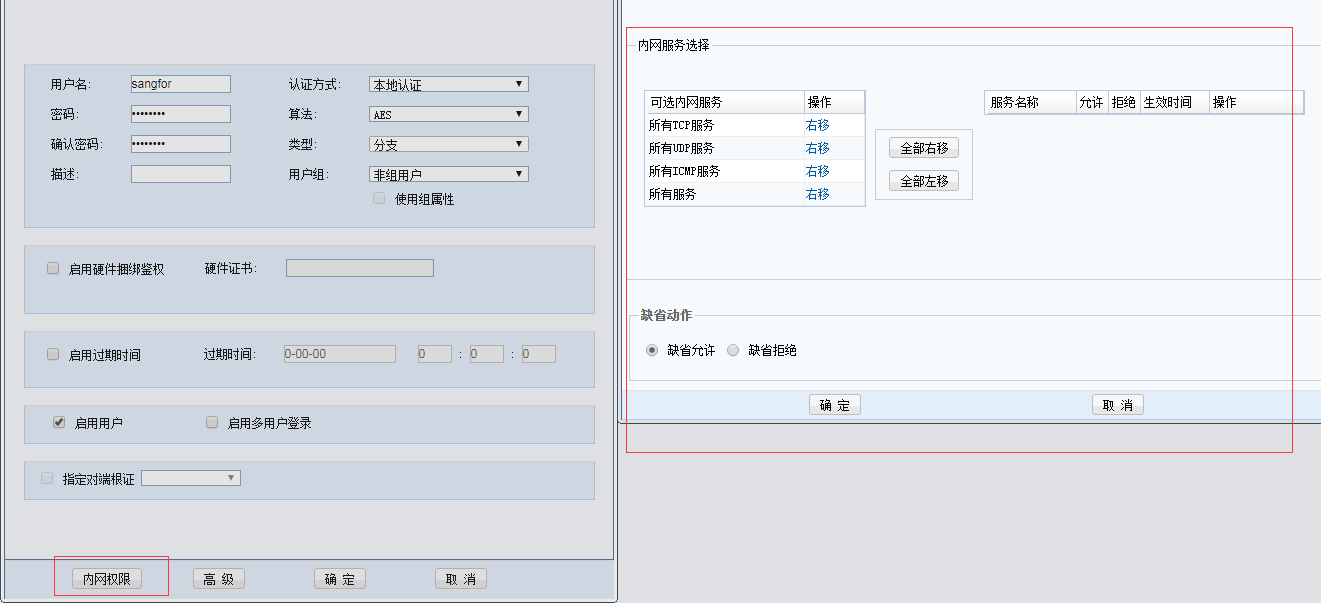
F.png (21.17 KB)
F - Packet capture and troubleshooting: When testing ping, data packets can be captured at the LAN port and vpntun port of the IAG. When testing telnet from the terminal at the lower end of the branch AF to the terminal at the lower end of the headquarters IAG, it is found that only the vpntun port can capture data packets, and there is no response packet for the sent packets.
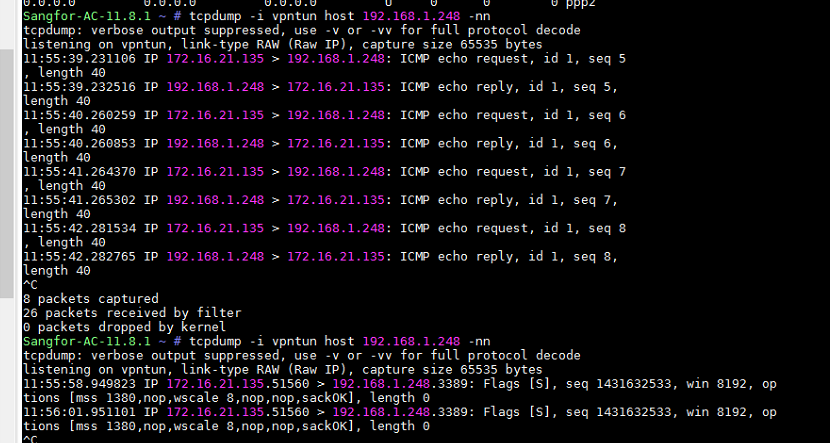
test.png (204.72 KB)
test
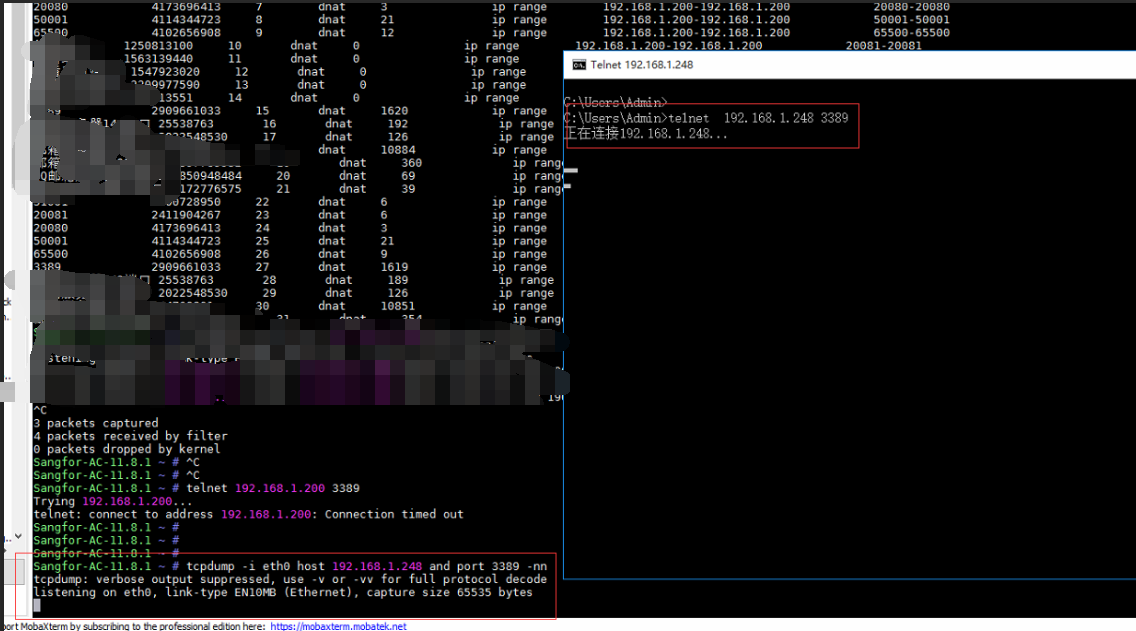
test6.png (276.4 KB)
test6 - It is inferred that the data packet did not reach the LAN port, or was directly forwarded to other places after reaching the LAN port. Check the policy routing on the IAG device and find that there is no policy routing entry for the headquarters terminal IP address.
- Check the port mapping configuration and find that a port mapping rule has been added. The mapped port is port 3389, which is mapped to another IP address 192.168.1.200 in the headquarters intranet. However, this address is inaccessible on the branch terminal and the headquarters IAG device.
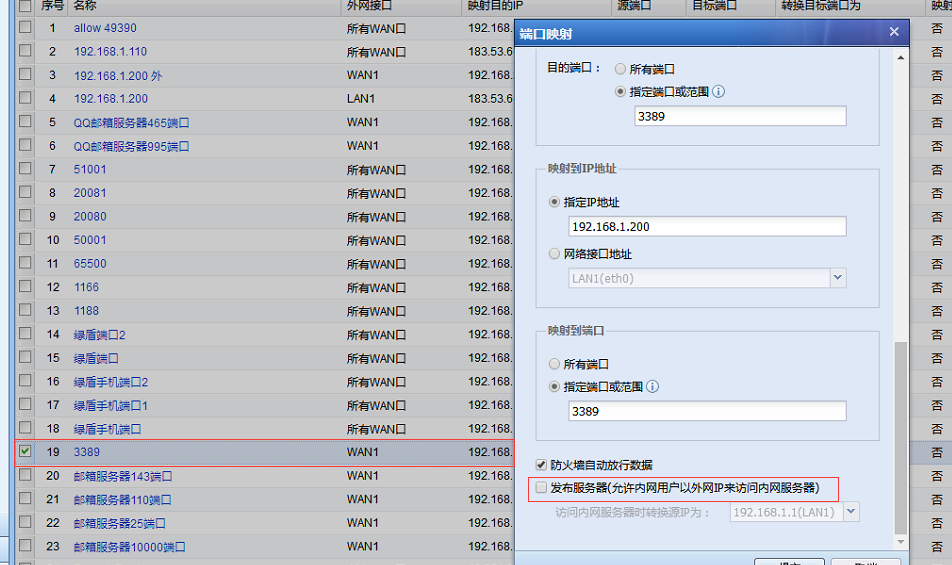
test2.png (261.76 KB)
test2 - Disable the port mapping rule or remove the "publishing server" function in the mapping rule, and the branch terminal remote desktop to the headquarters terminal works normally
Root cause
The impact of port mapping rules (specifically, a rule with a destination port of 3389 is mapped on the LAN port of the IAG)
solution
Disable the port mapping rule or remove the "publish server" function in the mapping rule, or you can also clearly write the destination IP address conversion conditions
Original Link
https://support.sangfor.com.cn/cases/list?product_id=22&type=1&category_id=7508&isOpen=true