
[IAG] Certificate error message when opening a web page using IE browser — Caused by PC time error
Problem Description
When opening a web page using IE, a certificate error message pops up: Navigation blocked
Process——
- Check whether the IAG device is configured with SSL content recognition, https redirection and other configurations, and find that none of them are configured. Even if the terminal IP is added to the direct passthrough and global exclusion, the certificate warning will still pop up. The initial positioning is that it is not a device problem.
- Check the specific warning information and find that the security certificate issued by this website has expired or has not yet taken effect.
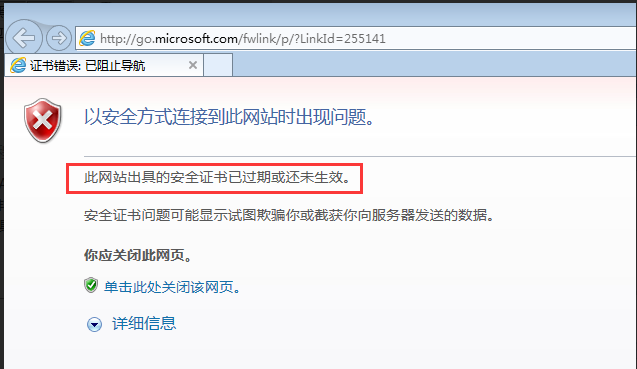
82185d6661b265404.png (39.99 KB) - After opening the website again, check the specific certificate error information and find that the prompt is that the certificate has expired or has not yet taken effect.
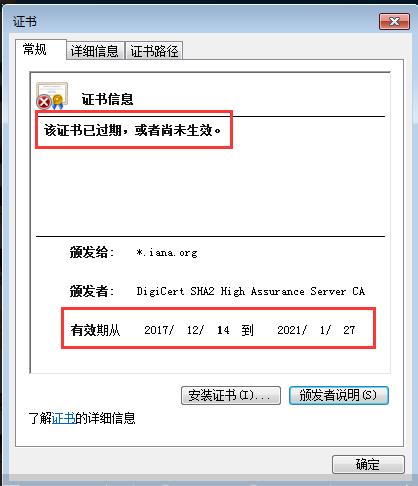
662895d66620c7c1c0.png (21.49 KB) - Check the system time of the PC and find that the time of the PC is 2017/07/28, which is not within the validity period of the certificate, so the certificate alarm is caused. After changing the time on the PC to 2019/07/18, it returns to normal.
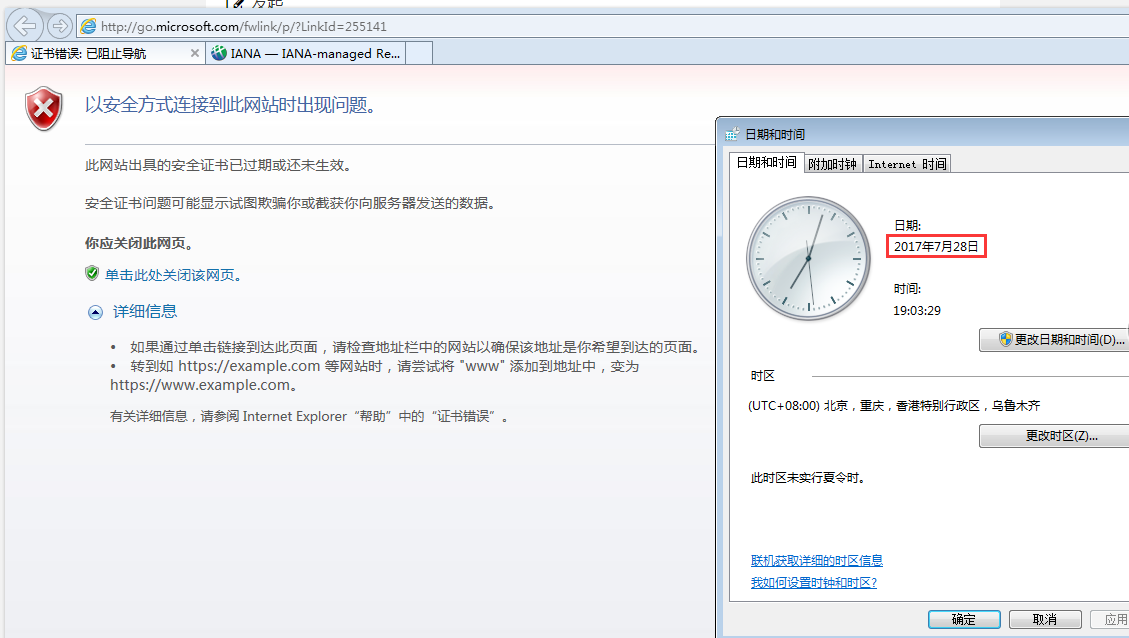
80165d6662d2c2a43.png (123.19 KB)
Root cause
The system time of the PC is not within the validity period of the certificate
solution
Modify the PC system time to within the valid period of the certificate service period
Suggestions and Conclusion
For other certificate warnings, see: [https://support.microsoft.com/zh-cn/help/17430/windows-internet-explorer-certificate-errors-faq?ocid=IE10_trustbadge_invalid)
Original Link
https://support.sangfor.com.cn/cases/list?product_id=22&type=1&category_id=7127&isOpen=true