
[IAG] Client upgrade error message: Disk is full
Problem Description
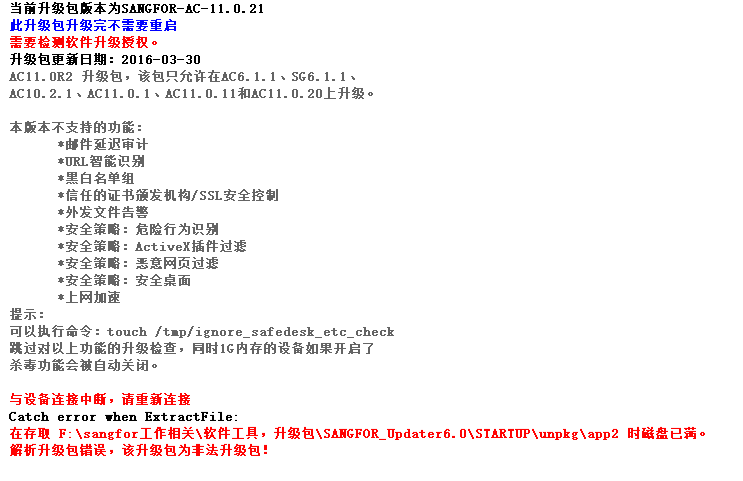
IAG upgrade error message prompts that the disk is full during parsing
Warning Information
612745ce4019b37c39.png (30.39 KB)
Process——
- Check that the F drive of the file is full, which causes the upgrade package to fail to be parsed. Delete some files on the F drive to free up space, and the upgrade will be normal.
Root cause
The disk is full, causing the upgrade package to fail to parse.
solution
- Replace the disk to upgrade
- Delete some files on the disk to free up space for parsing the upgrade package
Original Link
https://support.sangfor.com.cn/cases/list?product_id=22&type=1&category_id=6956&isOpen=true