
[IAG] Combined with AD domain password authentication, domain user authentication prompts “This workstation is not allowed to log in”
Problem Description
IAG is configured with external password authentication in conjunction with the AD domain. The terminal enters the domain username and password on the Internet authentication interface and clicks the login prompt "This workstation is not allowed to log in". The user cannot authenticate and access the Internet
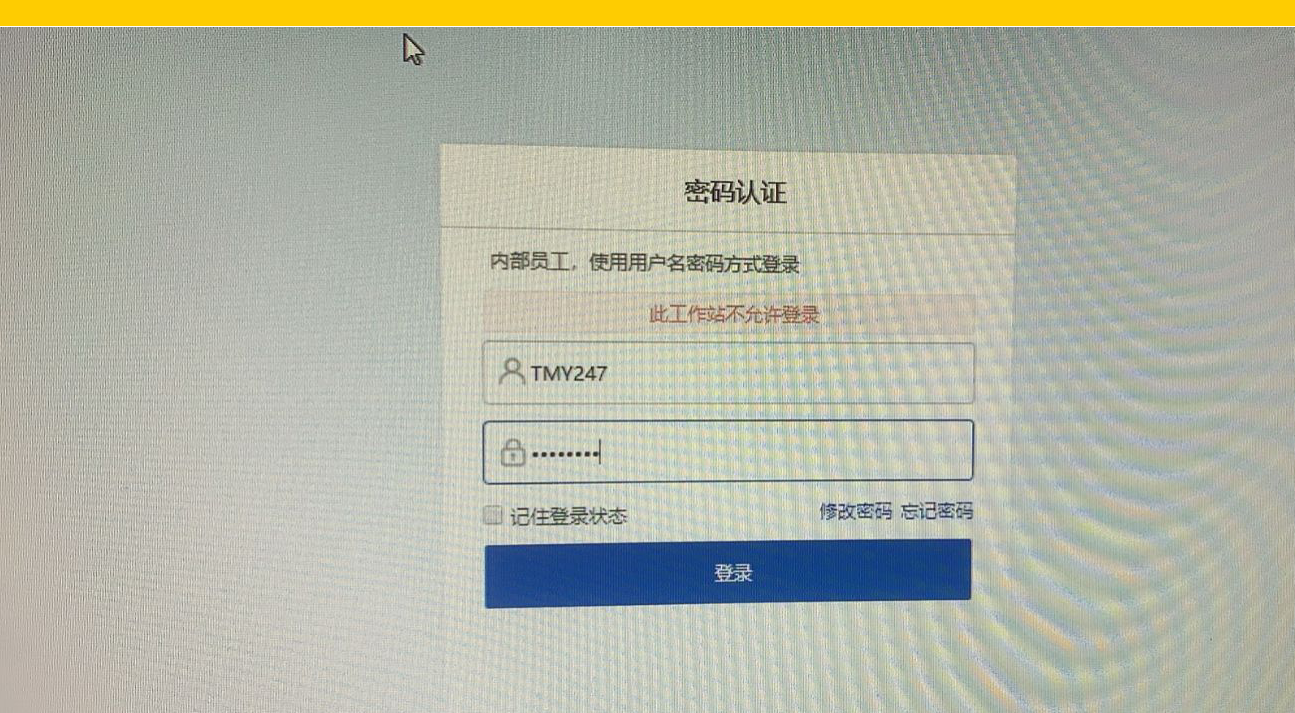
Effective troubleshooting steps
- Check that the IAG configuration is correct, the AD domain server test validity is successful, the authentication policy enables password authentication, the authentication server is associated with the AD domain server, and the authentication scope includes the test IP address.
- Changing to another computer and using the same username for authentication test will also result in the same error message.
- Check that the user is enabled normally in the AD domain, but is bound to the specified computer name
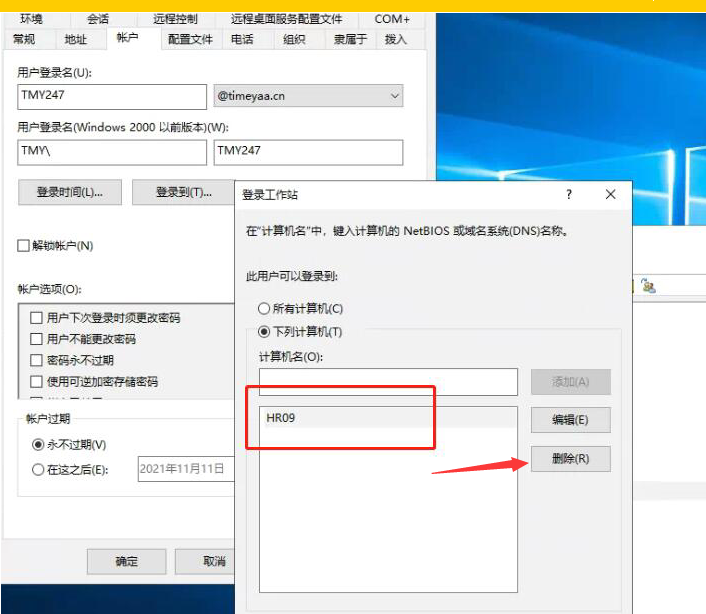
4. Delete the bound computer name, re-authenticate and test, domain user password authentication is successful, and the Internet is normal
Root cause
The user binding computer name is set on the AD domain
solution
Delete the computer name bound to the domain user on the AD domain
Original Link
https://support.sangfor.com.cn/cases/list?product_id=22&type=1&category_id=7971&isOpen=true