
[IAG] Configuring Windows system applications for application networking control does not take effect
Problem Description
Customers reported that configuring Windows system applications (such as cmd) to perform application networking control to restrict access does not work.
Effective troubleshooting steps
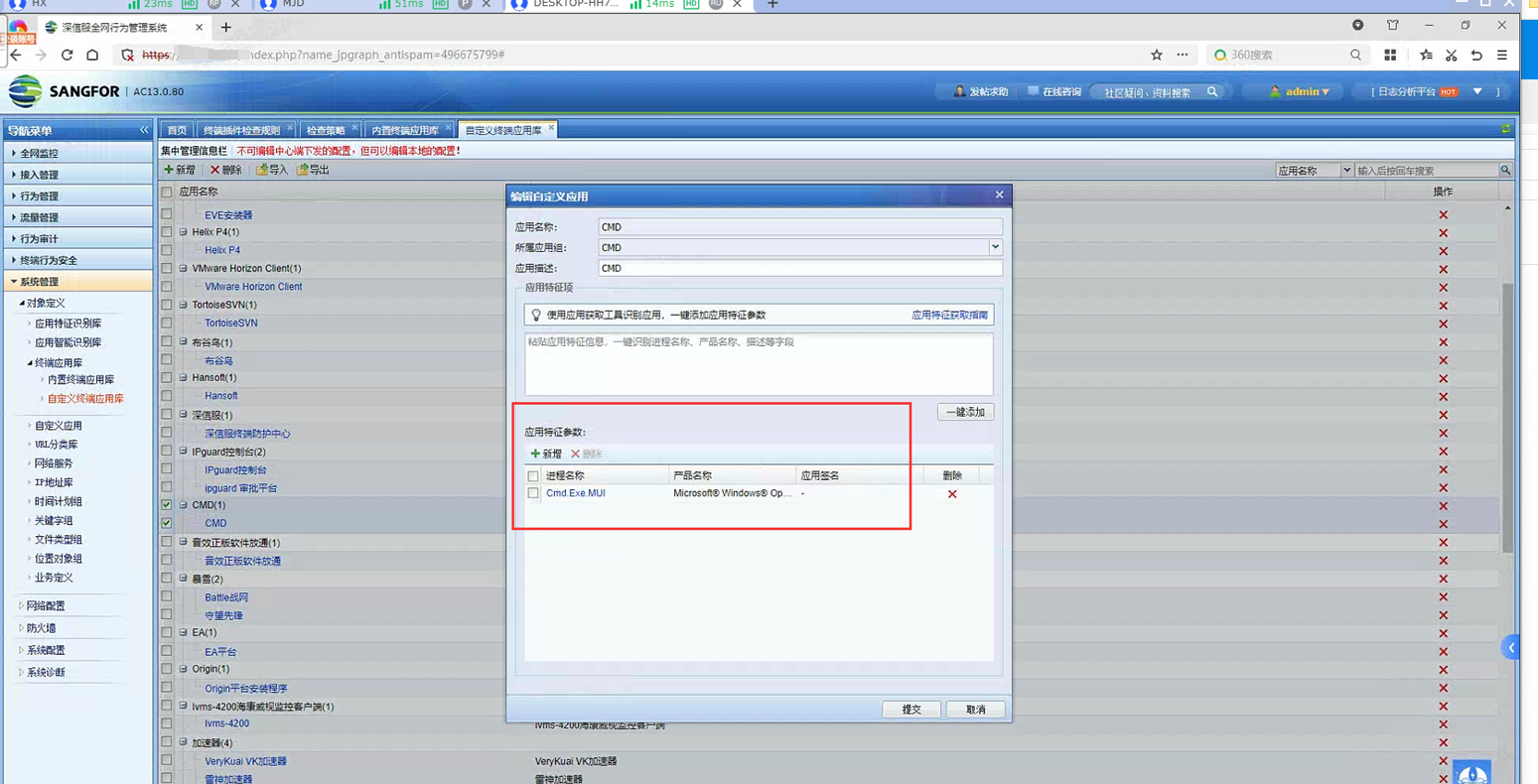
- Check the application network control policy configured by the customer and find that the customer has customized the terminal application CMD. Directly pull the cmd program into the identification manually.
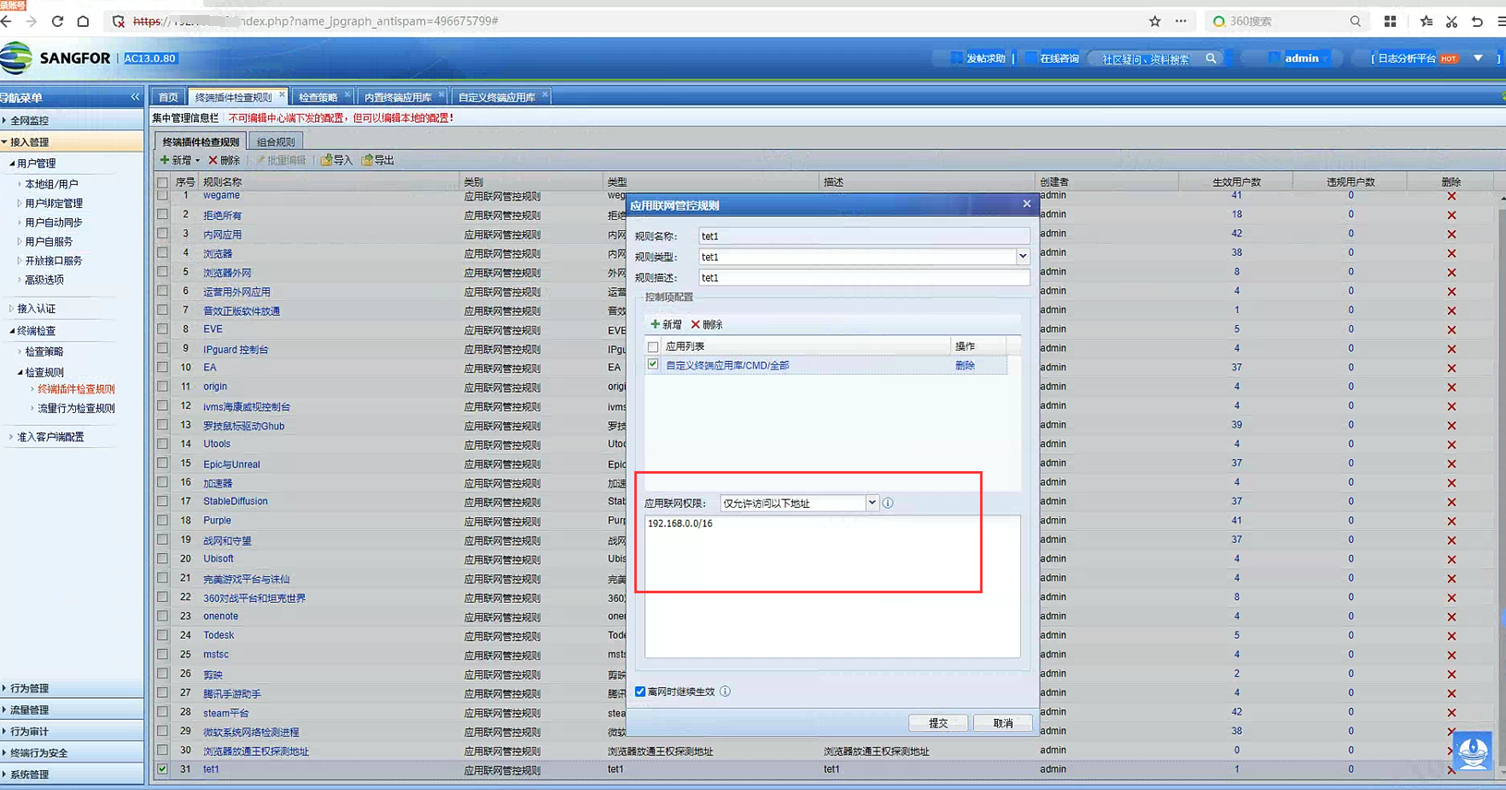
- The application network control strategy is as follows. After configuration, it does not take effect when tested on the corresponding terminal, but other IP addresses can still be accessed through cmd. Such as ping test, telnet, ftp, etc.
- **Confirmed with R&D that system applications have been excluded from network control, and network control of all Windows system applications is ineffective. **
Root cause
**System applications are excluded from network control, and network control of all Windows system applications is ineffective. **
solution
System applications are excluded from the network control policy and cannot take effect. This is normal.
Original Link
https://support.sangfor.com.cn/cases/list?product_id=22&type=1&category_id=26277&isOpen=true