
[IAG] Console [Join Centralized Management] form is blank and cannot be entered
Problem Description
In the IAG console, under the [System Management] – [Advanced Configuration] – [Join Centralized Management Settings] column, the [Join Centralized Management] form is blank and cannot be used for input.
Warning Information
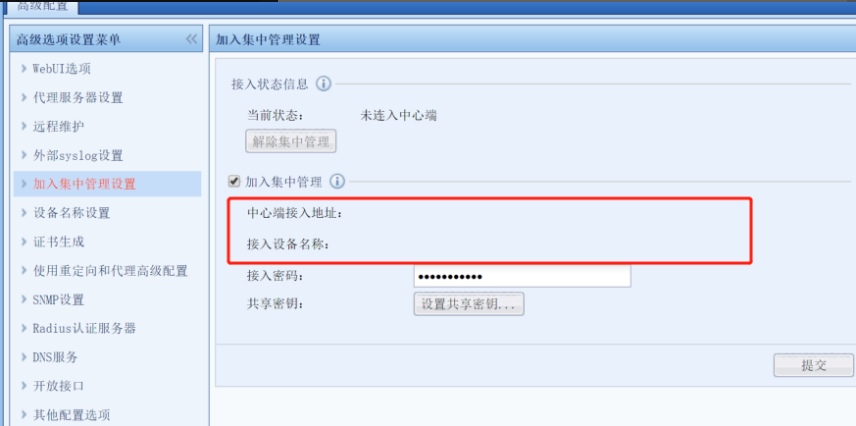
704825bba0d2aa7211.png (95.15 KB)
Process——
- Clear the cache and then log in to the device console, the same phenomenon still occurs.
- Tested with Chrome browser, it works fine with other browsers.
- Tested with Chrome on another PC and it worked fine.
- Check and find that the browser zoom ratio is 110%. Change it to 100% and it will be normal.
solution
Modify the browser zoom ratio to restore it to normal.
Original Link
https://support.sangfor.com.cn/cases/list?product_id=22&type=1&category_id=6521&isOpen=true