
[IAG] Custom applications cannot be searched by application name in Internet access permission policy
Problem Description
I added a custom application in Object Definition of the IAG console, but I could not find the custom application in Application Control of Internet Access Policy. As a result, the Internet Access Policy could not reference the custom application normally.
Warning Information
The custom application information cannot be searched in [Application Control] in [Internet Access Policy], resulting in the inability to reference the custom application.
Process——
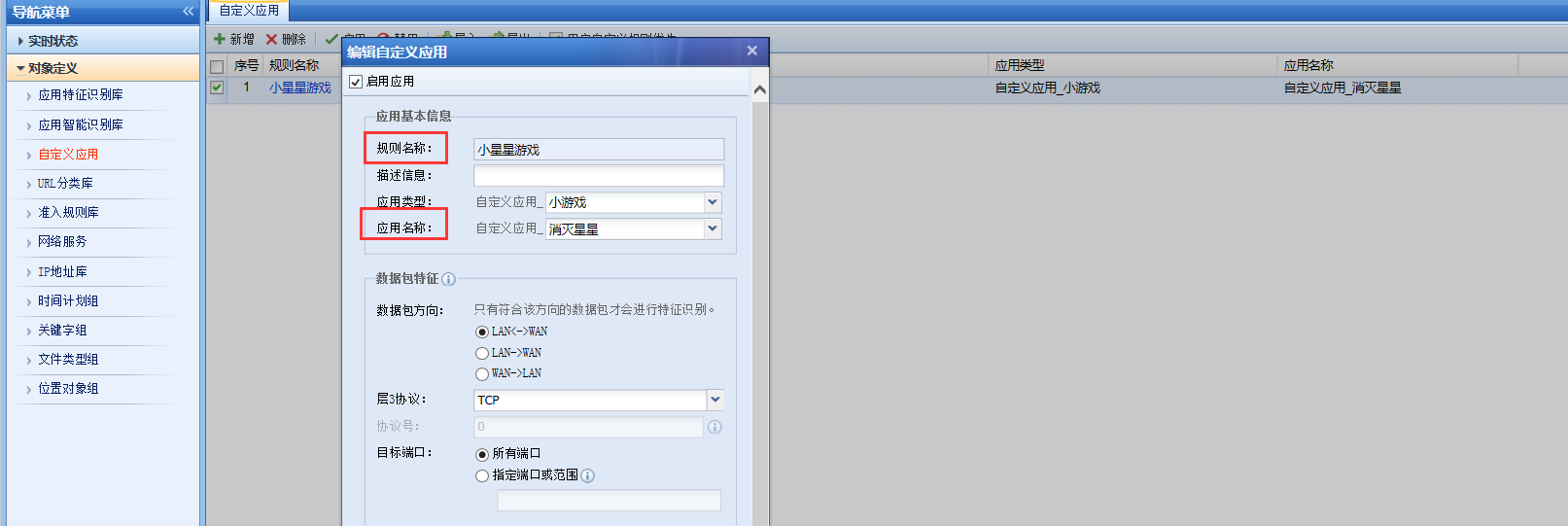
- Check the custom application configuration in [Object Definition] – [Custom Application] on the IAG console page, and verify that the address and port information are correct. The specific configuration is as shown below:
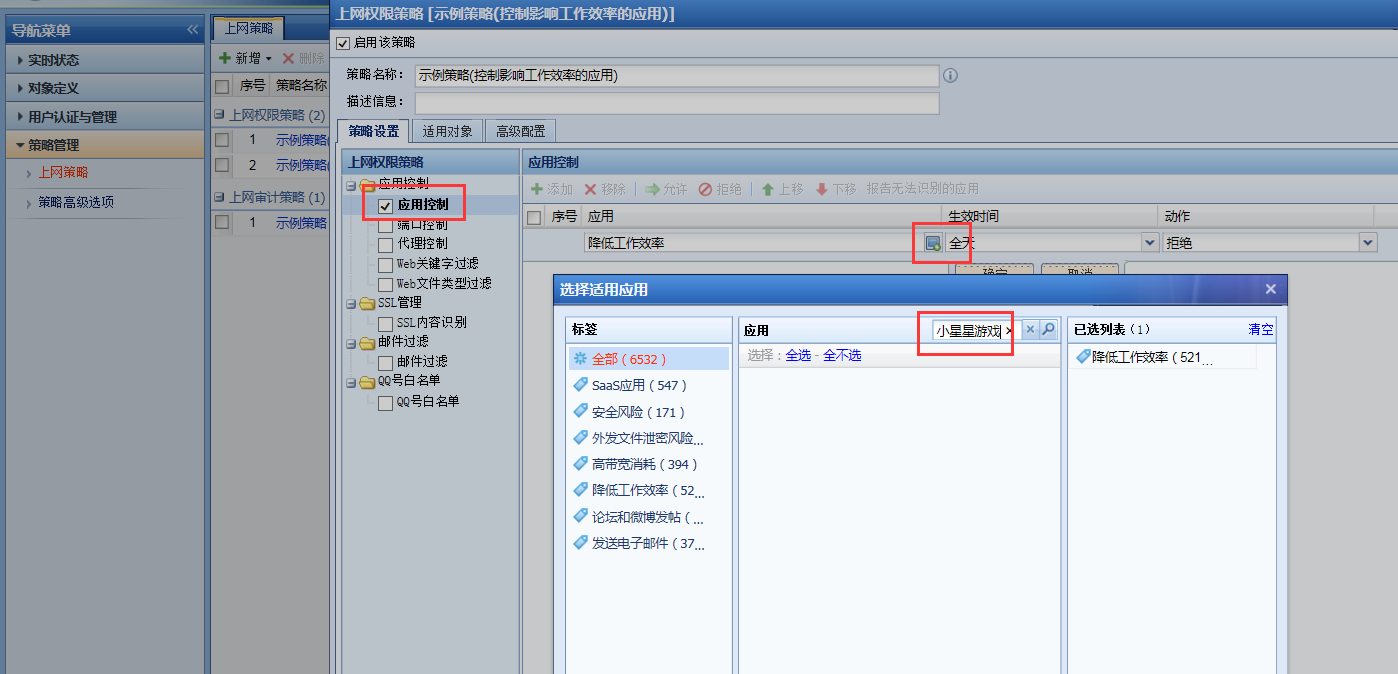
902465ea18f21f1836.png (84.78 KB) - Check the way the customer searches for custom applications in [Policy Management] – [Internet Access Policy] – [Application Control] and find that the customer searches for the rule name of the custom application;
346225ea18fc33784c.png (125.25 KB)
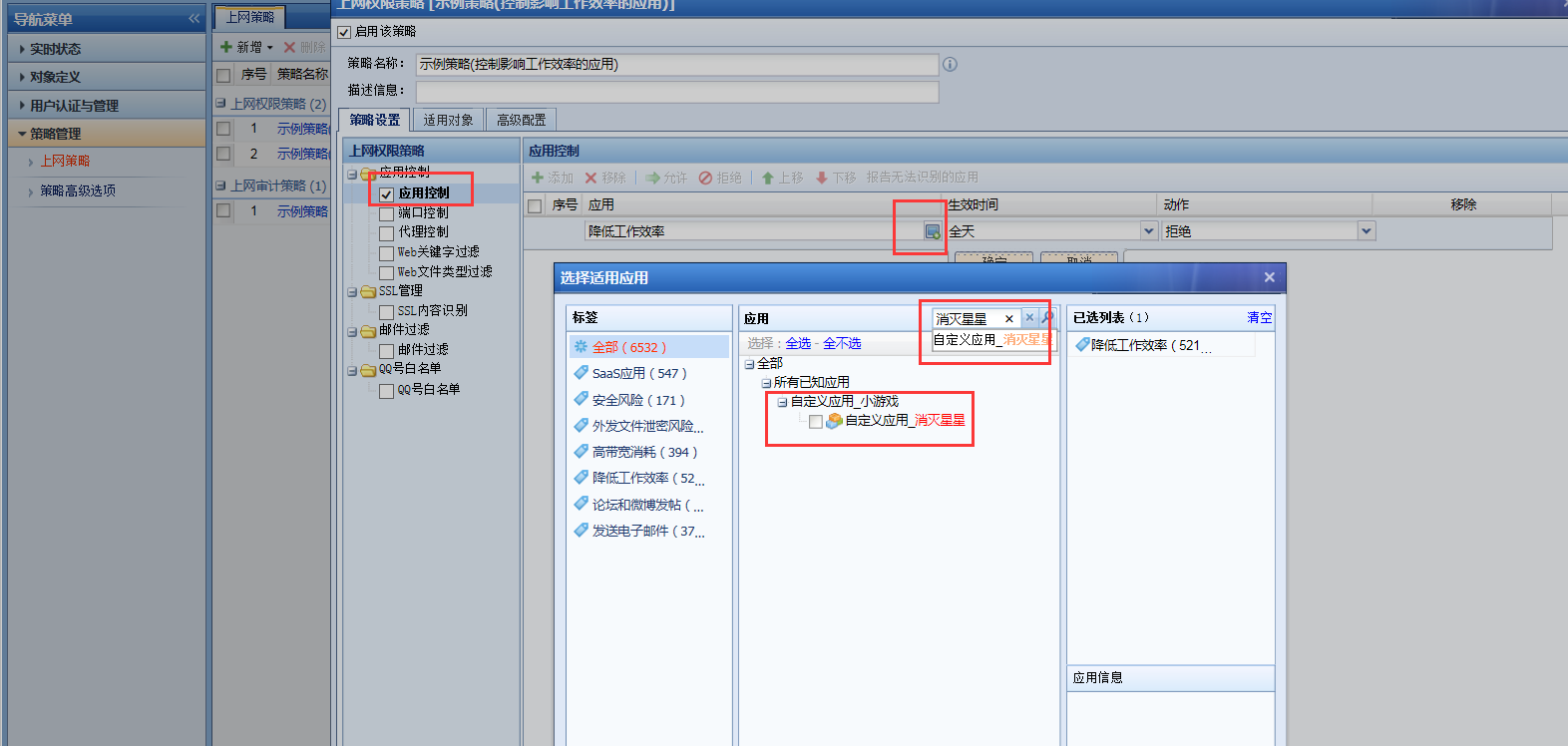
By changing the search to the application name of the custom application, you can search for the custom application and set it up for normal reference.
989045ea19030a70b1.png (144.13 KB)
Root cause
The search was for the rule name of a custom application, so the custom application could not be found.
solution
When searching for custom applications in Internet access permission policies, you need to search for the application name of the custom application instead of the rule name.
Suggestions and Conclusion
Although the rule name is at the front when customizing the application, it is important to note that when selecting applications for Internet access permission policies or traffic management, what is actually searched is the application name rather than the rule name.
Original Link
https://support.sangfor.com.cn/cases/list?product_id=22&type=1&category_id=7515&isOpen=true