
[IAG] Data center access log is “Unidentified Application”
Problem Description
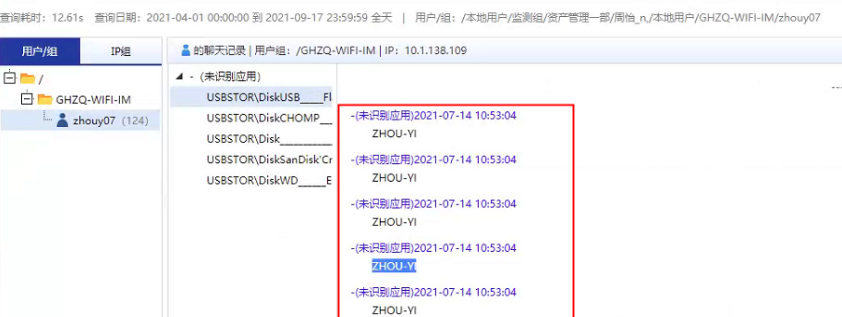
IAG12.0.6 The access logs of some users in the customer intranet are audited as "Unidentified Application"
Effective troubleshooting steps
- Check the access log – Unidentified Application (USB) at the beginning. IAG12.0.6 does not have the USB disk audit function, which is obviously abnormal.
- Find the R&D team and find that the original log was written Ingress Client.
chat_to->USBSTOR\DiskWD______Elements_SE_26231026 im_title->USBSTOR\DiskWD______Elements_SE_26231026 im_type->116 chataction->Send message trace_t->im_send im_rule->UnKnown IM chat_dir->out msg->ZHOU-YI DNS->raw.githubusercontent.com - Check that there are no other IAGs in the customer's intranet, and the customer has not used network-wide behavior management.
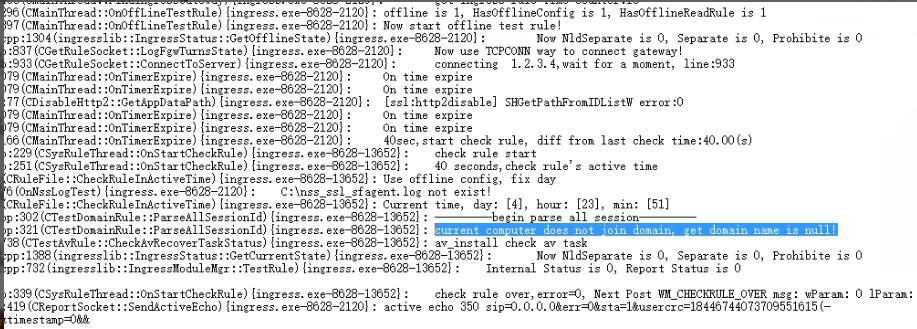
- Check the access log on the terminal PC as follows: It is found that there is information about adding domains, which belongs to the access client of the whole network Ingress Client
Root cause
Some of the client's PCs were installed Ingress Client, resulting in audit anomalies
solution
Uninstall Ingress Client and install the current version of the access plug-in.
Suggestions and Conclusion
The difference between the access logs of the whole network behavior management and the online behavior management:
The whole network behavior management access log contains more new function logs than the Internet behavior management access log, such as peripheral control, external connection inspection, etc.
Original Link
https://support.sangfor.com.cn/cases/list?product_id=22&type=1&category_id=7963&isOpen=true