
[IAG] DHCP prompts that the address is insufficient and has been used up, but not so many addresses have actually been allocated
Problem Description
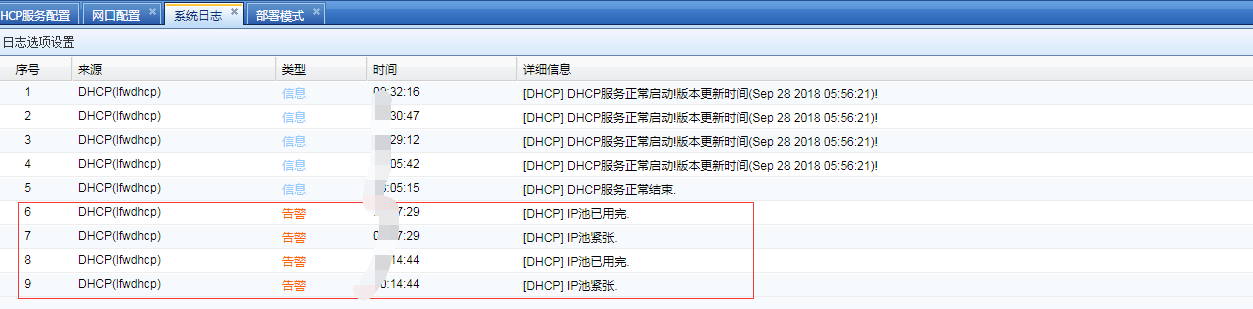
The DHCP alarm prompts that the address pool is used up. In fact, only more than 10 addresses have been allocated from the address pool, and there are more than 200 addresses configured in the address pool, as shown in the figure
809515c9838a00983a.png (54.83 KB)
Root cause
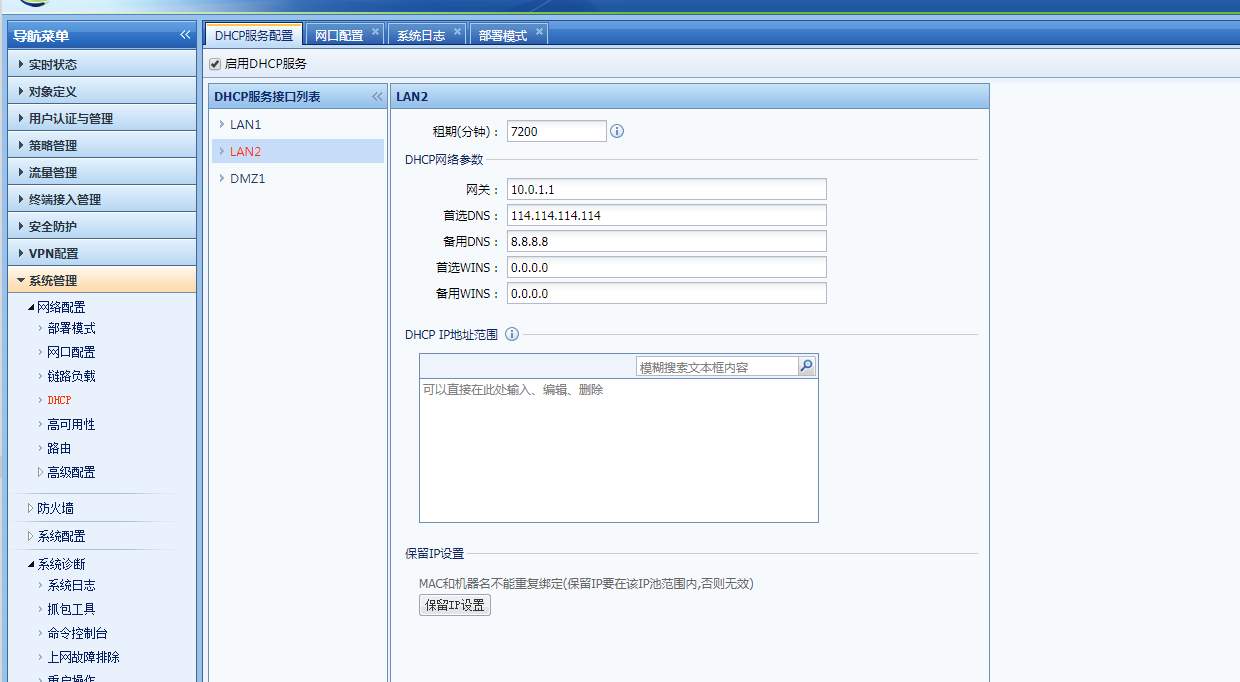
The customer has two LAN ports and one of them does not want to enable DHCP, so the DHCP address pool is not configured but the gateway address and DNS are configured, resulting in an address exhaustion alarm.
916375c983ace318f9.png (88.29 KB)
solution
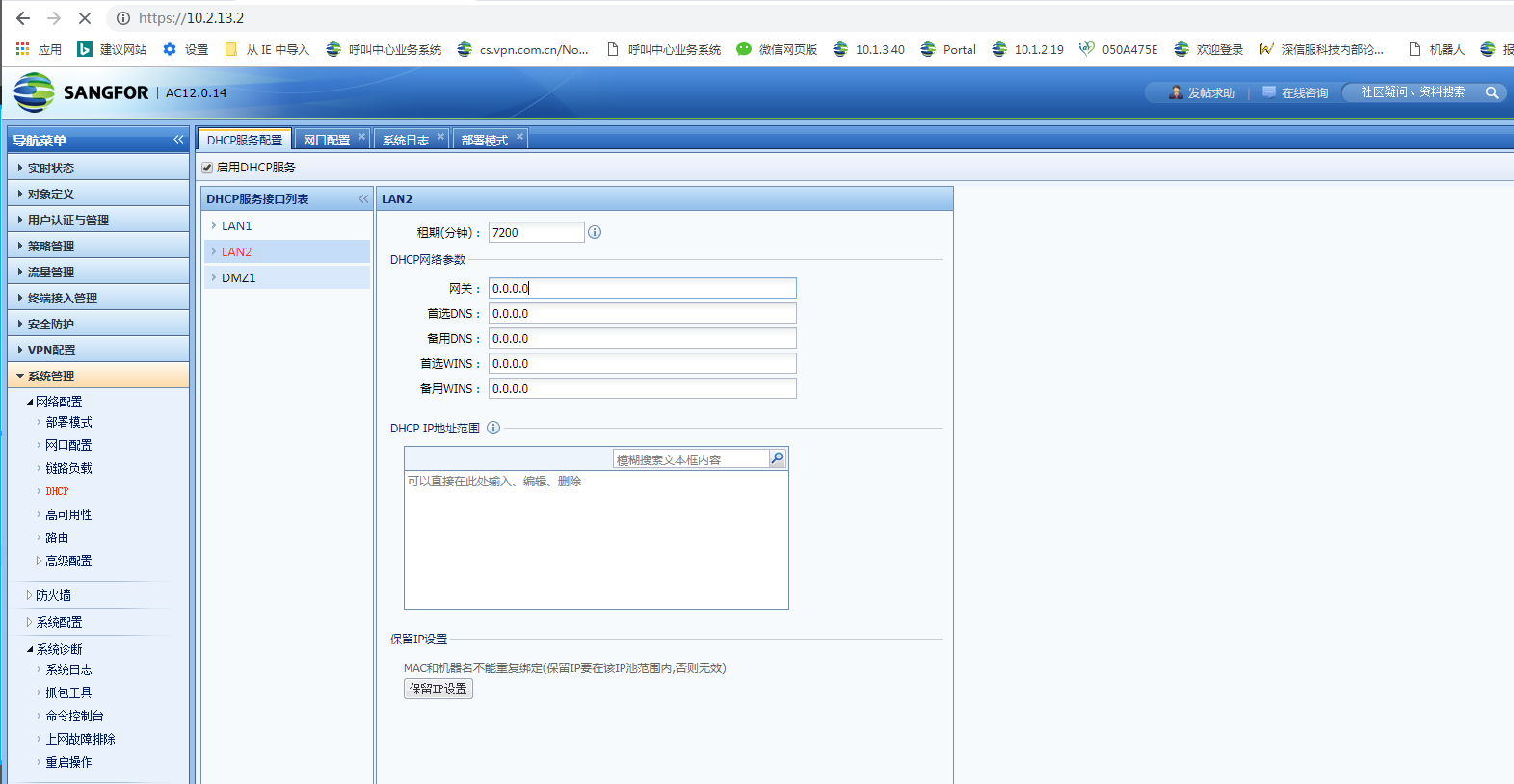
If you do not want to enable DHCP for LAN2 port, keep the default 4 0 configurations for gateway address and DNS.
868535c983b167db30.png (150.63 KB)
Original Link
https://support.sangfor.com.cn/cases/list?product_id=22&type=1&category_id=6790&isOpen=true