
[IAG] Domain users cannot synchronize OU group users
Problem Description
Customer's original question: The domain user synchronization option cannot synchronize domain OU group users
Process——
1: [User Authentication and Management] – [External Server], LDAP domain server test connectivity is normal;
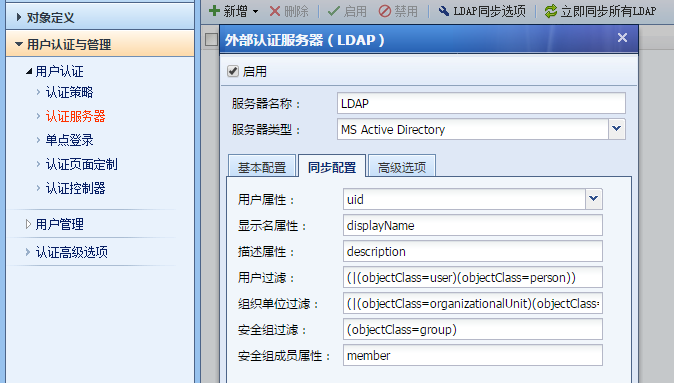
2: Check the synchronization configuration as follows: Only the user attribute is not the default, it is changed to uid
764595bd71c00d6036.png (58.8 KB)
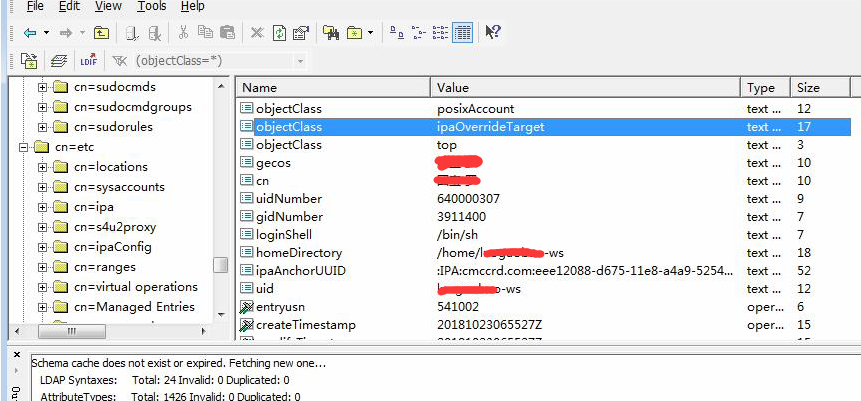
3: Connect to the domain through ldapbrowser and check the domain user attributes as follows:
939375bd71c68c4ca4.png (286.35 KB)
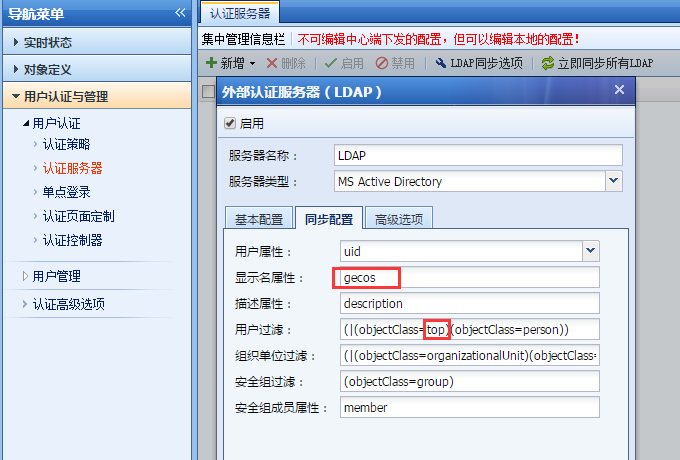
4: Modify the synchronization options as follows and it will be normal
660085bd71dc658dda.png (68.75 KB)
Root cause
The synchronization option synchronized user parameters and domain server user parameters do not match.
solution
Read the domain user group attributes and user attributes through ldapbrowser, and configure the synchronization options
Suggestions and Conclusion
How to use the ldapbrowser tool: You can download the tool from Baidu
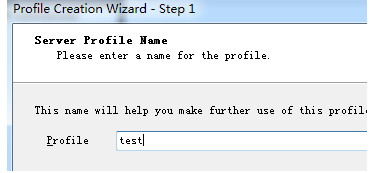
- Create a new profile first
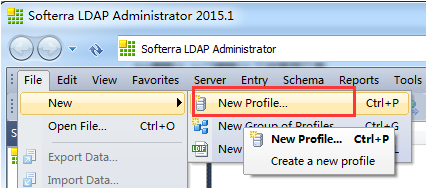
636885bd71e36c3d12.png (34.26 KB) - Fill in the name casually
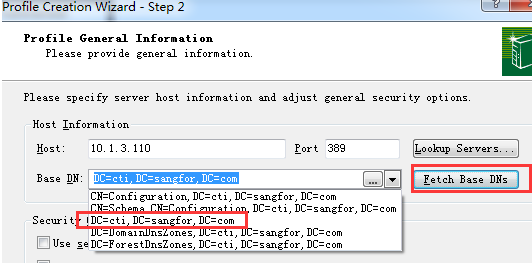
88265bd71e4e37348.png (12.18 KB) - At this step, click fetch Base DNs, then click the required domain after searching.
217965bd71e81e4396.png (25.39 KB) - Then enter the domain account password, which should be consistent with the IAG
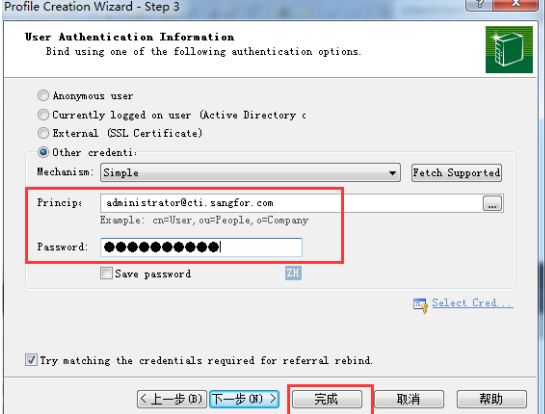
966845bd71e9cadc5a.png (68.9 KB) - After clicking Finish, you can see the organizational structure of the domain.
Original Link
https://support.sangfor.com.cn/cases/list?product_id=22&type=1&category_id=6581&isOpen=true