
[IAG] Domain users go online as temporary users and cannot match domain policies
Problem Description
Some users in the intranet are not in the domain user group, but go online as temporary users in the default group, and the authentication method is single sign-on.
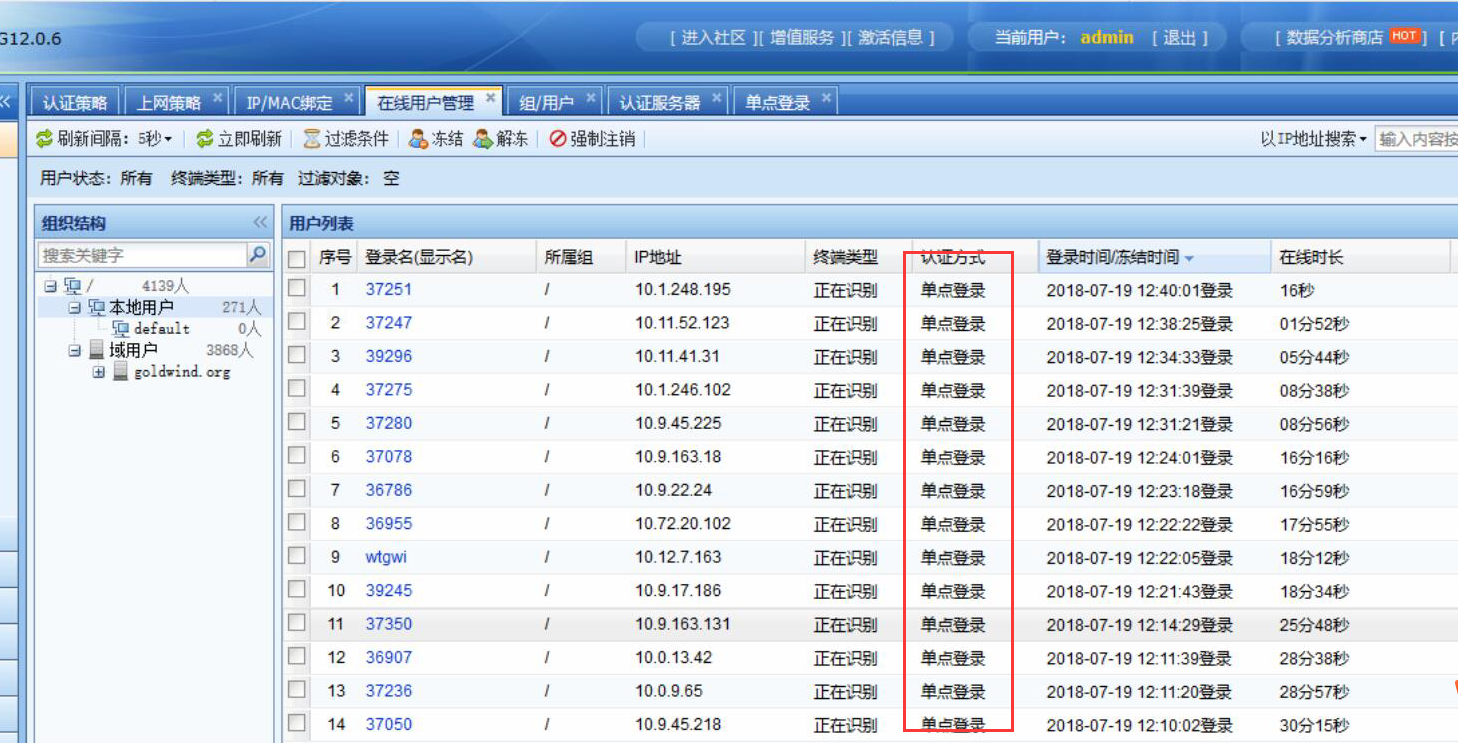
243455b507e374ab2e.png (858.86 KB)
Process——
-
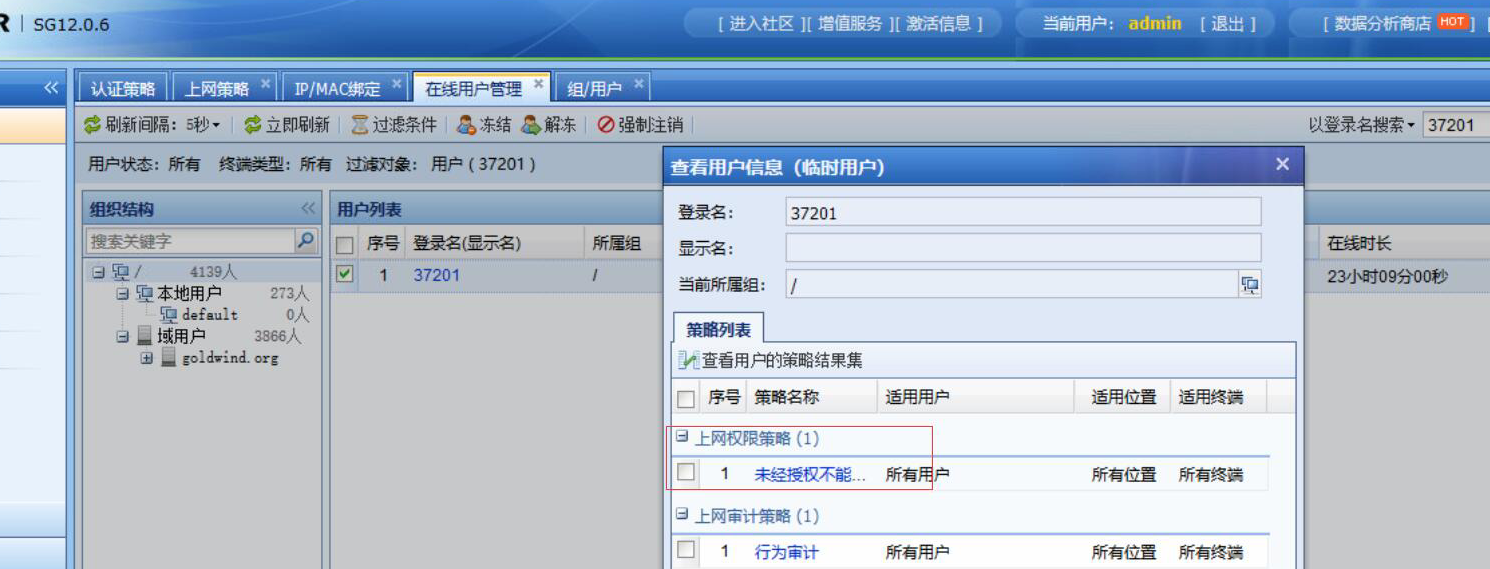
Using adsso single sign-on, some users are now matched to temporary users, resulting in failure to match the policy. The synchronized local domain structure contains this user 37201
138945b507fb79ddcc.png (471.58 KB)
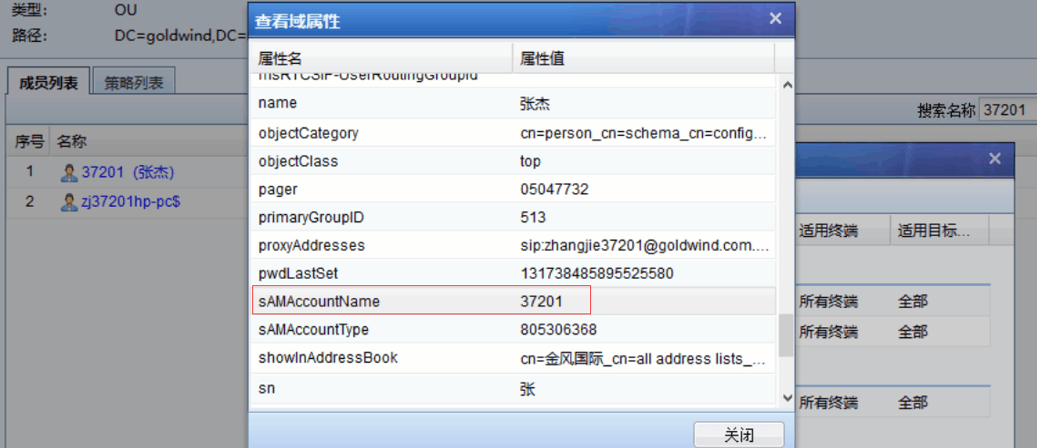
674745b5b0884eb093.png (195.44 KB) -
The ldap user validity test passed, indicating that the communication with the domain is normal. Checking the system log prompts "can not search ldap" means that the synchronization failed.
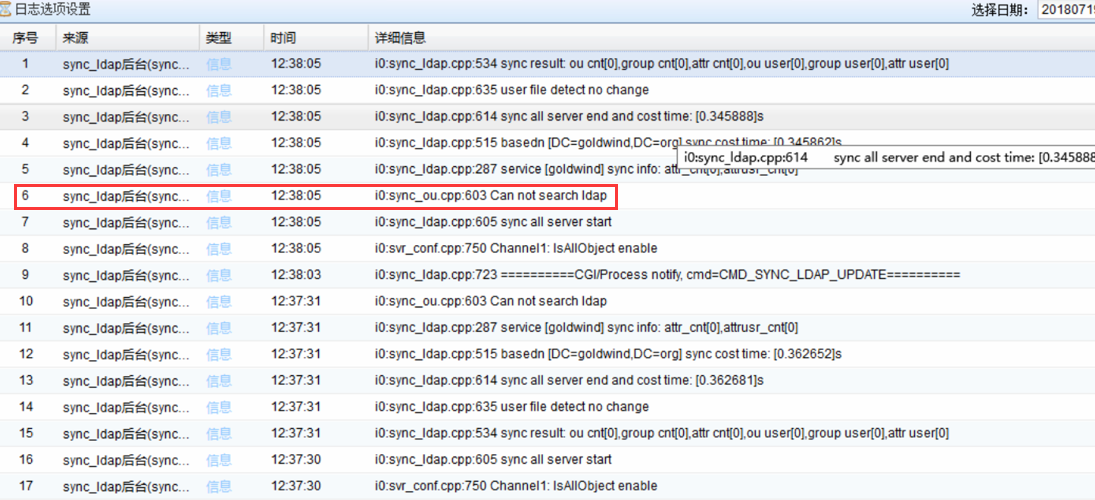
466845b5b08de5446c.png (383.24 KB) -
You can also use third-party tools to read it, but the online user is not matched to the local user.
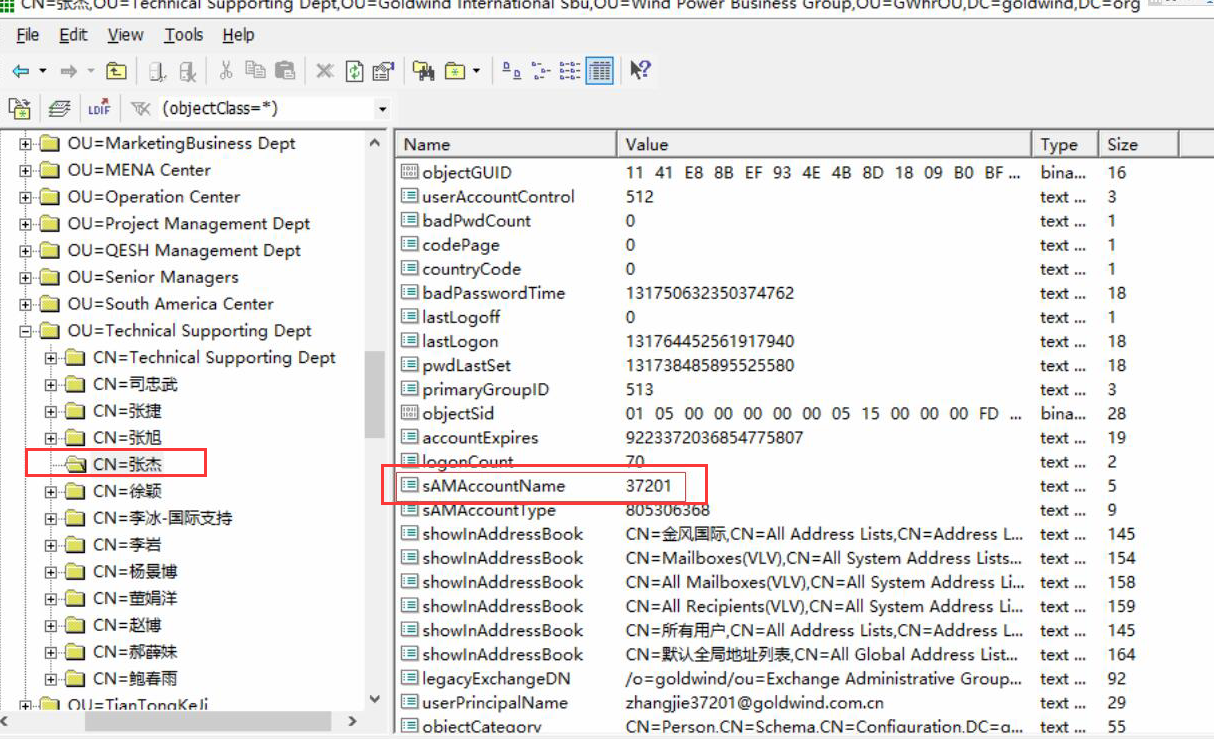
828715b5080c7dfc54.png (906.97 KB) -
Packet capture and analysis of the data packets synchronized between IAG and AD domains revealed that the server responded with an rst error when synchronizing users. The ttl was 128, which should be intercepted by the intermediate device.
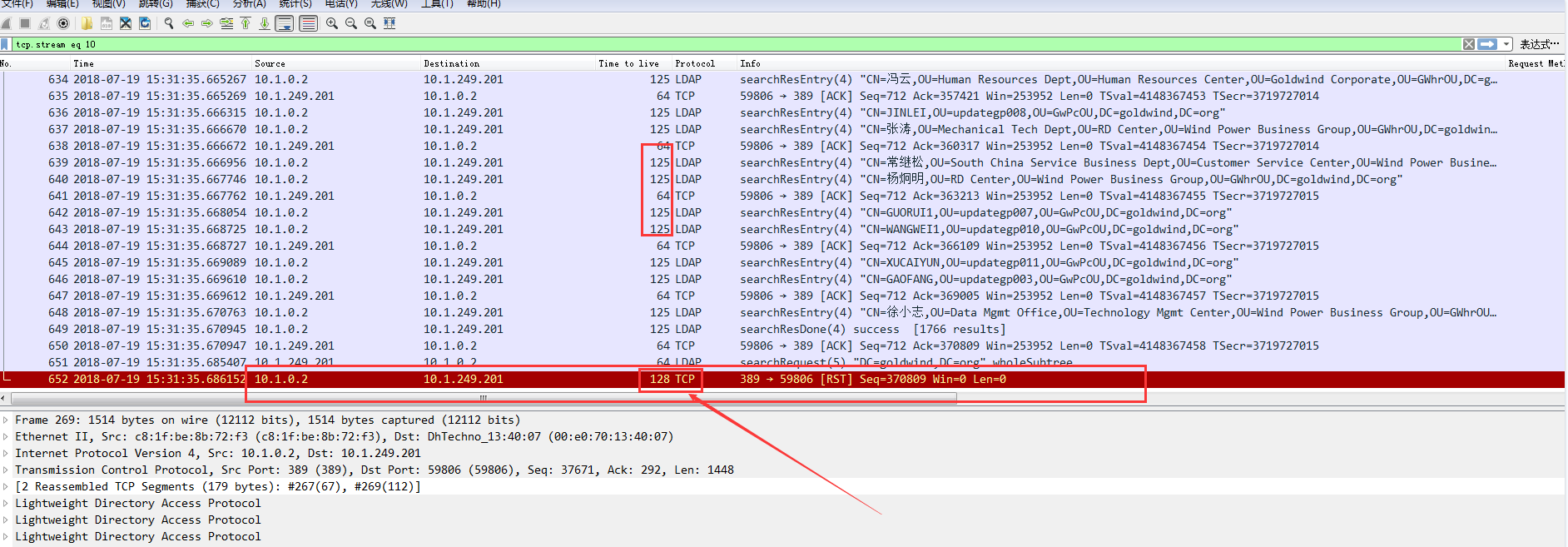
113555b508090a8fd6.png (179.33 KB) -
Confirm the environment with the customer. If there is a firewall device in the middle, release all IAGIP policies and restrictions. When synchronizing users, match them to the domain user group.
solution
The intermediate device intercepted the synchronization, causing the AD domain user to be interrupted halfway through, resulting in synchronization failure. The firewall opened the IAG restriction normally.
Original Link
https://support.sangfor.com.cn/cases/list?product_id=22&type=1&category_id=6034&isOpen=true